

Circle cropping transforms ordinary vehicle listings into visually distinctive marketing assets. In automotive photography, this technique isolates the car within a perfectly rounded frame, eliminating distracting backgrounds while creating a modern, gallery-like presentation. For dealerships and Turo hosts managing high-volume inventory, circular crops offer a strategic advantage: they draw buyer attention directly to the vehicle, reduce visual clutter across listing platforms, and establish a professional brand identity that stands apart from standard rectangular photography.
Quick Answer: Circle cropping means using photo editing tools to frame your car image within a circular shape, removing or masking the background. You can achieve this through AI-powered solutions like Car Photo Booth (which automatically removes backgrounds entirely), desktop software such as Photoshop or Canva, or mobile apps designed for quick edits. It matters for car sellers because circular crops increase engagement on social platforms, create consistency across catalog pages, and subtly signal premium presentation—factors that correlate with faster sales and higher inquiry rates.
The popularity of circular crops in dealership photography reflects a broader shift toward mobile-first buying behavior. When buyers browse inventory on phones and tablets, circular frames compress information efficiently into compact spaces while maintaining visual appeal. Rather than struggling to frame your photos traditionally, you can leverage modern tools that handle background removal and shape cropping simultaneously—solving two problems at once. This guide explores the best methods and platforms available today, from free browser-based editors to professional-grade AI solutions designed specifically for automotive sellers.
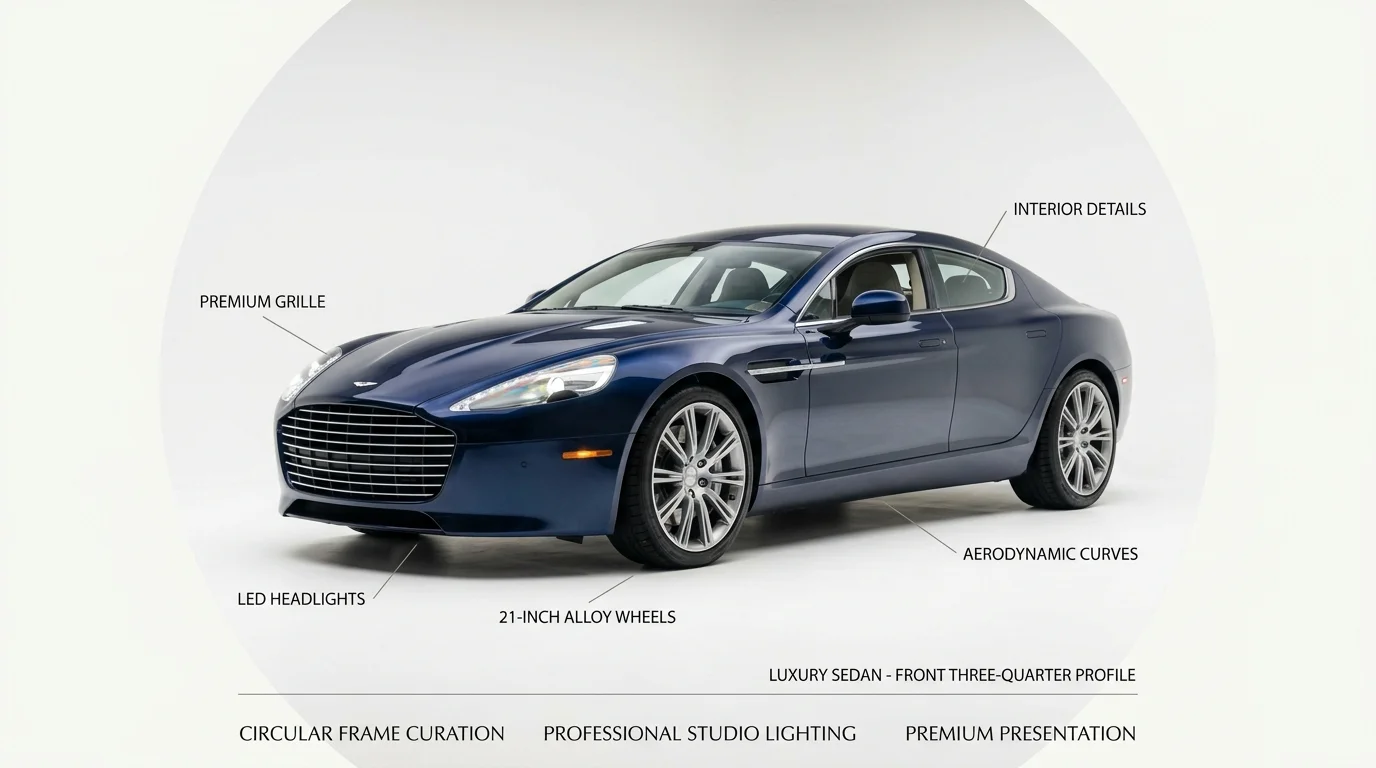
Table of Contents
- Why Circle Cropping Works for Automotive Marketing
- Visual Impact on Online Marketplaces
- Consistency Across Your Inventory
- Best Tools to Circle Crop Images: Traditional vs. AI-Powered Solutions
- Traditional Photo Editors: Photoshop and Pixlr
- Online Circle Crop Tools: Speed Over Customization
- AI-Powered Automotive Photo Solutions
- Step-by-Step: Circle Cropping a Car Photo Without Expensive Software
- Method 1: Using Pixlr for Quick Circular Crops
- Method 2: Automating with AI Background Removal
- Optimizing Circular Crops for Different Platforms
- Common Mistakes When Circle Cropping Car Photos and How to Avoid Them
- Losing Vehicle Detail in the Circular Frame
- Inconsistent Backgrounds Across Listings
- Scaling Circular Crop Workflows for Dealerships and High-Volume Sellers
- Manual Editing: Time and Cost Analysis
- AI Batch Processing: Speed and Consistency
- Integrating Circular Crops into Your Listing Workflow
- Choosing the Right Circle Crop Solution for Your Automotive Business in 2026
Why Circle Cropping Works for Automotive Marketing
Circular crops aren't just a design trend—they're a strategic choice that directly impacts how buyers engage with your inventory online. When you think outside the square, you fundamentally change how your vehicles compete in crowded marketplaces. A circular frame naturally draws the viewer's eye toward the center of the image, concentrating attention on the vehicle itself rather than allowing it to scatter across a rectangular border. This focused composition creates psychological weight that rectangular photos simply cannot match, making each listing feel intentional and professionally curated rather than hastily snapped.
Visual Impact on Online Marketplaces
On platforms like Facebook Marketplace, Craigslist, Turo, and dealership websites, listings appear in grid layouts where dozens of vehicles compete for attention simultaneously. Rectangular photos blend into the visual rhythm of the grid, becoming interchangeable. A circular crop breaks that pattern—it stands out geometrically, catching viewers' eyes in a sea of similar shapes. According to research from CarCutter, 67% of consumers consider image quality to be "very important" in their purchasing decisions when shopping for vehicles online. Circular crops signal that quality immediately through distinctive presentation, subtly communicating that this dealer invests in professional standards.
The contrast matters measurably. When a buyer scrolls through ten listings, the circular-cropped images register as premium offerings, even if the underlying photo quality is identical to rectangular alternatives. This visual distinction correlates with higher click-through rates and longer dwell time on your listing—metrics that search algorithms and marketplace platforms reward with better placement.

Consistency Across Your Inventory
Maintaining visual uniformity across dozens or hundreds of listings has traditionally required expensive studio sessions or rigid in-house photography standards. Circular cropping solves this elegantly. By applying the same shape to every vehicle photo, you create instant brand cohesion that tells buyers they're browsing a professional operation, not a patchwork of images from different sources. A dealership with 200 vehicles all presented in matching circular frames projects competence and reliability—qualities that accelerate purchase decisions.
When you clean up car pictures for online listings using AI-powered solutions, adding circular cropping to that workflow ensures consistency without multiplying your workload. Tools that combine background removal with shape formatting—like Car Photo Booth—handle both simultaneously, transforming lot photos into polished, uniform catalog assets in seconds rather than hours of manual editing.
Best Tools to Circle Crop Images: Traditional vs. AI-Powered Solutions
Circle cropping car photos has evolved dramatically over the past decade. What once required hours of manual editing in professional software now takes seconds with AI-driven platforms. Understanding the spectrum of available tools—from traditional desktop editors to modern AI solutions—helps you choose the right fit for your dealership's workflow, budget, and output requirements.
Traditional Photo Editors: Photoshop and Pixlr
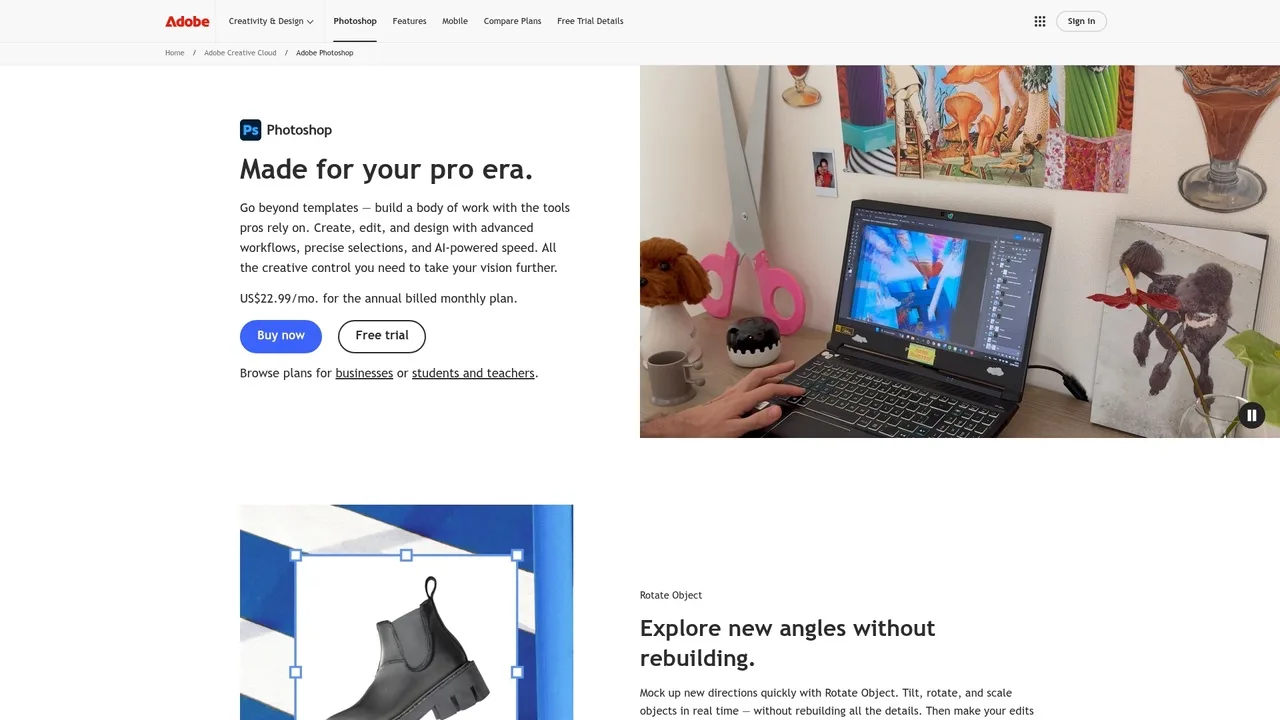
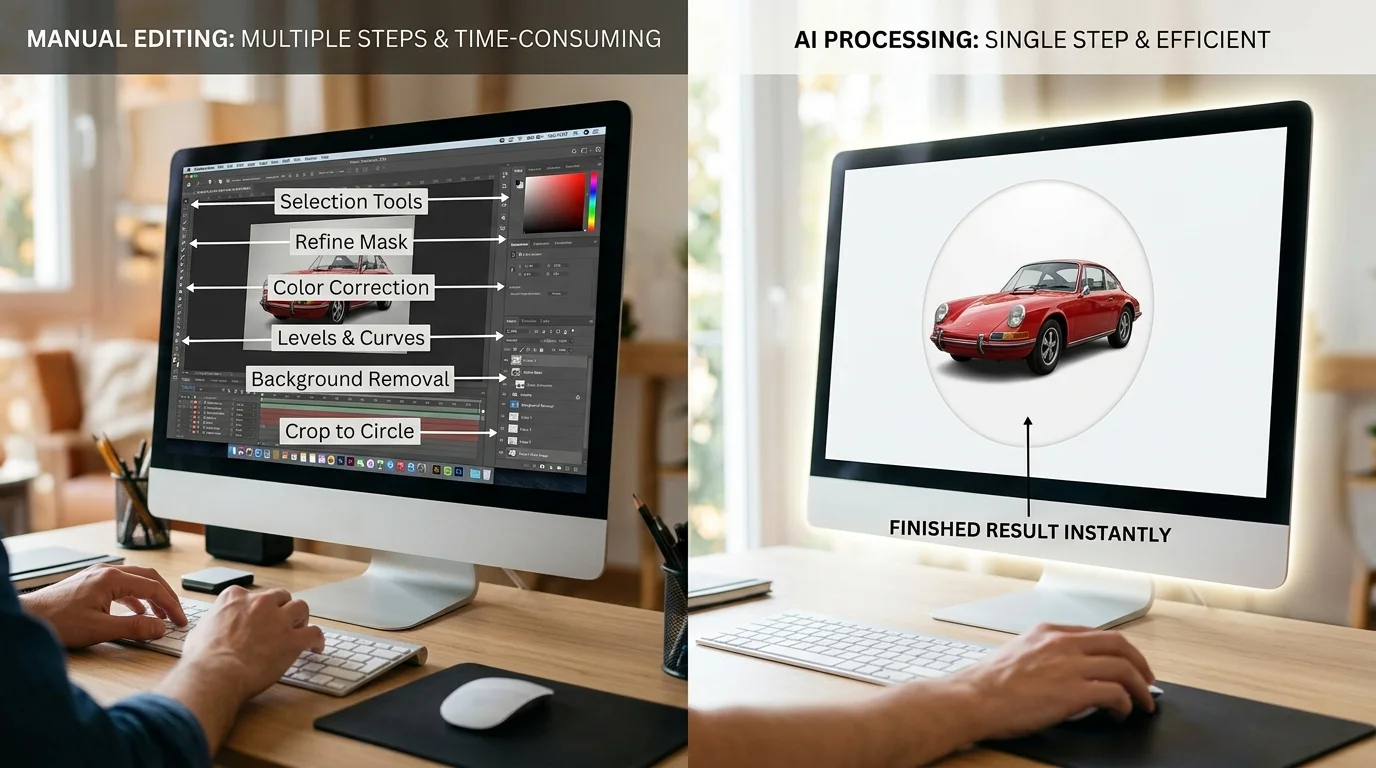
Adobe Photoshop remains the industry standard for precision image editing, and circular cropping is straightforward within its ecosystem. Using the Ellipse Selection Tool, you draw a perfect circle around your vehicle, apply feathering to soften edges (typically 2–5 pixels), then crop or mask the selection. The process takes 3–5 minutes per image once you develop muscle memory.
However, Photoshop's cost presents a barrier for many dealerships. According to Design Offset, Adobe's monthly subscription runs $34.49 per month for month-to-month billing, or $22.99 monthly when billed annually. For a dealership processing 50+ photos weekly, this adds up quickly—especially when you factor in the learning curve for staff unfamiliar with the software.
Pixlr offers a lighter alternative. This browser-based editor includes circle crop functionality without installation, and its free tier covers basic circular cropping needs. The paid version removes watermarks and adds advanced features, but for simple shape cropping, the free option suffices. The trade-off is lower precision and limited batch processing compared to Photoshop.
Both tools excel at customization—you control feathering, edge softness, and final dimensions precisely. Neither, however, addresses the underlying problem: background consistency. After cropping your vehicle into a circle, you still face a transparent or white background that may not match your brand's aesthetic or marketplace requirements.
Online Circle Crop Tools: Speed Over Customization
Free online editors like Canva, Photopea, and BeFunky democratized basic circle cropping. Canva Pro, according to Style Factory Productions, costs $15 monthly or $120 annually ($10 per month). These platforms require no software installation—just upload, select the circle crop tool, and download. Processing time: under two minutes per image.
The advantage is accessibility. Your entire team can use these tools immediately without training. The disadvantage is inflexibility. Most online editors offer limited background options, export resolution caps at 2K (not the 4K dealerships increasingly demand), and watermarks on free tiers. Batch processing is either absent or clunky, making them impractical for catalogs of 100+ vehicles.
AI-Powered Automotive Photo Solutions
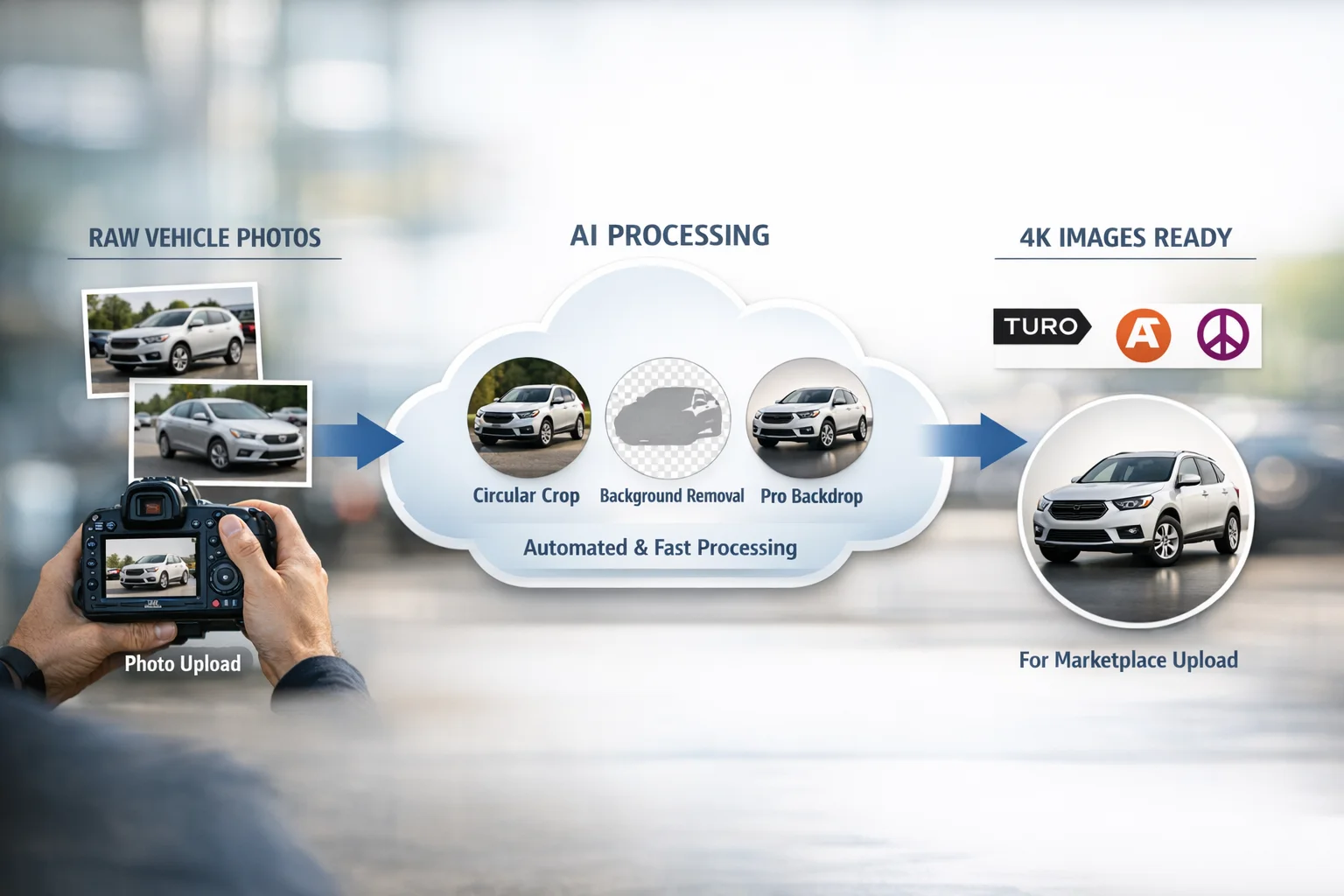
Modern AI tools like Car Photo Booth represent a fundamental shift in how dealerships approach vehicle photography. Rather than manually selecting and cropping, AI automatically detects the vehicle, applies the circular crop, and simultaneously replaces the background with one of 100+ professional automotive studio options—showroom floors, luxury backdrops, urban environments, or clean white surfaces.
The workflow is radically faster: upload a batch of lot photos, select your preferred backdrop, and retrieve studio-quality circular crops in seconds per image. No learning curve. No manual selection required. The AI handles edge detection, feathering, and background blending automatically, ensuring consistency across your entire inventory.
For dealerships managing hundreds of listings, this efficiency compounds dramatically. A photographer shooting 20 vehicles traditionally spends 2–3 hours on post-processing; AI reduces that to 10–15 minutes. At scale, this translates to thousands of dollars saved monthly in labor costs alone.
| Tool Category | Setup Time | Cost per Image | Processing Speed | Output Quality | Batch Capability | Best For |
|---|---|---|---|---|---|---|
| Photoshop | High (learning curve) | $0.50–$1.00 | 3–5 min/image | Excellent (4K+) | Poor | Precision editing, custom designs |
| Pixlr | Low | Free–$10/mo | 2–3 min/image | Good (2K) | Limited | Budget-conscious solo operators |
| Canva Pro | Very low | $10–$15/mo | 1–2 min/image | Good (2K) | Moderate | Small dealerships, quick turnarounds |
| Car Photo Booth | None (cloud-based) | $3–$7/image | 10–15 sec/image | Excellent (4K) | Excellent | High-volume dealerships, Turo hosts |
AI solutions excel at consistency and speed but offer less granular control over individual crop dimensions or edge treatment. Traditional editors provide precision but demand time and expertise. For dealerships prioritizing volume and uniformity—the hallmark of professional inventory presentation—AI-powered tools eliminate the friction that has historically made quality vehicle photography expensive and time-consuming.
Step-by-Step: Circle Cropping a Car Photo Without Expensive Software
Circle cropping doesn't require professional design software or technical expertise. The process breaks down into three practical workflows: manual editing with free tools, AI-assisted automation, and platform-specific optimization. Each approach trades speed for control, depending on your volume and precision requirements.
Method 1: Using Pixlr for Quick Circular Crops
Pixlr offers a browser-based solution that eliminates software installation while maintaining professional output quality. Start by uploading your car photo directly to Pixlr's editor—no account required for basic use. Select the Ellipse Selection Tool from the left toolbar, then drag across your image to create a circular selection around the vehicle. Hold Shift while dragging to maintain a perfect circle rather than an oval. Once your selection is complete, navigate to Image > Crop to Selection, which removes everything outside the circle. The remaining step involves exporting: choose File > Export and select either PNG (for transparent backgrounds on websites) or JPG (for solid-color backgrounds on platforms like Craigslist or Facebook Marketplace). The entire process takes 2–3 minutes per image, making it viable for small dealerships processing 5–15 vehicles weekly. Pixlr's free tier handles standard resolution exports; paid plans unlock 4K output if your listings demand higher quality.
Method 2: Automating with AI Background Removal
For dealerships managing 50+ vehicles monthly, manual cropping becomes a bottleneck. AI-powered platforms like Car Photo Booth eliminate this friction entirely. Upload a raw lot photo—no pre-editing needed—and the AI instantly detects the vehicle, removes the background, and applies a circular crop automatically. You then select from 100+ professional backgrounds: showroom interiors, white studios, outdoor scenes, or custom options. The system processes each image in 10–15 seconds and exports at 4K resolution, ensuring consistency across your entire inventory. This approach solves the uniformity problem that plagues dealership listings: every vehicle receives identical treatment, reinforcing brand professionalism. For Turo hosts managing rotating inventory, automation scales effortlessly—process 100 cars in under 30 minutes rather than 5–10 hours of manual work.
Optimizing Circular Crops for Different Platforms
Platform specifications determine final image dimensions and file format. Turo recommends circular crops at 800×800 pixels (PNG with transparency) to showcase vehicles against their own branded backgrounds. Facebook Marketplace and Craigslist accept JPG files at 1200×1200 pixels with solid white or light-gray backgrounds behind the circle. Dealership websites typically display circles at 600×600 pixels within product grids, where transparency allows the page background to show through. When exporting, always verify that your circular crop includes adequate padding around the vehicle—at least 50 pixels of white space or transparent area prevents the car from appearing cramped. Test your exports on each platform before bulk processing; lighting, contrast, and background color render differently across devices and browsers.
Common Mistakes When Circle Cropping Car Photos and How to Avoid Them
Losing Vehicle Detail in the Circular Frame
The most common pitfall is framing the vehicle too tightly within the circle, sacrificing critical details that influence buyer decisions. When you crop aggressively to center the car, you often eliminate the wheels, lower body lines, or distinctive headlight designs—precisely the elements that differentiate a luxury sedan from a standard model. The circular format demands intentional composition: position the vehicle so its most recognizable profile occupies the center third of the circle, leaving breathing room around the edges. This approach preserves wheel design, door handles, and body contours while maintaining visual balance.
The key is understanding that a circular crop isn't about filling every pixel with the car. Instead, think of it as a spotlight that frames the vehicle's best angle. If you're shooting a sports car, ensure the side profile captures the aggressive stance and wheel design. For sedans, position the shot to show the full side profile with adequate space above the roofline. Test your framing on the actual platform where the image will appear—a 600×600 pixel circle on a dealership website renders differently than an 800×800 export for Turo. When in doubt, leave more space than feels necessary; a slightly smaller vehicle within generous white space looks more professional than a cramped, detail-obscured crop.
Inconsistent Backgrounds Across Listings
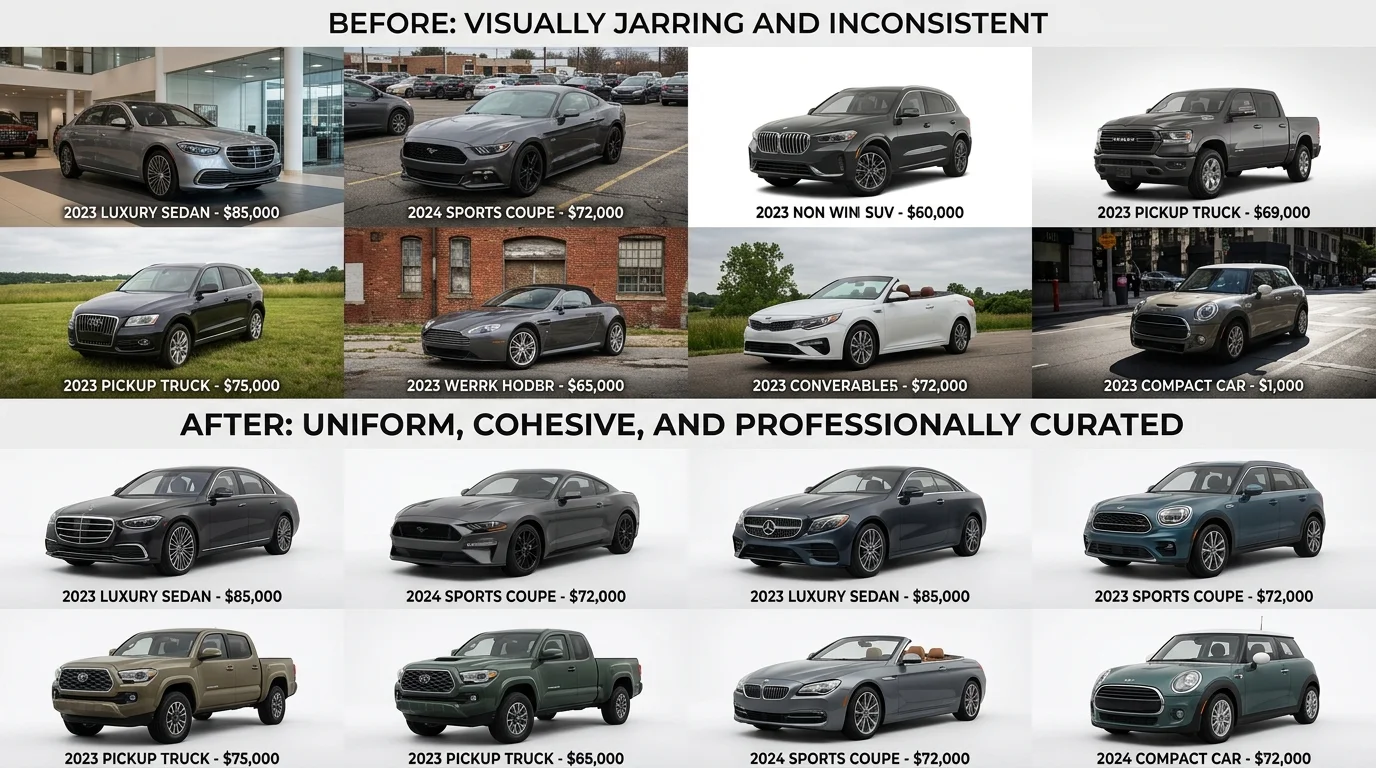
Mixing professional studio backgrounds with poor-quality or random backdrops destroys brand cohesion and undermines buyer trust. When a dealership's inventory shows five cars against a luxury showroom backdrop, three against a blurred parking lot, and two against white—the inconsistency signals disorganization and reduces perceived inventory quality. Buyers subconsciously associate visual consistency with dealership professionalism. A cohesive background strategy reinforces that your inventory is curated and professionally presented.
Select 2–3 professional backgrounds that align with your brand positioning and apply them uniformly across all vehicle listings. If you're targeting luxury buyers, use a high-end showroom or urban backdrop for every car. For volume dealers, a clean white or light-gray background projects efficiency and clarity. Tools like Car Photo Booth streamline this by offering 100+ professionally designed backgrounds, allowing you to maintain visual consistency across hundreds of vehicles without manual adjustment. The background should complement the vehicle's price point and target audience—never mix premium backdrops with budget vehicles or vice versa, as this creates cognitive dissonance for shoppers evaluating your inventory.
Scaling Circular Crop Workflows for Dealerships and High-Volume Sellers
Processing 50, 100, or 500+ vehicle photos individually is a logistical nightmare that drains time and budget faster than most dealerships anticipate. The gap between manual editing workflows and automated batch processing determines whether your team spends weeks on image refinement or hours on strategic inventory presentation. Understanding this difference directly impacts your bottom line and competitive positioning in online marketplaces.
Manual Editing: Time and Cost Analysis
Hand-cropping and editing each vehicle photo introduces compounding inefficiencies that scale poorly. According to research on automotive photo editing timelines, manual photo editing for car images takes 2–3 minutes per image for basic edits including background removal, color correction, and cropping. For a dealership managing 200 vehicles, this translates to 400–600 minutes—roughly 7–10 hours of dedicated editing labor per inventory refresh.
The cost structure compounds quickly. Professional car photographers charge between $50 to $300 per hour, with typical rates hovering around $100–150 per hour for experienced editors. A dealership processing 200 cars manually incurs $700–$1,500 in labor costs alone, not counting software subscriptions (Adobe Creative Suite runs $55–85 monthly), training overhead, and the opportunity cost of staff time diverted from sales and customer engagement. When multiplied across quarterly inventory updates, annual costs easily exceed $5,000–$10,000 for mid-sized dealerships.
Manual workflows also introduce inconsistency. One editor may crop circles at slightly different dimensions than another; color correction varies by monitor calibration and personal preference; background removal quality fluctuates based on attention and fatigue. This visual inconsistency undermines the professional appearance you're trying to project and forces buyers to mentally adjust between images rather than focus on vehicle features.
AI Batch Processing: Speed and Consistency
Automated batch processing eliminates these friction points entirely. AI-powered tools process 50–500 images in minutes, applying uniform circular crops, removing backgrounds, and inserting professional backdrops simultaneously across your entire inventory. The per-image cost drops dramatically: dealerships typically pay $7–$50 per vehicle for professional photography services, with the national average around $15–$20 per vehicle. AI batch tools reduce this to $3–$7 per image when processed in volume, representing a 60–70% cost reduction compared to hiring external photographers or manual editors.
Car Photo Booth exemplifies this efficiency. The platform processes bulk uploads with automatic circular crop application, background removal, and professional backdrop insertion—all in seconds. Pricing starts at $7 monthly for the Starter plan (15 photos), scaling to enterprise solutions for dealerships managing thousands of vehicles. At $3 per car for high-volume dealers, processing a 200-vehicle inventory costs roughly $600—a fraction of manual labor costs—and completes in under five minutes rather than days.
Consistency becomes automatic. Every vehicle receives identical crop dimensions, uniform color grading, and cohesive background treatment. This visual uniformity signals professionalism and allows buyers to focus on comparing vehicles rather than adjusting to aesthetic variations between listings.
Integrating Circular Crops into Your Listing Workflow
Circular crops fit most efficiently into your workflow immediately after the initial photo shoot, before uploading to marketplaces like AutoTrader, Craigslist, or Turo. Organize raw photos into clearly labeled folders by vehicle (VIN or inventory number), then batch-upload to your processing tool. The platform applies crops and backgrounds simultaneously, generating processed files ready for immediate listing creation.
File naming conventions matter: use consistent formats like "VIN_EXTERIOR_FRONT.jpg" or "STOCK123_INTERIOR_DASH.jpg" to track which images have been processed and simplify future updates. Most AI tools export files with watermark-free, 4K-quality resolution suitable for all major listing platforms. This integration point—between raw photography and marketplace upload—eliminates manual post-processing entirely and ensures every vehicle photo meets your brand's visual standards before reaching potential buyers.
| Workflow Stage | Manual Approach | AI Batch Processing |
|---|---|---|
| Time per 200 vehicles | 7–10 hours | 5–10 minutes |
| Cost per vehicle | $15–$20 | $3–$7 |
| Consistency | Variable | Uniform |
| Monthly labor cost (100 vehicles) | $1,500–$3,000 | $300–$700 |
| Scalability | Decreases with volume | Improves with volume |
Choosing the Right Circle Crop Solution for Your Automotive Business in 2026
Circle cropping transforms how vehicles appear in online listings—but the tool you choose determines whether this enhancement becomes a scalable asset or a time-consuming bottleneck. The decision ultimately hinges on three factors: your inventory volume, budget constraints, and consistency requirements.
For small dealerships processing 10–20 vehicles monthly, traditional design software like Photoshop or free tools such as Canva deliver acceptable results. You gain full creative control and pay nothing upfront. However, this approach demands design expertise and consumes 5–10 minutes per image. Scale to 100+ vehicles, and manual circle cropping becomes unsustainable—your team spends weeks on edits rather than selling cars.
This is where AI-powered solutions complete the circle and beyond what traditional tools can achieve. Platforms like Car Photo Booth process 200 vehicles in minutes, maintain uniform styling across your entire inventory, and cost $3–$7 per car—a fraction of hiring a designer. The AI removes backgrounds automatically, applies professional studio settings, and exports 4K-ready files without watermarks. For high-volume sellers and Turo hosts, this efficiency translates directly to faster listings and stronger visual consistency.
Your choice is straightforward: if you manage fewer than 50 vehicles monthly and enjoy design work, traditional tools suffice. If you're scaling inventory or prioritize consistency across hundreds of listings, AI batch processing eliminates the manual workload entirely. The free trial approach—testing a platform like Car Photo Booth before committing to a paid plan—lets you experience the difference without financial risk. Most dealerships discover that the time savings alone justify the modest per-image cost, freeing your team to focus on sales rather than post-processing.