

Unwanted text clutters car photos and damages your dealership's credibility. License plates, watermarks, date stamps, and dealer logos create visual noise that distracts buyers and signals amateurism. Beyond aesthetics, these elements harm SEO performance—search engines prioritize clean, professional imagery in rankings. When potential customers browse listings, they spend milliseconds evaluating each photo. Cluttered images with visible text get scrolled past. Clean photos convert better, reduce bounce rates, and establish trust. For dealerships managing dozens of vehicles weekly, removing text from car photos isn't just cosmetic—it's a business necessity that directly impacts inventory turnover and profit margins.
Quick Answer: The fastest way to remove text from car photos is using AI-powered background removal tools that automatically detect and eliminate unwanted elements while preserving the vehicle. Alternatively, Photoshop's Clone Tool or content-aware fill work for manual editing, though they require more time and skill. For dealerships processing high volume, AI solutions deliver studio-quality results in seconds rather than hours.
This guide covers proven methods to remove text in pictures—from simple AI automation to advanced editing techniques. You'll learn which approach fits your workflow, how much time each method saves, and why professional dealerships increasingly rely on automated solutions. We'll also explore how removing text pairs with background replacement to transform lot photos into showroom-ready listings that outrank competitors and accelerate sales cycles.
Table of Contents
- Understanding What Types of Text Appear in Automotive Photos
- Five Methods to Remove Text from Pictures: From Manual to AI-Powered
- Step-by-Step Guide: Removing Text with AI Tools for Maximum Efficiency
- Best Practices for Professional Results When Removing Text from Car Photos
- How Text Removal Improves Your Online Listings and SEO Performance
- Taking Action: From Cluttered Photos to Professional Inventory
Understanding What Types of Text Appear in Automotive Photos
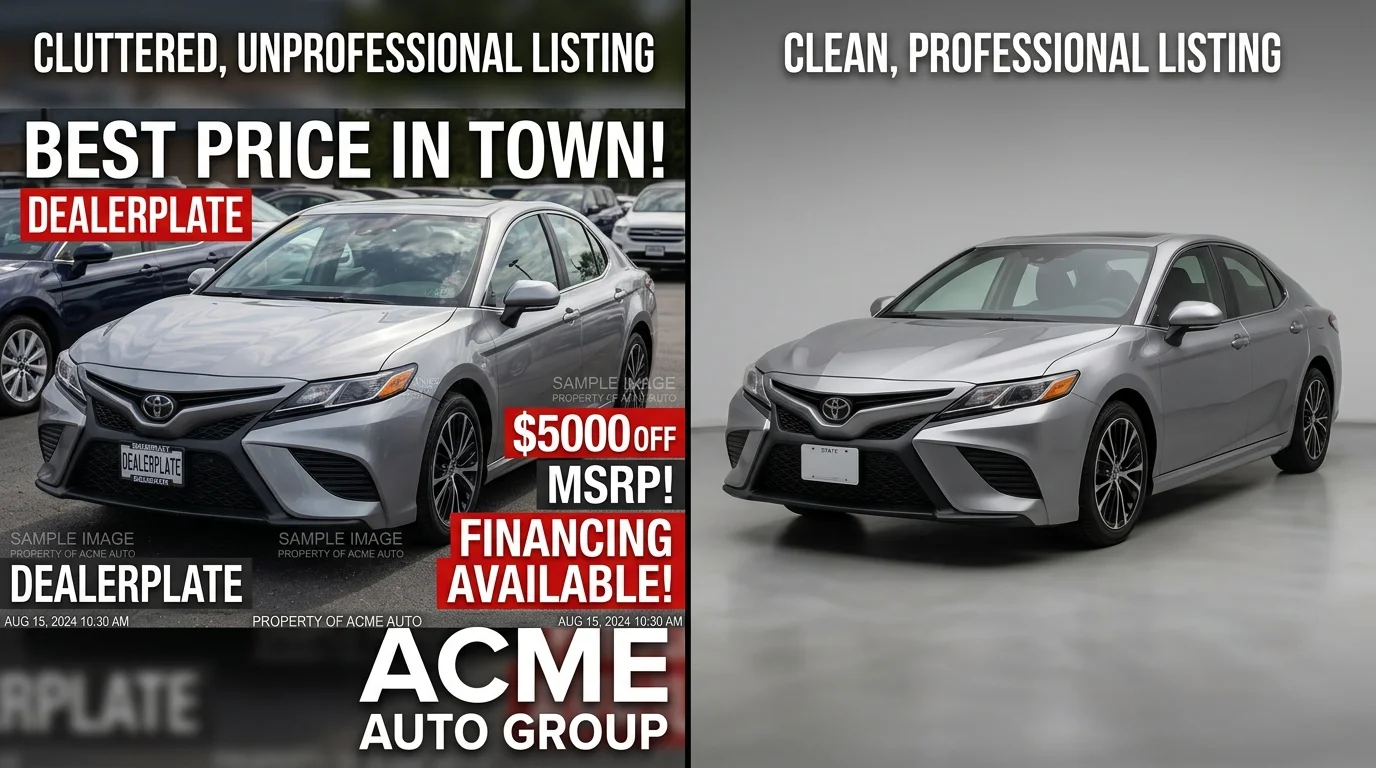
Automotive photos often contain multiple layers of unwanted text that compromise their professional appearance and marketability. Recognizing these common overlays is the first step toward understanding why removing text from pictures has become essential for dealerships and Turo hosts managing high-volume inventory.
License plates represent the most critical text problem. Beyond aesthetic concerns, visible plates create privacy and legal risks—the Driver's Privacy Protection Act (DPPA), enacted in 1994, prohibits obtaining driver information from license plates without permissible purpose, making plate obscuration a compliance necessity rather than optional.
Timestamp overlays and watermarks from previous platforms, camera settings, or competing dealers' branding clutter lot photos. Price tags, dealer logos, and promotional text stamped directly on images signal amateurism and reduce perceived value. Reflections of text—visible in windows, chrome trim, or glass surfaces—create distracting visual noise that buyers instinctively scroll past.
Each text element serves as friction in the buying journey. Professional images can increase online-to-showroom conversion rates by 30-50%, according to automotive photography specialists, yet visible text undermines this advantage by introducing visual clutter and trust concerns.
Understanding these specific problems clarifies why automated solutions matter. When you need to process dozens of vehicles weekly, manually addressing each text element becomes prohibitively time-consuming—making AI-powered tools the practical standard for scaling professional-quality listings.
Five Methods to Remove Text from Pictures: From Manual to AI-Powered
Removing text from car photos requires different approaches depending on your volume, budget, and technical skill. Each method trades off speed, cost, and ease of use—understanding these tradeoffs helps you choose the right tool for your dealership's workflow.
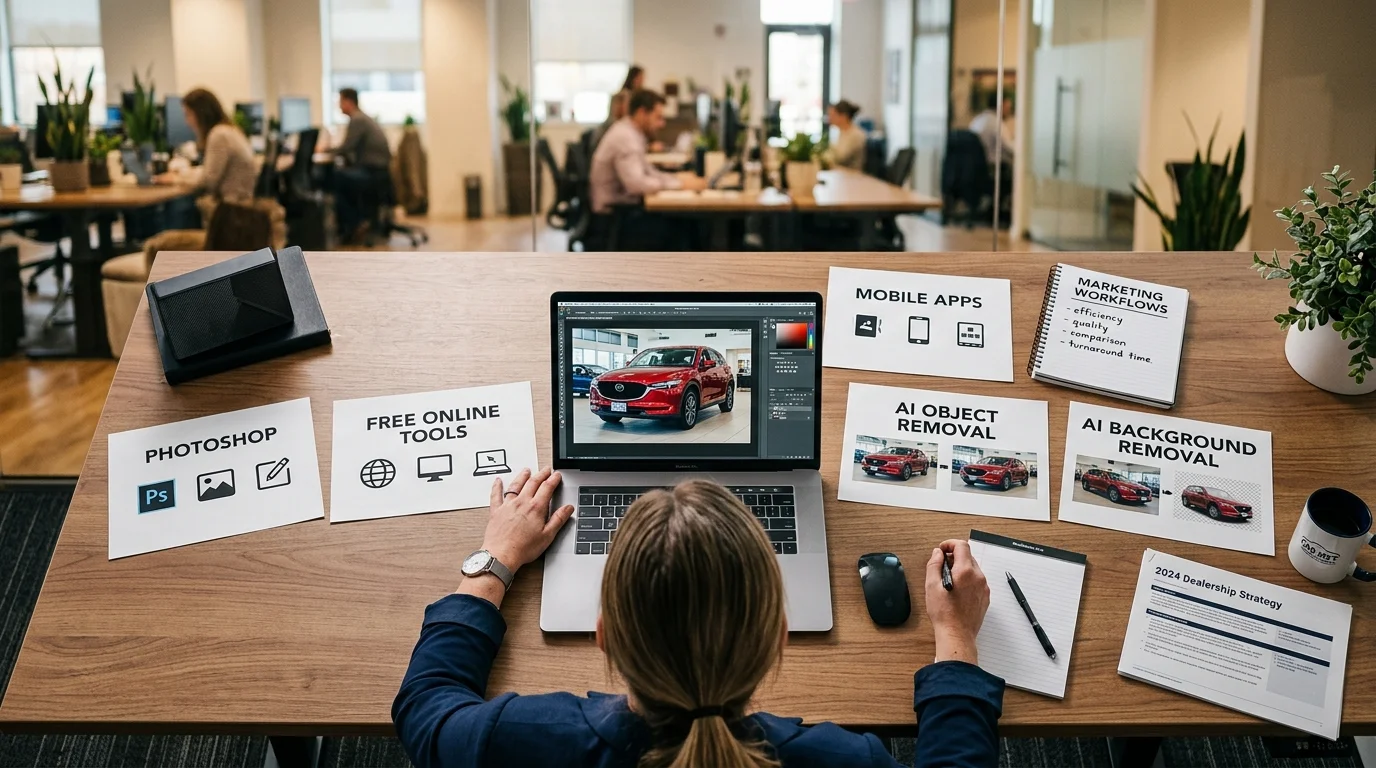
| Method | Time per Image | Monthly Cost | Learning Curve | Best For |
|---|---|---|---|---|
| Adobe Photoshop | 15–45 min | $20.99–$22 | Steep | Occasional high-precision edits |
| Free Online Tools (Cleanup.pictures) | 5–10 min | Free–$10 | Low | Quick, low-volume cleanup |
| Mobile Apps (Snapseed, TouchRetouch) | 3–8 min | Free–$14.99 | Low | On-location, single-image fixes |
| Dedicated Object Removal (Photoshop Generative Fill) | 2–5 min | $20.99+ | Low–Medium | Batch processing with AI assistance |
| AI Background Removal Tools (Car Photo Booth) | 10–30 sec | $3–$15 per car | None | High-volume dealership workflows |
Adobe Photoshop remains the industry standard for precision work. The Clone Stamp and Healing Brush tools give you pixel-level control, but processing dozens of vehicles weekly becomes prohibitively time-consuming. At $20.99 monthly, costs stay reasonable for occasional use—but when you're handling 50+ cars per month, the hourly labor investment exceeds the tool's value.

Free online tools like Cleanup.pictures offer surprising capability at zero upfront cost. Upload your image, mark the text area, and the AI inpaints the background. Standard resolution exports are free; pro versions unlock unlimited resolution for higher pricing tiers. These work well for occasional cleanup but lack batch processing, forcing you to handle each image individually.
Mobile apps like Snapseed (free) and TouchRetouch ($14.99 one-time) excel for quick field fixes. Snapseed's healing brush is genuinely professional-grade; TouchRetouch specializes in object removal with minimal user input. Both are ideal when you need to clean up a single photo before uploading to Turo or your dealership website, but they're impractical for processing 20+ vehicles in a single session.
Dedicated object removal software—including Photoshop Generative Fill—bridges manual and automated approaches. You select the text area, and AI fills the gap intelligently. This reduces manual work compared to traditional cloning, but you still process images one at a time.
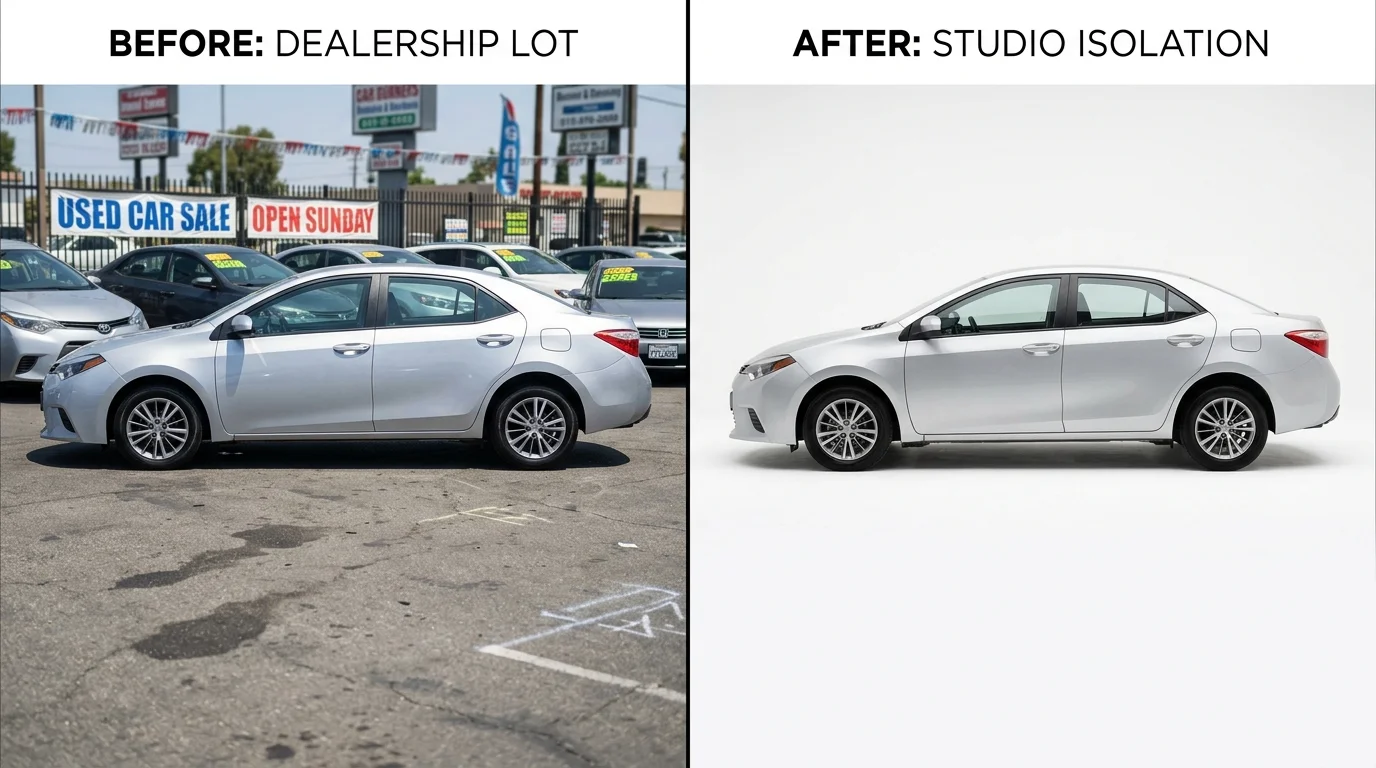
AI-powered background removal tools represent the fastest path for dealerships. Rather than manually erasing text, these systems remove the entire background and replace it with professional studio backdrops—eliminating text, license plates, reflections, and lot clutter simultaneously. Processing takes 10–30 seconds per image with zero manual editing. At $3–$15 per car depending on volume, this approach scales efficiently when you're managing high-volume inventory. By 2028, AI-driven automation is expected to reduce manual editing time by 40% across professional studios, with 60% of individual users preferring one-click AI enhancements over manual tools.
For dealerships processing dozens of vehicles weekly, the speed advantage of AI tools compounds quickly. A photographer charging $30–50 per car or a physical booth requiring $25–60K in setup costs becomes economically unjustifiable when you can achieve studio-quality results in seconds. The choice ultimately depends on your volume: occasional single-image cleanup favors free tools or mobile apps, while consistent dealership operations demand automation.
Step-by-Step Guide: Removing Text with AI Tools for Maximum Efficiency
Step 1: Upload Your Car Photo
Start by selecting the image containing unwanted text, watermarks, or lot signage. Most AI-powered platforms accept JPG, PNG, and WebP formats. Simply drag and drop your photo into the upload area or click to browse your device. The system analyzes the image in seconds, identifying the vehicle, background, and any overlaid text. At this stage, you're not manually selecting what to remove—the AI detects it automatically. Expect processing to begin immediately after upload.
Step 2: Enable Automatic Text and Background Detection
Once uploaded, the AI automatically flags text, license plates, reflections, and lot clutter for removal. You'll see a preview showing what the system plans to eliminate. Unlike manual editing tools that require you to painstakingly select each text element, this happens instantly. The detection is intelligent enough to preserve the vehicle's details while flagging distracting elements. Review the detection preview to ensure accuracy—most systems achieve 95%+ precision on automotive photos.
Step 3: Select a Professional Background
Choose from 100+ studio-quality backdrops: showroom interiors, clean white studios, urban streets, or natural landscapes. Each background is professionally designed to complement luxury and standard vehicles alike. The AI seamlessly blends your car into the selected environment, creating the illusion of a studio photoshoot. This single step eliminates text, license plates, lot markings, and environmental clutter simultaneously—no manual erasing required.
Step 4: Review and Adjust (Optional)
Preview the final result before exporting. Most modern platforms let you fine-tune background brightness, adjust vehicle positioning, or swap backgrounds if needed. This takes 10–15 seconds per image. For batch processing dozens of vehicles, you can skip manual review and apply consistent settings across your entire inventory, saving hours of editing time.
Step 5: Download High-Resolution Output
Export your image in 4K quality, ready for dealership websites, Turo listings, or print catalogs. Files download instantly with zero watermarks. According to Autofox AI data, dealerships using batch processing can transform 100+ cars per day with AI-generated views created instantly, reducing time-to-market by an average of 3 days compared to traditional photography workflows.
Pro Tip: Batch Processing for Dealerships
Upload 10–50 photos at once, apply identical background and text-removal settings, and process your entire weekly inventory in under 5 minutes. Car Photo Booth handles batch jobs automatically, applying consistent professional styling across all vehicles—critical for maintaining brand coherence across your online listings and catalogs.
Best Practices for Professional Results When Removing Text from Car Photos
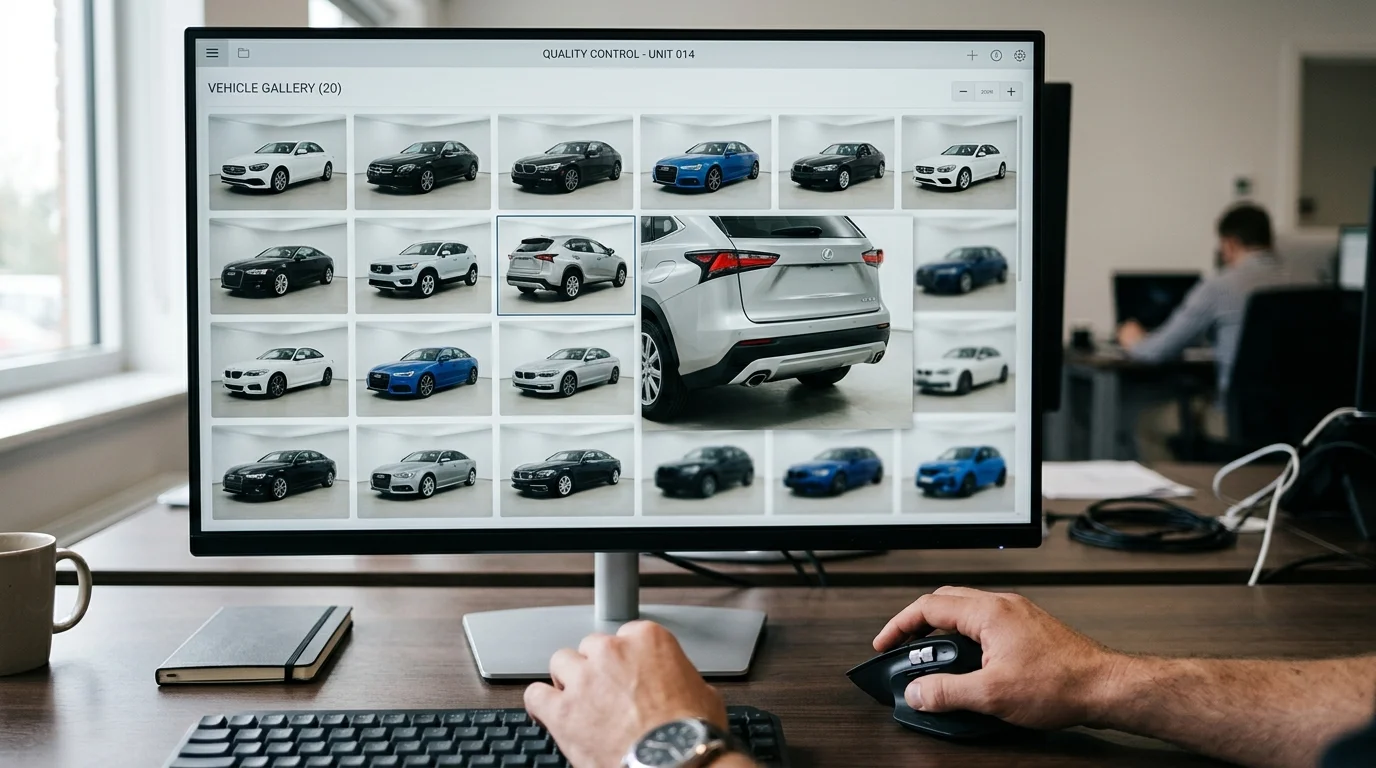
Removing text from automotive photos is only half the battle—ensuring the final result looks polished and maintains consistency across your entire inventory is what separates amateur listings from professional dealership catalogs. Follow these industry-standard practices to maximize the impact of your edited images.
Start with Text Removal First
Always remove unwanted text before making any other adjustments to your photo. This prevents text fragments from interfering with background replacement, color correction, or brightness adjustments. When you process text removal early in your workflow, the AI has a cleaner canvas to work with, resulting in fewer artifacts and smoother final output. Attempting to remove text after background changes often leaves ghosting or faint shadows where the text once sat.
Use High-Contrast Backgrounds to Hide Imperfections
After text removal, minor imperfections or slight discoloration may remain where the text was located. Professional studio backgrounds—particularly solid white, showroom, or gradient options—naturally conceal these minor flaws. Busy backgrounds like urban streets or nature scenes can actually highlight residual marks. When selecting your replacement background, consider both aesthetic appeal and practical concealment. This is why dealerships often default to clean showroom or white backgrounds for their primary listings.
Verify Zero Artifacts Before Exporting
Zoom in to 100% magnification and inspect the area where text was removed. Look for faint outlines, color mismatches, or pixelation. Modern AI tools like Car Photo Booth process this automatically, but manual verification takes only 10 seconds per image and catches edge cases before they reach your website or Turo listing.
Maintain Consistency Across Your Catalog
Apply identical text-removal settings, background choices, and brightness levels across all vehicles in your inventory. Inconsistent editing damages buyer confidence—when one car photo looks studio-polished and the next looks hastily edited, customers question your professionalism. Batch processing ensures every vehicle receives the same treatment, reinforcing brand coherence across your online presence.
Always Archive Original Files
Before editing, save unmodified copies of every photo. This protects you against editing mistakes and allows you to re-process images with updated settings or backgrounds without losing source material. Store originals separately from edited versions to avoid accidental overwrites.
How Text Removal Improves Your Online Listings and SEO Performance
Clean automotive photos directly impact buyer behavior and search visibility. According to research from Dealer Specialties, listings with professional-quality images receive 2–3x more views, and vehicles with high-quality photos sell up to 36% faster. When unwanted text, watermarks, and lot signage clutter your images, you're fighting against these conversion drivers before buyers even engage with your listing.
The mechanics are straightforward: buyers process visual information in milliseconds. A photo with distracting text signals carelessness and reduces perceived vehicle value. Conversely, clean, studio-polished images communicate professionalism and justify higher asking prices—eBay Motors data shows professional-quality photos command an average 19% price premium. When 95% of car buyers rank image quality as a major factor in their purchasing decision, removing visual noise becomes a direct revenue lever, not a cosmetic nicety.
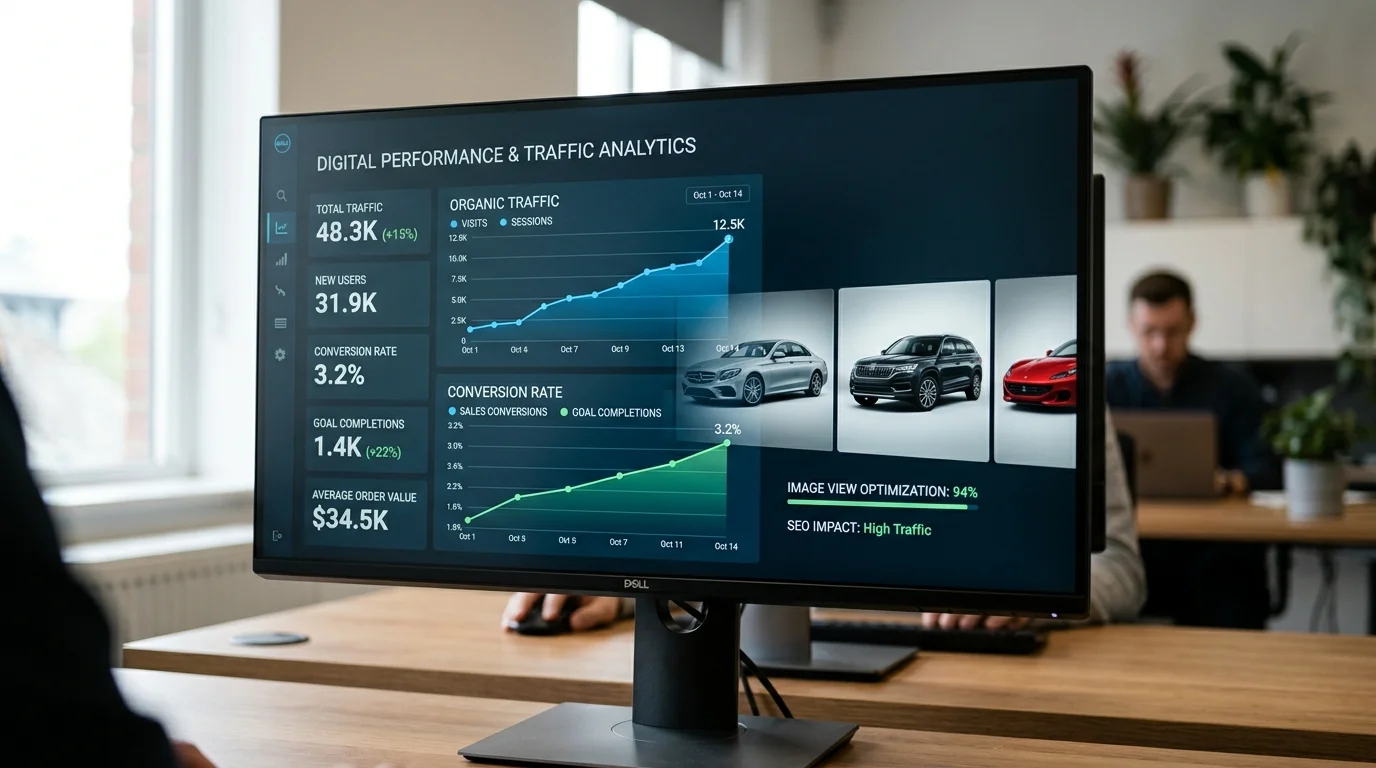
Search engines reward consistency and quality too. Google Images now appears on 37.8% of all search result pages, and high-quality automotive photos increase the likelihood that your listings drive traffic from image searches. Batch-processing your inventory through AI text-removal tools ensures uniform quality across all vehicles, signaling to search algorithms that your catalog meets professional standards. This consistency—identical brightness, background treatment, and clarity across dozens or hundreds of listings—strengthens your domain authority in automotive search results.
When you remove text and standardize backgrounds across your entire catalog, you're optimizing for both human perception and algorithmic ranking. The result is faster sales cycles, higher perceived value, and improved discoverability. This is why dealerships that clean their photo inventory before publishing see measurable gains in click-through rates and time-to-sale within weeks.
Taking Action: From Cluttered Photos to Professional Inventory
The decision to clean your automotive inventory is straightforward: professional photos drive sales, and text removal is no longer a luxury—it's a competitive necessity. Whether you manage a single lot or hundreds of vehicles, the method you choose should match your volume and budget. Manual editing works for occasional touch-ups, but dealerships processing dozens of cars monthly find that AI-powered tools deliver results in seconds rather than hours, at a fraction of the cost of hiring a photographer for each revision.
The path forward depends on your constraints. If you're photographing 5–10 vehicles monthly, a free or low-cost AI tool suffices. For larger inventories, batch processing through platforms like Car Photo Booth eliminates the tedium of individual edits while maintaining consistency across your entire catalog—the hallmark of a professional operation. Beyond text removal, these tools often replace backgrounds simultaneously, transforming lot photos into studio-quality assets that command attention on every listing platform.
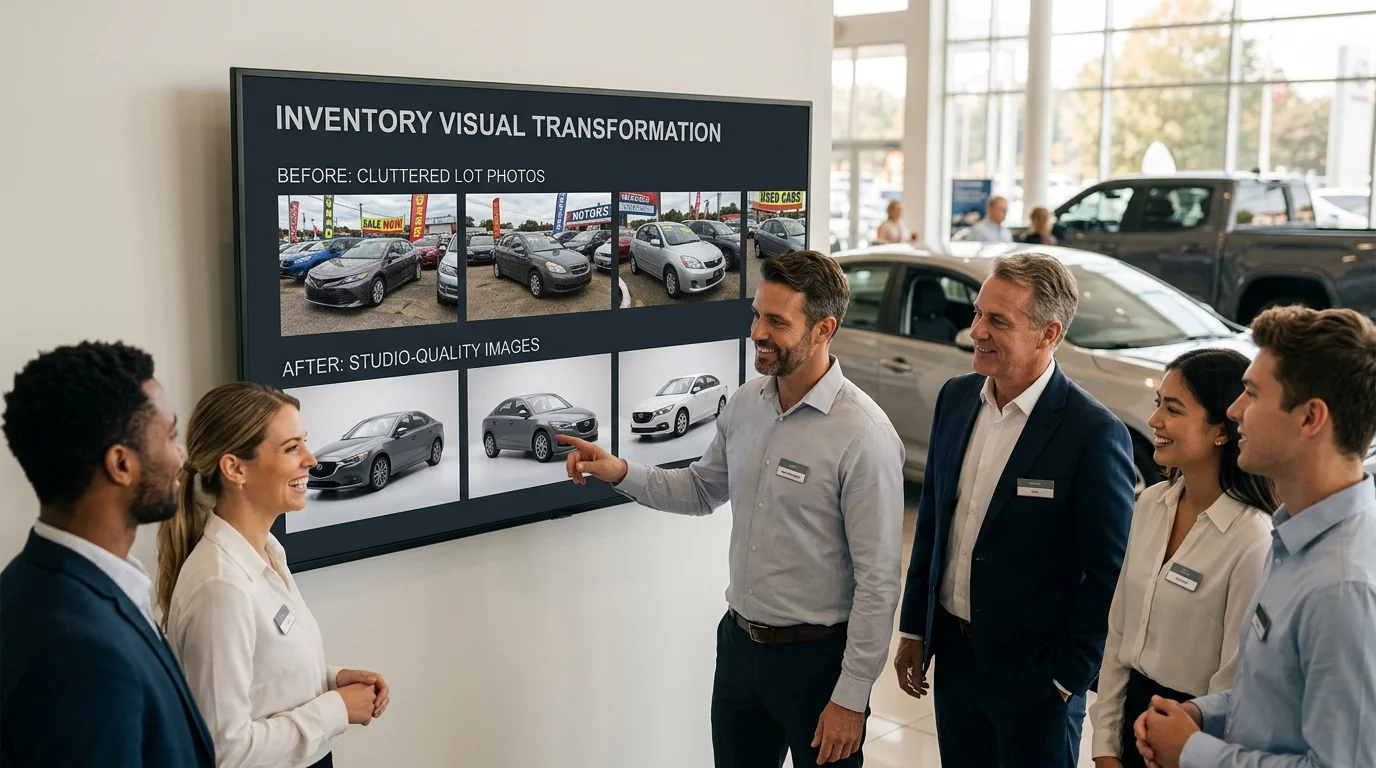
Start with a free account to see how AI can transform your photo inventory in minutes. Most dealerships report measurable improvements in click-through rates and inquiry volume within weeks of publishing cleaned images. The investment in removing visual clutter pays dividends through faster sales cycles and higher perceived value.