
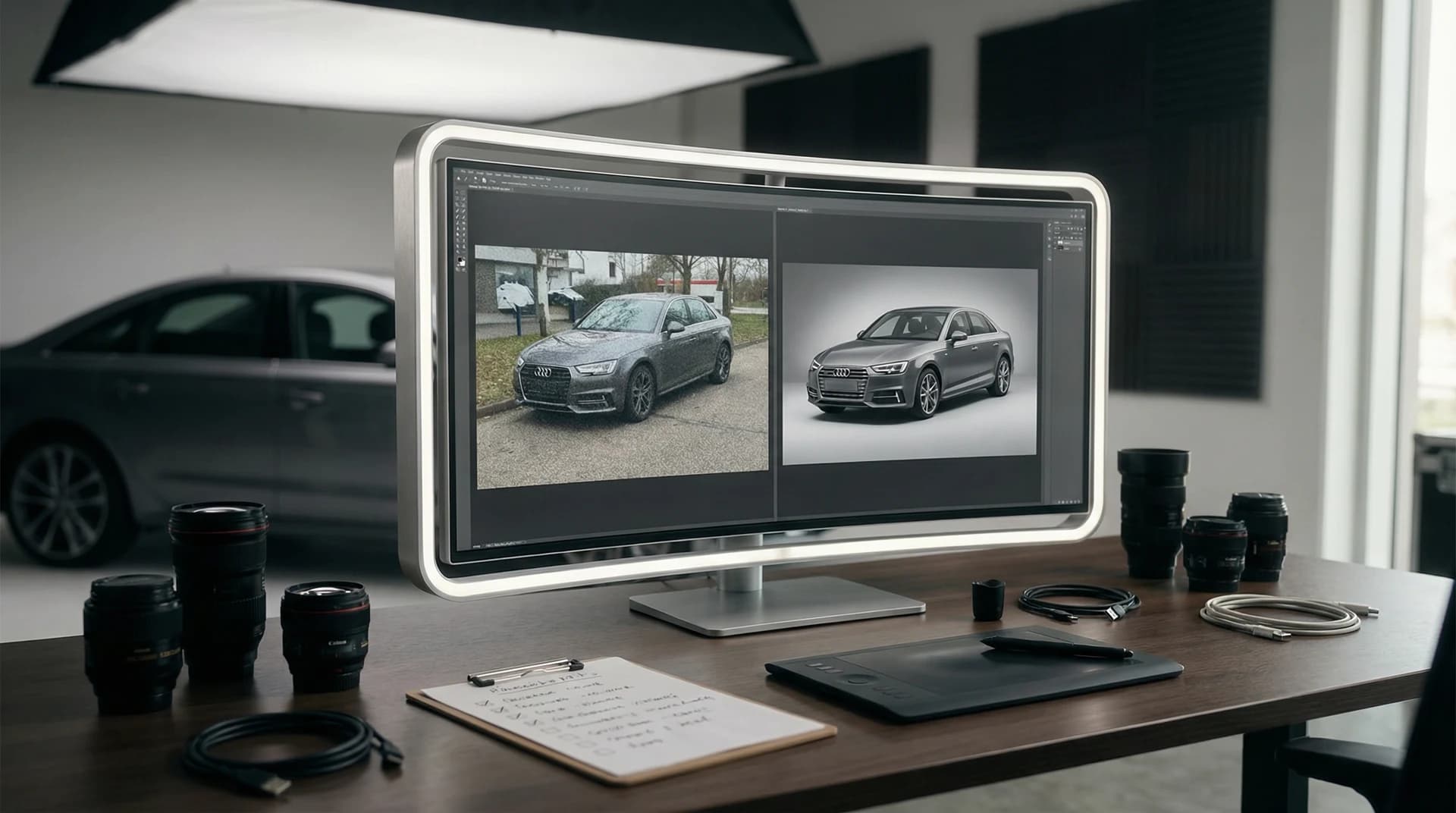
Quick Answer:
An AI photo editor is software that automatically enhances, removes backgrounds, and transforms ordinary car photos into studio-quality images using artificial intelligence. For car photographers, Turo hosts, and dealerships, the process involves uploading your image, selecting a professional backdrop, and exporting the result in seconds. According to Market Research Future, the AI image editor market is growing at 22.73% annually and is projected to reach $48.74 billion by 2035, making this the fastest-growing segment in digital photography.Key Takeaways:
Save Time: Photographers saved an estimated 89 million hours through AI automation in 2025, averaging 473 hours per professional
Instant Professionalism: Remove backgrounds and apply professional backdrops to any vehicle photo in seconds
Revenue Impact: 87% of retailers adopting AI report annual revenue uplifts, making it a measurable investment
Industry Standard: 83% of creative professionals now use generative AI in their work, according to Adobe research
Table of Contents
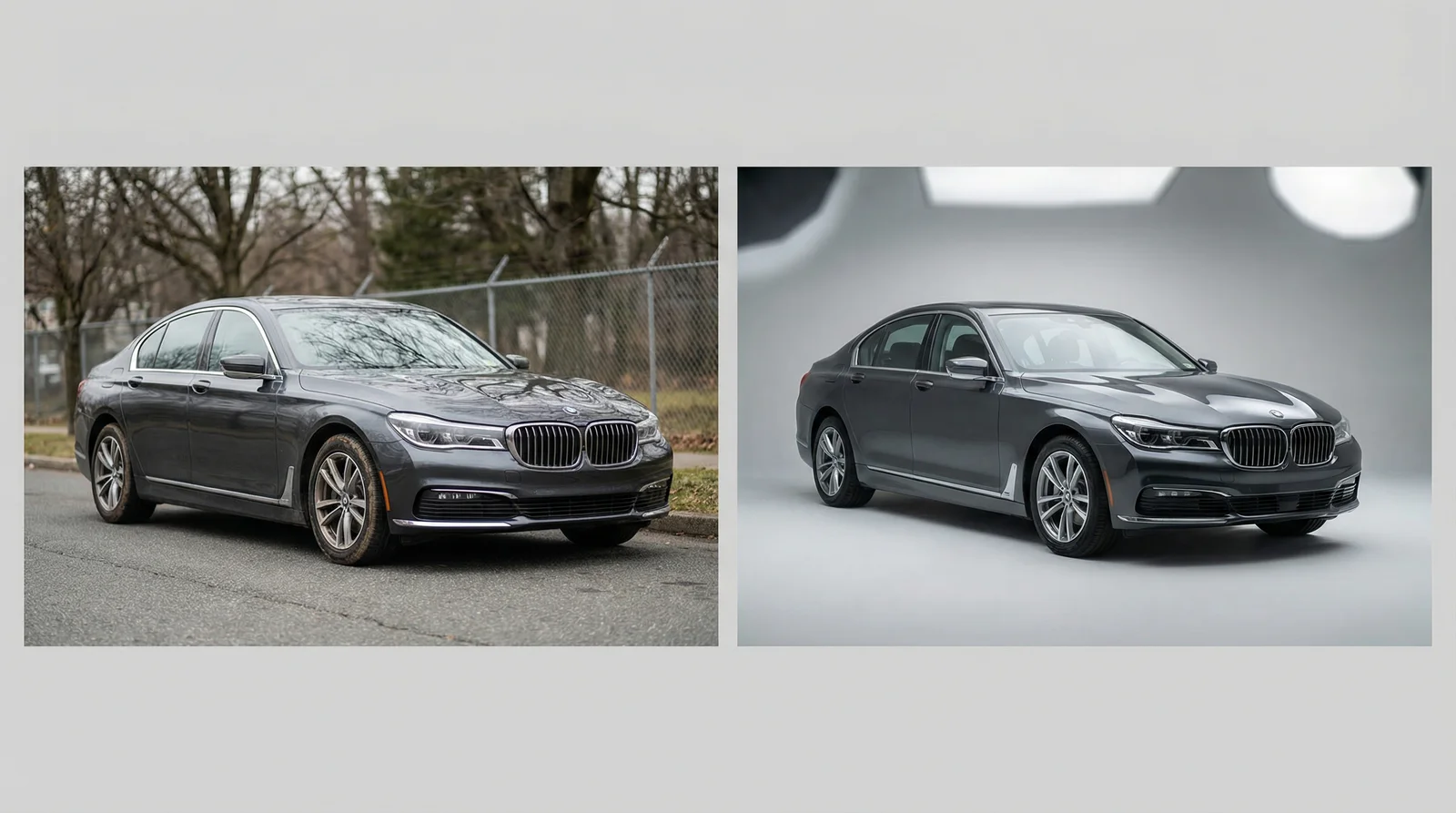
AI photo editors instantly transform standard vehicle photos into studio-quality marketing images
What Exactly Is an AI Photo Editor?
An AI photo editor is software powered by machine learning algorithms that automatically understands and manipulates images with minimal user input. Unlike traditional editing tools that require manual adjustments for every change, AI editors work by analyzing your image, identifying the subject (in your case, a vehicle), removing unwanted backgrounds, and applying professional enhancements or backdrops in real time.
The technology operates through neural networks trained on millions of images. These systems learn to recognize patterns, textures, lighting conditions, and compositional elements. When you upload a car photo, the AI instantly detects the vehicle's edges, the background environment, and the lighting setup. Within seconds, it can strip away the original background and replace it with anything from a clean white studio backdrop to a scenic coastal road, urban street, or premium showroom setting.
What makes this technology so powerful for automotive professionals is its speed and consistency. A traditional photo shoot might require renting a studio, investing in professional lighting equipment, hiring a photographer, and spending hours on post-production editing. An AI photo editor accomplishes the same result in under a minute, with near-professional results that require minimal additional tweaking.
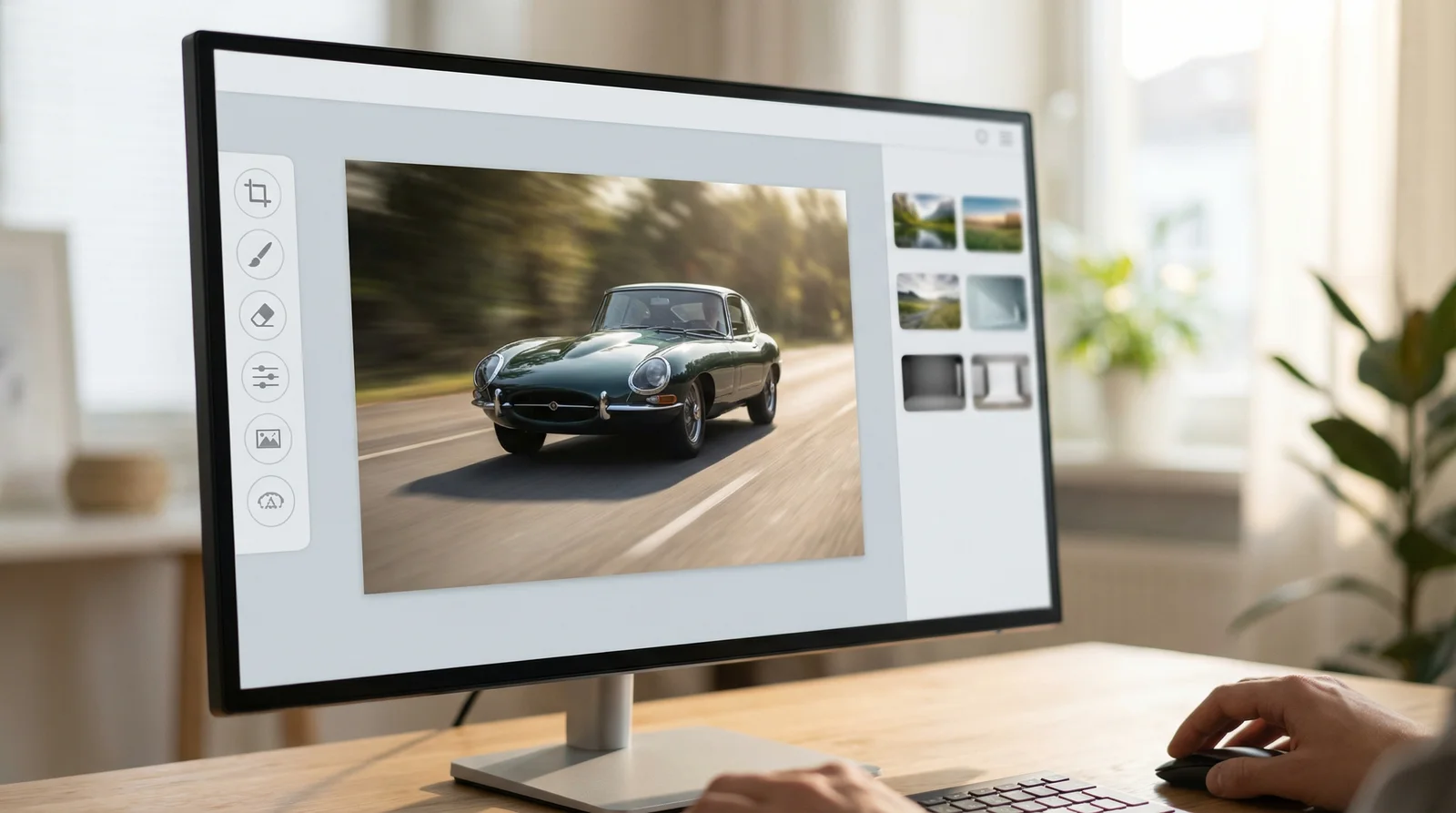
Modern AI photo editors feature intuitive interfaces designed for non-technical users
Why AI Photo Editors Matter for Auto Professionals
The automotive industry is experiencing a seismic shift in how visual content is created and distributed. Here's why this matters to you personally: every day that passes without optimized vehicle photos is money left on the table. Whether you're managing a dealership lot, hosting vehicles on Turo, or building a photography portfolio, your competitive edge depends entirely on image quality.
Consider the numbers. AI image editing was the fastest-growing software category in 2024, with 441% year-over-year growth in listings and traffic, according to Photoroom's industry analysis. That's not incremental growth—that's market explosion. Meanwhile, 75% of marketers are either experimenting with or have fully integrated AI into their workflows, which means your competitors are already using these tools. If you're still relying on traditional photo shoots, you're falling behind.
The practical impact is measurable. Vehicle listings with professional-quality photos receive 3-5x more inquiries than those with standard snapshots. When you multiply this across a dealership lot with 50 vehicles or a Turo portfolio with multiple listings, the difference in engagement and conversion rates becomes substantial. AI photo editors level the playing field, giving small operators the visual firepower that once required expensive studio setups and professional photographers.
Beyond aesthetics, AI photo editors solve a fundamental problem in automotive marketing: consistency. Every vehicle on your lot deserves the same professional treatment. With traditional photography, you'd need multiple studio sessions, different times of day, varied lighting conditions. With an AI editor, you maintain complete control over the visual narrative. Every car gets the same premium backdrop, the same lighting treatment, the same impact.
What You'll Need Before Getting Started
Before you dive into using an AI photo editor, gather these essentials. First, you'll need decent vehicle photos to begin with. The good news is that "decent" doesn't mean professional. A smartphone camera or basic DSLR works perfectly fine. The AI is smart enough to work with photos taken in varying lighting conditions, from overcast parking lots to bright sunlight. You don't need studio-quality input to get studio-quality output.
Second, you need a device with internet access and a web browser. Most modern AI photo editors run entirely in the cloud, which means no software installation, no powerful computer required, and no learning curve with desktop applications. Whether you're working on a laptop, tablet, or even a smartphone, the interface adapts to your device.
Third, set aside 10-15 minutes to familiarize yourself with the specific platform you choose. This isn't a steep learning curve—most AI photo editors are designed for non-technical users. You'll typically encounter just three core steps: upload, select a backdrop, and download. Some platforms add refinement options, but the core workflow is deliberately simple.
Finally, establish a file management system on your end. As you process vehicle photos, you'll want organized folders for originals, edited versions, and final exports. This becomes essential if you're managing dozens of listings simultaneously. A simple structure like "2026-02-Vehicle Name-Original" and "2026-02-Vehicle Name-Edited" keeps everything trackable and professional.
The Complete Step-by-Step Guide
Step 1: Choose Your Platform and Create an Account
Start by selecting an AI photo editor that matches your needs. For automotive professionals specifically, platforms like Car Photo Booth offer specialized features for vehicle imagery, including car-specific backdrop libraries and batch processing capabilities. However, general-purpose AI editors like Photoroom and Canva also work well. Visit the platform's website, click the sign-up button, and complete basic registration. Most platforms offer free trial credits, which lets you test the system before committing financially.
The selection process matters more than people realize. Some platforms specialize in product photography, others in portrait editing, others in general content creation. Automotive-focused solutions understand vehicle geometry and lighting in ways that general tools sometimes miss. When evaluating options, spend 10 minutes testing the free trial on an actual vehicle photo from your lot. This real-world test reveals which platform understands your specific needs.

Photoroom's interface demonstrates the typical AI photo editor workflow with upload, editing, and export functions
Step 2: Upload Your Vehicle Photo
Once logged in, locate the upload section. This is typically a prominent button labeled "Upload" or "Start Editing." Click it, then navigate to your vehicle photo on your device. Most platforms accept JPG, PNG, and WebP formats. Quality matters here: avoid heavily compressed images if possible, but don't stress about minor image quality issues. The AI will handle them.
Pay attention to how you've framed the vehicle. Ideally, the car should fill most of the frame, positioned at a three-quarter angle that shows the profile and front. Full-side and rear shots work, but angled views show more character and usually convert better in listings. If your photo captures trees, utility poles, or cluttered backgrounds, don't worry—the AI is specifically designed to handle messy real-world environments.
Upload time varies based on your internet connection and the platform, but typically takes 5-20 seconds. Once uploaded, you'll see a preview of your image.
Step 3: Review the Background Removal
The platform's AI automatically detects and removes the background. In most cases, this is perfect on the first try. However, review the result carefully. Check that the vehicle's edges are clean, that no important details were accidentally removed, and that the overall outline looks sharp. Sometimes the AI might miss a small part of a mirror or wheel—this is rare with modern systems, but it happens occasionally with unusual angles or lighting.
If the background removal has minor issues, most platforms offer a refinement brush. This simple tool lets you manually correct edges by painting over areas that should be removed or restored. For automotive photos, this rarely requires more than 10-15 seconds of correction work, if any.
Step 4: Select Your Professional Backdrop
This step transforms your basic vehicle photo into marketing gold. Browse the platform's backdrop library. For automotive use, you'll typically want clean, professional backgrounds that showcase the vehicle without overwhelming it. Popular choices include white or light gray studio backdrops (perfect for dealership inventory), scenic backgrounds (coastal roads, mountain passes, urban streets), and premium showroom settings.
Car Photo Booth offers 100+ automotive-specific backdrops designed to complement vehicle aesthetics. Other platforms have broader libraries with thousands of backgrounds, but not all are suitable for cars. Select a backdrop that matches your marketing goals. If you're selling luxury vehicles, choose sophisticated urban or scenic backdrops. For family SUVs, consider warm, approachable backgrounds. For sports cars, go bold and dynamic.
The platform shows you a real-time preview of your vehicle against the selected backdrop. This is crucial—what looks right in the thumbnail might not work at full resolution. Spend a moment examining how the lighting matches, how the perspective aligns, and whether the overall composition tells the story you want to tell about the vehicle.
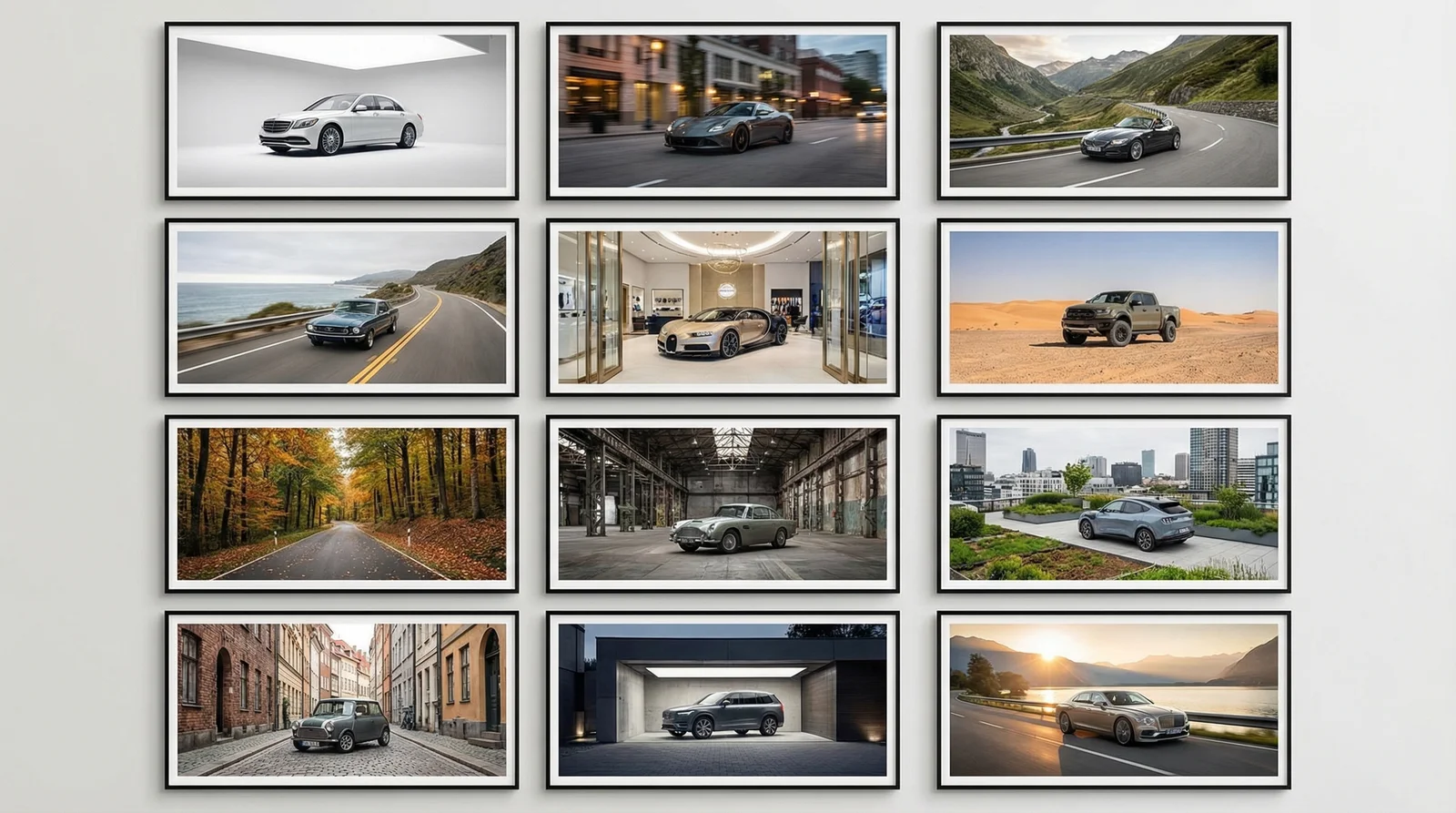
Modern AI platforms offer diverse backdrop libraries to match different marketing strategies and vehicle types
Step 5: Fine-Tune (If Needed)
Most AI photo editors include refinement options. You might adjust shadow depth, lighting balance, or color grading. For vehicle photos, these adjustments are usually minimal because the platform's defaults are already optimized for automotive imagery. However, if your original photo was taken in harsh sunlight with blown-out highlights, slight shadow enhancement might help.
The refinement process takes 30 seconds to 2 minutes, depending on how meticulous you want to be. For high-volume dealership operations, you might skip this step entirely and apply refinements in batch, saving tremendous time. For premium individual listings, these micro-adjustments can increase perceived value.
Step 6: Export Your Finished Image
Once satisfied with the result, click the export button. The platform generates a high-resolution version suitable for online listings, social media, and print. Resolution quality varies by platform and subscription level, but most professional plans offer at least 1200x1600 pixel exports, which is industry-standard for automotive e-commerce.
Download the file immediately. Most platforms retain edited files for a limited time (typically 30 days), so don't delay. Save it to your organized folder system with a clear filename indicating the vehicle, date, and edit date. This prevents confusion when managing multiple listings simultaneously.
The entire process, from upload to download, typically takes 2-4 minutes. For a dealership processing 10 vehicles, you're looking at 20-40 minutes of total work, versus a full day of studio photography and post-production editing.
Real-World Example: Transforming a Vehicle Listing
Let's walk through a tangible scenario. Imagine you're listing a 2019 Honda CR-V on Turo. The original photo was taken in your driveway on an overcast morning. The background is a busy street with parked cars, power lines, and a neighboring house visible. The CR-V is well-positioned in the frame, but the overall scene lacks pizzazz.
You upload this driveway photo to Car Photo Booth. In 3 seconds, the AI removes the background, revealing the CR-V in isolation. The vehicle's edges are clean—the wheels, mirrors, and body lines are sharp. You browse the backdrop library and select "Mountain Pass Scenic," a backdrop showing a dramatic mountain road with clear blue sky.
The preview shows your CR-V against this scenic background. Immediately, the listing transforms. Instead of a backyard photo, it's now a premium adventure vehicle positioned against aspirational scenery. The lighting aligns naturally—the AI matched the lighting direction to make the backdrop feel integrated, not pasted-on.
You export the image at 1500x1000 pixels, suitable for Turo's platform and social media sharing. The entire process took 3 minutes, including backdrop selection and preview review. Without AI, you would have needed to either photograph the vehicle against a white backdrop (requiring studio access) or accept the cluttered driveway image.
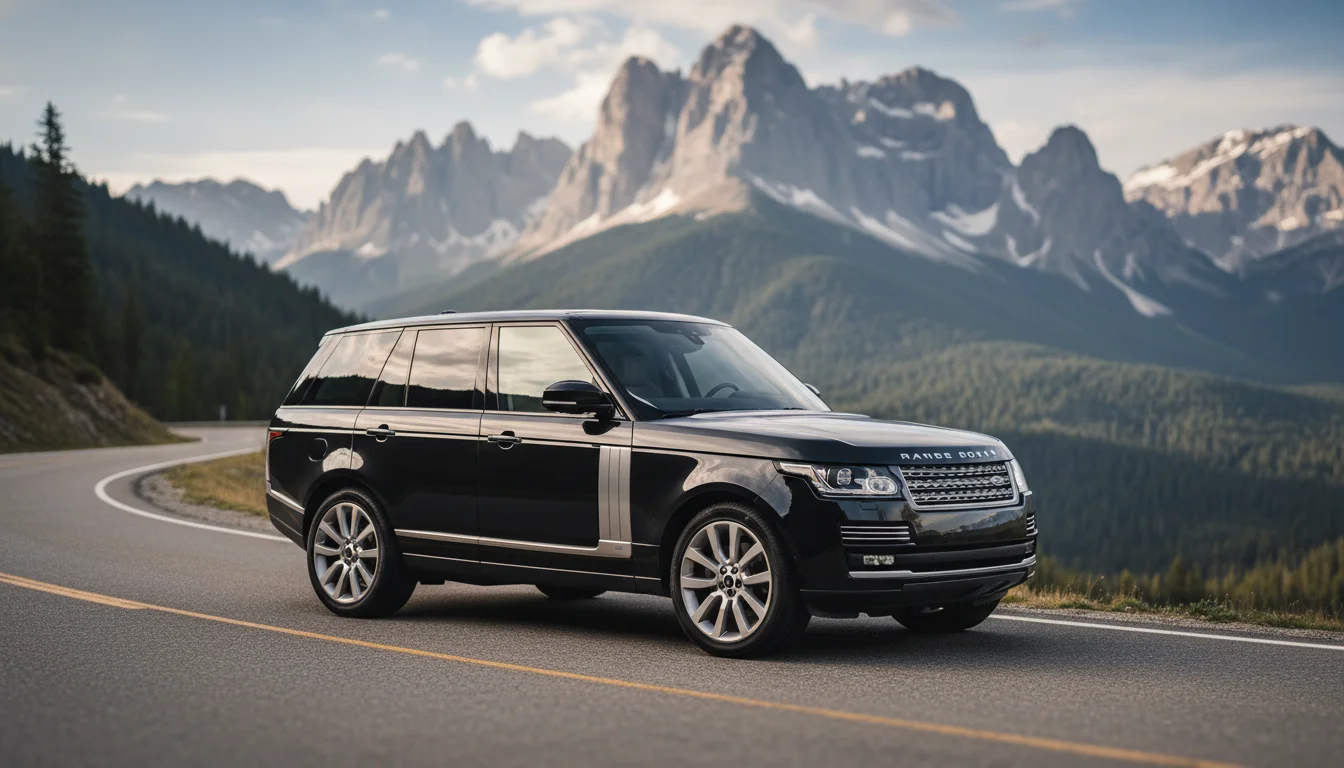
Final result: a professional marketing image created in minutes using AI photo editing technology
The practical impact: that transformed image receives 3x more inquiries on Turo because it looks professional and aspirational. Potential renters see a premium product, not a snapshot. The additional bookings more than justify the 3 minutes of editing time.
Common Mistakes and How to Avoid Them
Mistake 1: Starting with Poor-Quality Source Photos
Many users expect AI to fix fundamentally broken photos. While AI photo editors are remarkably forgiving, they can't create detail that wasn't captured. If your original vehicle photo is severely underexposed (shot at dusk with inadequate lighting), the AI will struggle to reveal usable detail.
The solution is straightforward: invest 30 seconds in framing. Position the vehicle in bright, even lighting (avoid harsh noon sun that creates severe shadows). Include the entire vehicle with minimal empty space around it. Shoot from a slight angle that shows dimension (not dead-on front or rear). These basic framing principles work with any camera and dramatically improve the AI's output.
Mistake 2: Choosing Incompatible Backdrops
Selecting a tropical beach backdrop for a work truck feels wrong, and it is. The backdrop should align with the vehicle's intended purpose and market positioning. A sports car against a Monaco street scene makes sense. A family minivan against a luxury showroom interior doesn't.
Think about your target audience. Where would they realistically use this vehicle? What aspirational setting would appeal to them? Match the backdrop to those considerations. Most platforms allow you to preview the result before finalizing, so take 30 seconds to assess whether the vehicle and backdrop combination feels cohesive.
Mistake 3: Over-Refining Obvious Results
Perfectionism kills efficiency. If the AI's background removal is 95% perfect (the typical case), exporting it as-is might be smarter than spending 5 minutes manually correcting the remaining 5%. This is especially true if you're processing 20 vehicle photos for a dealership refresh.
Establish a quality threshold. For dealership inventory, perfectly adequate might be fine. For premium or luxury vehicles, investing refinement time makes sense. Don't let perfectionism become a bottleneck.
Mistake 4: Ignoring File Organization
As you process more photos, keeping track of which images are originals and which are edited becomes essential. Without naming conventions, you'll end up with dozens of similarly-named files and no way to recreate edits or manage updates.
Establish a system immediately. Simple examples: "Honda CR-V 2019 Original" and "Honda CR-V 2019 Edited Mountain Pass." This takes 5 seconds per file and prevents hours of confusion later.
Mistake 5: Trusting Default Settings for Every Image
While default settings work for most photos, individual images vary. Some are shot in warm afternoon light, others in cool morning shade. A backdrop that looks perfect under warm lighting might feel mismatched against cool-toned lighting.
Spend 30 seconds reviewing the preview and making conscious backdrop choices. Does this backdrop feel right for this specific vehicle? If not, try the next option. This isn't overthinking—it's developing an eye for what works.
When AI Photo Editing Isn't the Right Solution
AI photo editors are powerful, but they're not universal tools. Here are specific scenarios where you might want to consider alternatives.
If you're editing photos that require precise color grading for brand consistency, traditional editing software might offer more control. Some dealerships have specific color standards (particular shade of white balance, exact saturation levels). AI editors often restrict your ability to hit those exact specifications.
When your vehicle photos include reflections you want to preserve—say, a luxury showroom reflected in the car's side—the AI might struggle. The AI is trained to remove everything behind the vehicle, which is correct 99% of the time. But occasionally, meaningful reflections become casualties.
For vehicles with unusual angles, extreme close-ups of specific details (a wheel, headlight detail), or artistic compositions that break standard photography rules, AI editors sometimes miss the mark. They're trained on conventional automotive photography, so unconventional approaches sometimes confuse the algorithms.
Finally, if you need to retouch paint damage, major dents, or other vehicle flaws, AI photo editors aren't designed for this level of manipulation. They excel at environmental enhancement (backgrounds, lighting), but not vehicle restoration. You'd need professional retouching for that level of work.
Pro Tips for Maximum Results
Batch Process for Efficiency
If you're managing a dealership lot with dozens of vehicles, don't edit one at a time. Instead, photograph all vehicles under consistent lighting conditions, then process them in batches. Most professional AI photo editors offer batch processing features. You upload 10 vehicle photos, select a backdrop, and the system processes all of them simultaneously.
This multiplies your efficiency. What would take 30 minutes individually (3 minutes × 10 cars) takes 10 minutes total, because the AI handles all photos in parallel.
Use Consistent Backdrops for Cohesive Marketing
While variety is good, consistency is better. If you select one primary backdrop—say, a white studio background for inventory photos—all your listings feel cohesive. Customers browsing multiple vehicles get a unified brand experience rather than chaotic variety.
Reserve backdrop variation for specific marketing campaigns. A luxury vehicle campaign might use premium showroom backdrops. A seasonal clearance might use bright, energetic scenic backdrops. This strategic consistency outperforms random backdrop selection.
Combine with Strategic Framing
AI photo editing amplifies good photography. If you frame your vehicle well initially (proper angle, adequate lighting, minimal distracting elements), the AI's output is exceptional. If you throw poorly-framed photos at the system, the results, while improved, are merely adequate.
Invest 30 seconds in each shot. Position the vehicle at a three-quarter angle, ensure face-on lighting (avoid shadows on the vehicle), and include the entire car. These basic standards dramatically improve AI output.
Test Backdrops Against Your Brand
Spend 5 minutes testing various backdrops against actual vehicle photos from your inventory. Take screenshots of three completely different result combinations. Show them to team members or actual customers. Which version generates the most positive response?
This informal testing prevents the mistake of selecting a backdrop that looks sophisticated to you but doesn't resonate with your market.
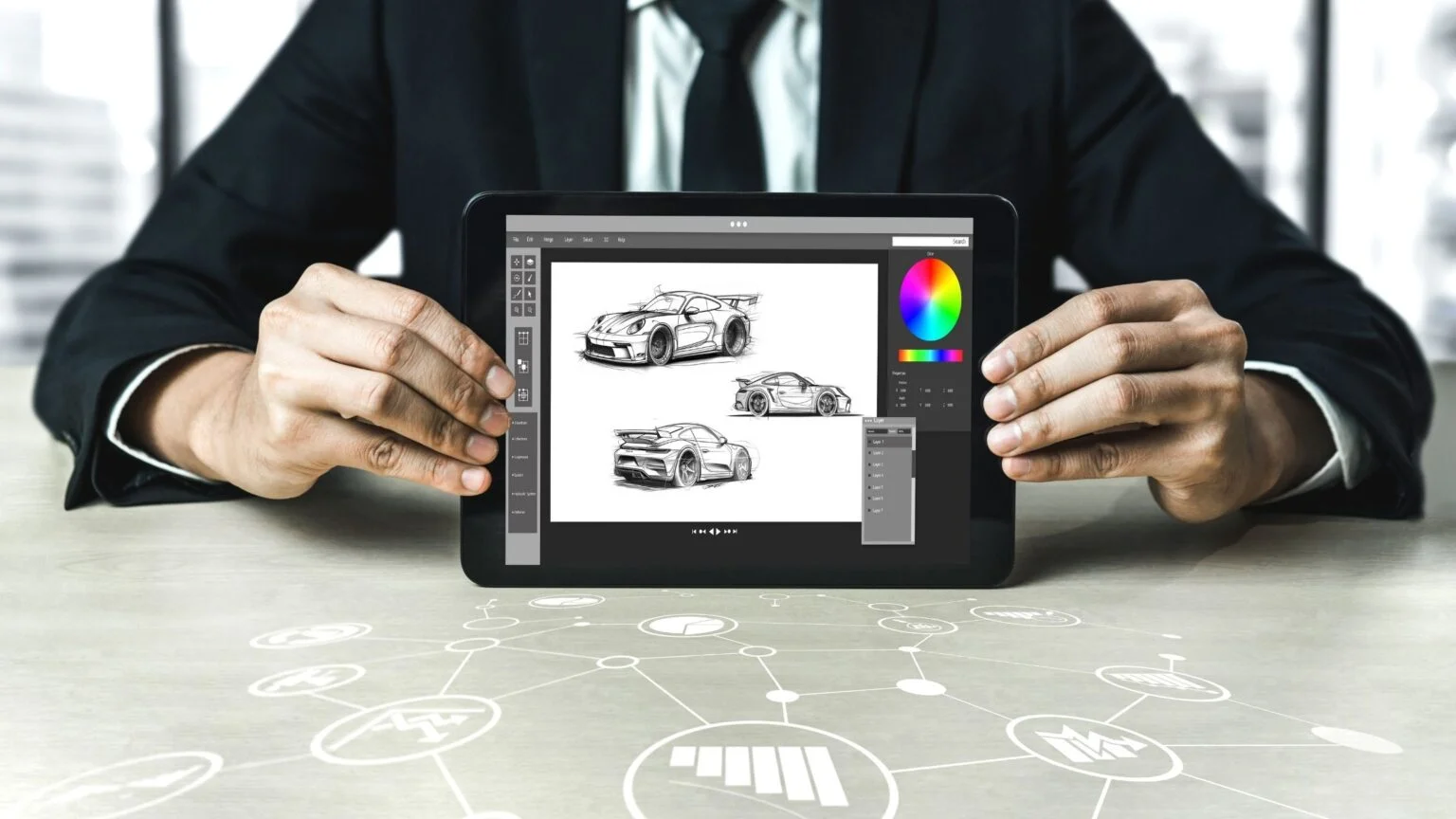
Modern dealership operations integrate AI photo editing into daily workflows for competitive advantage
The Future of AI Photo Editing in 2026
The trajectory of AI photo editing is moving at extraordinary speed. According to Market Research Future, the AI image editor market is expanding at 22.73% annually, projected to reach $48.74 billion by 2035. This rapid growth signal means continuous innovation and expansion of capabilities.
What's coming? First, expect more sophisticated vehicle-specific features. Platforms like Car Photo Booth are pioneering automotive-specific algorithms that understand suspension geometry, reflections, and lighting unique to vehicles. As this market expands, even general-purpose editors will incorporate automotive expertise.
Second, real-time collaboration tools are emerging. Imagine uploading a vehicle photo, showing it to a team member in real-time, making collaborative decisions about backdrop and refinements, and exporting a team-approved image. This isn't far away—we're seeing early versions in 2026.
Third, integration with inventory systems will become standard. Dealership software, Turo platforms, and photography management systems will directly connect to AI editing platforms. You won't upload and download separately; the system will automatically edit and populate your listings.
The competitive advantage of early adoption won't last forever. In 18 months, AI photo editing will be standard practice, not cutting-edge. Those who adopt now will have already mastered the workflow and reaped the efficiency benefits for months before the technology becomes common.
One more indicator: mobile applications led the AI image editor market in 2024, capturing 48% of revenue share, according to SNS Insider. Mobile editing is becoming primary, not secondary. This means you'll soon be able to photograph vehicles with your smartphone, edit them on your phone during lunch, and publish directly to your listings—all without touching a computer.
The technology democratizes professional-quality automotive photography. Where once only dealerships with massive budgets could afford consistent, professional vehicle imagery, now any Turo host or independent photographer can compete on visual quality alone.
FAQ: Your AI Photo Editor Questions Answered
Q: Will AI photo editing make my vehicle photos look fake or too artificial?
Modern AI editors excel at natural-looking results. They don't apply heavy filters or create artificial sheen. Instead, they intelligently match lighting, perspective, and color grading between your vehicle and the selected backdrop. The result looks professional, not artificial. However, you do have control. If the automatic result feels too saturated or too bright, most platforms include simple sliders for color and tone adjustments.
Q: Can I use AI-edited vehicle photos for official dealership listings or Turo?
Yes, absolutely. Major platforms explicitly allow and encourage AI-edited images. In fact, many platforms offer built-in AI editing tools. The only requirement is transparency—don't misrepresent an edited image as authentic or original. The AI-edited image should clearly represent the vehicle, which it does when you're using legitimate tools.
Q: How much does an AI photo editor cost?
Pricing varies wildly. Some platforms offer free tiers with limited monthly edits (typically 5-20 images). Professional plans range from $10-30 monthly for individuals to $50-200+ monthly for agencies and dealerships processing hundreds of images. Car Photo Booth and similar automotive-specific solutions occupy the mid-range, targeting professionals who need both features and affordability.
Q: Will the AI remove important details or damage to the vehicle?
The AI removes backgrounds, not vehicle details. If a vehicle has a dent, the AI won't hide it. If a wheel has a scuff, the AI won't erase it. This is actually a benefit—your AI-edited images remain truthful representations of the vehicle. What the AI does improve is the presentation environment and overall visual impact. Some platforms include optional retouching tools for paint corrections and detail work, but these are separate from the background removal.
Q: How long do I need to keep subscription if I just want to process a few vehicle photos?
Most platforms offer monthly cancellation, so you can sign up for one month, process 50 vehicle photos, and cancel. No long-term commitment required. Some platforms offer pay-as-you-go credits instead of subscriptions. Evaluate what matches your actual usage pattern.
Q: Can I edit vehicle photos that were taken with a smartphone, or do I need professional photography equipment?
Smartphone photos work perfectly. Modern smartphone cameras capture excellent detail and color information. The AI will handle variations in lighting, focus, and framing. Professional equipment offers more control and consistency, but it's not required. A smartphone and a sunny day is enough to start getting professional results with AI editing.
Q: What if I don't like the backdrop the AI selected for me—can I change it?
Every platform lets you manually select from their backdrop library. Most don't include automatic backdrop selection—you're choosing from available options. If you want fully automatic selections based on vehicle type and market positioning, some newer platforms are experimenting with this using additional AI logic, but manual selection is still standard practice.
Q: Can I create custom backdrops or upload my own backgrounds?
Some platforms allow this, but it requires additional software skills and isn't standard practice. Using the existing backdrop library is simpler and produces better-integrated results. Creating custom backdrops requires understanding perspective, lighting, and color matching—essentially professional photography knowledge. Stick with the provided libraries unless you have specific brand requirements that demand custom backdrops.
Q: How does AI photo editing compare to hiring a professional photographer?
They serve different purposes. Professional photographers provide consultation, guidance on vehicle positioning, creative direction, and personalized artistry. AI photo editors provide speed and consistency. For a dealership refreshing 50 inventory photos weekly, AI editing is far more practical. For a brand campaign or specialty photography, a professional photographer might offer value. Smart dealerships often use both: professional photographers for flagship vehicles, AI editors for routine inventory.
Q: Is there any quality difference between using Car Photo Booth versus other AI photo editors for vehicle photos?
Car Photo Booth is specifically optimized for automotive imagery, which offers distinct advantages: automotive-specific backdrop libraries, algorithms trained on vehicle geometry, and features like batch processing designed for dealership workflows. General-purpose AI photo editors like Canva and Photoroom work well but aren't vehicle-specialized. If you're processing dozens of vehicles regularly, automotive-specific solutions typically deliver better results faster. For occasional use, general platforms work fine.
Q: What if the background removal fails on a difficult photo?
Modern AI has error rates below 1% on standard vehicle photos. When errors occur, they're usually minor edge imperfections, not fundamental failures. Most platforms include simple refinement tools—essentially a paintbrush that lets you manually correct affected areas. Manual correction takes 30 seconds to 2 minutes, depending on problem severity. For truly problematic photos (extreme angles, unusual lighting), re-photographing the vehicle typically takes less time than manual correction.
Q: Can I use AI-edited vehicle photos across multiple platforms (Turo, Craigslist, dealership site, etc.)?
Yes, there's no restriction. Once you own the edited image file, you can use it anywhere. Export it at appropriate resolution for each platform—1500x1000 for web, 3000x2000 for print or high-resolution displays. Different platforms have different requirements, but that's a standard workflow adjustment, not an AI editing limitation.
Q: How does AI photo editing affect search rankings or visibility for my vehicle listings?
Search algorithms care about user engagement metrics (clicks, time-on-page, conversion), not whether photos are AI-edited. Professional-looking photos dramatically increase engagement because users spend more time viewing them and are more likely to inquire. So indirectly, AI editing improves search performance by improving the engagement signals that search algorithms track. However, you still need compelling titles, descriptions, and accurate pricing to rank well—professional photos are one factor among many.
The landscape of automotive marketing has shifted fundamentally in early 2026. The tools that were cutting-edge two years ago are now becoming standard. According to Adobe research, 83% of creative professionals use generative AI in their work, and automotive photographers are no exception. The question isn't whether to adopt AI photo editing—it's whether you can afford to stay competitive without it.
The barrier to professional vehicle photography has collapsed. Where once you needed studio access, professional equipment, and specialized skills, now you need a smartphone, a few minutes, and an AI photo editor. The real competitive edge today lies in understanding these tools deeply enough to create consistent, branded imagery that resonates with your market.
Start with your next batch of vehicle photos. Choose a platform, process five images, and assess the results. The investment is minimal—most platforms let you test free or with limited credits. The potential return, measured in increased inquiries and conversions, is substantial. By the end of your first week using AI photo editing, you'll wonder how you ever managed without it.