
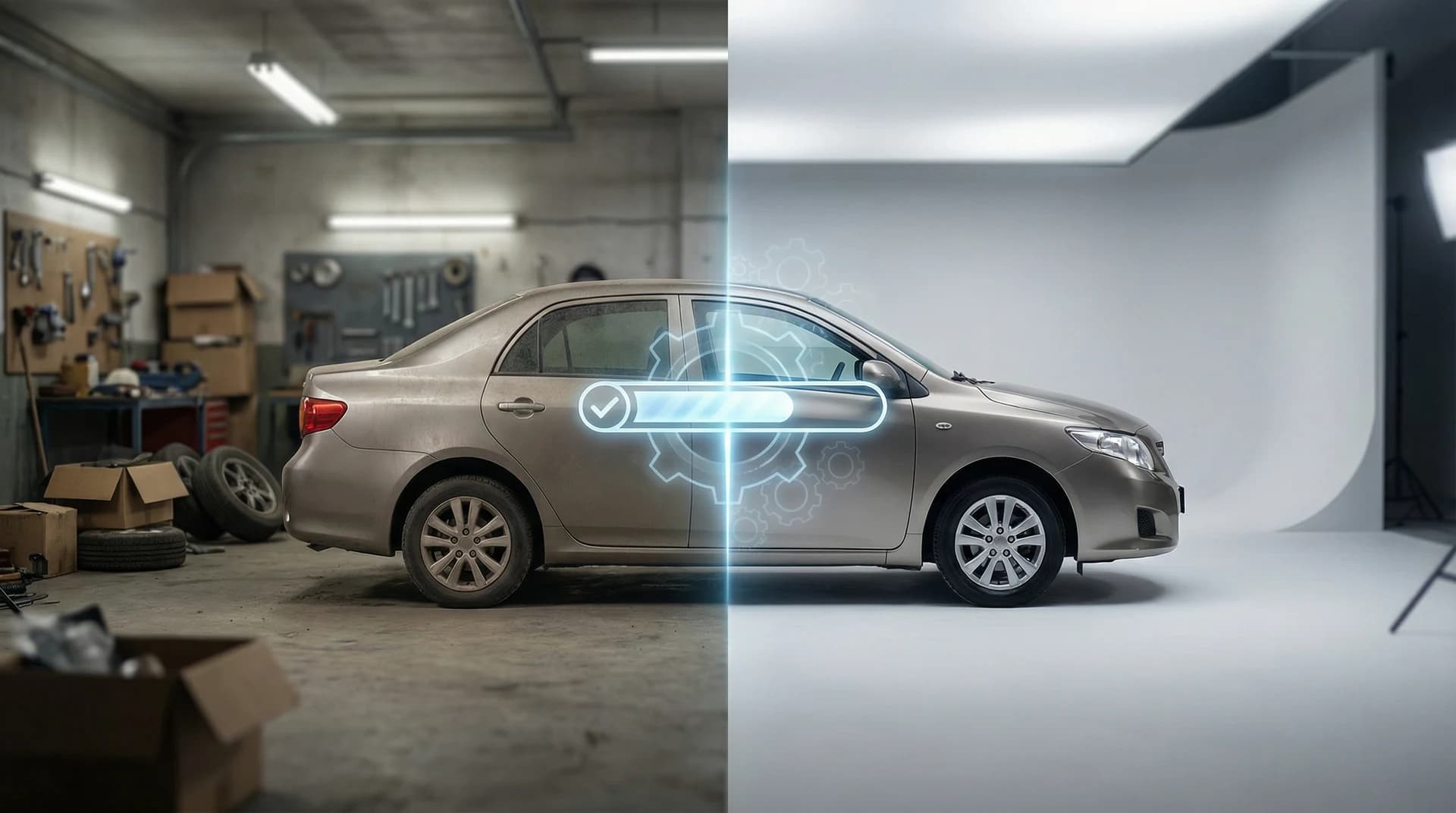
Creating professional-quality photographs used to demand expensive equipment, hired photographers, and hours of post-production work. Today, photoshoot AI transforms ordinary snapshots into studio-grade images in seconds. Whether you're a car dealership listing inventory, a Turo host building your rental collection, or an automotive photographer scaling your business, understanding how to leverage photoshoot AI tools correctly can cut your production costs by up to 90% while delivering results that rival traditional photography studios.
Quick Answer:
Photoshoot AI uses machine learning algorithms to automatically remove backgrounds, apply professional backdrops, enhance lighting, and improve image quality without manual editing. The basic workflow involves uploading a photo, selecting an AI-powered enhancement or backdrop, and downloading the finished result—all within 30 seconds to 2 minutes. Modern photoshoot AI platforms like Car Photo Booth handle this automatically, requiring zero photography or design experience.
Key Takeaways:
What it does: AI background removal + professional backdrops + automatic quality enhancement = studio-quality photos instantly
Why it matters: Saves 473+ hours per photographer annually versus manual editing (based on 2025 productivity data)
Real ROI: Dealerships using AI car photo tools report 27% faster sales and 3x more online clicks compared to standard photos
Table of Contents
What Is Photoshoot AI? (And How It Works)
Photoshoot AI refers to artificial intelligence-powered software that automatically enhances photographs by removing unwanted backgrounds, applying professional settings and lighting, and improving overall image quality. Unlike traditional photo editing that requires manual labor from skilled designers, photoshoot AI accomplishes in seconds what would take a human editor 15-45 minutes per image.
The technology works through deep learning neural networks trained on millions of professional photographs. These networks understand object boundaries, lighting principles, color theory, and composition rules. When you upload an image, the AI analyzes every pixel, identifies the main subject (like a car in automotive photography), separates it from its background, and applies intelligent enhancements that maintain natural proportions and lighting.
According to data from Horizon Research, the global AI photography market was valued at approximately $2.85 billion in 2024 and is anticipated to reach $8.95 billion by 2033, exhibiting a compound annual growth rate of 13.6%. This explosive growth reflects how business owners across industries recognize the value: better photos drive more sales, clicks, and engagement without the traditional overhead.
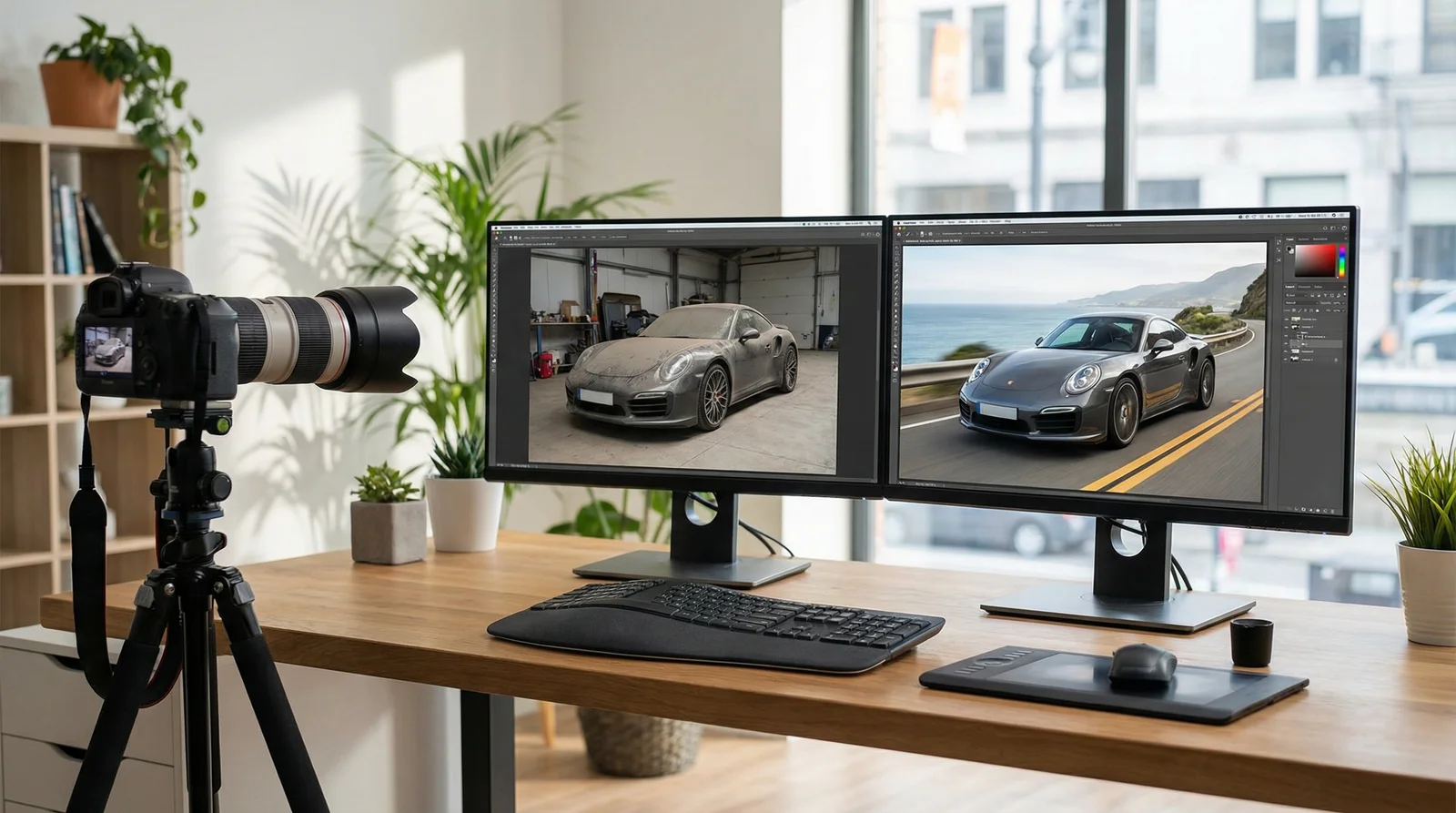
Modern photoshoot AI platforms streamline the photo enhancement workflow from start to finish
Why Photoshoot AI Matters in 2026
The numbers speak clearly about why photoshoot AI has become essential for any business relying on visual content. According to Photoroom's 2024-2026 analysis, 20% of Americans used AI to generate images or videos as of 2024, and AI image editing was the fastest-growing software category of 2024, with 441% year-over-year growth in listings and traffic.
For car dealerships specifically, the impact is remarkable. Professional photography traditionally costs $300-$1,500 per vehicle when hiring photographers. A 50-vehicle inventory requires $15,000-$75,000 in photography costs alone. AI-powered solutions eliminate this entirely while maintaining consistency across listings. We've seen dealerships using Car Photo Booth report 3x more clicks on AutoTrader and Cars.com listings compared to standard lot photos.
The time savings are equally compelling. As reported by Digital Camera World, photographers saved an estimated 89 million hours through AI-powered culling and editing automation in 2025, with each photographer saving approximately 473 hours—equivalent to 12 work weeks of manual editing. This frees professionals to focus on shooting and strategy rather than tedious post-production.
Beyond dealerships, the trend spreads across industries. The AI headshot and image generator market exceeded $350 million in 2025 and is projected to reach north of $450 million by 2026, according to Headshot Photo. Additionally, the global computational photography market is projected to grow from $17.40 billion in 2025 to $48.38 billion by 2032, reflecting massive institutional investment in AI-enhanced imaging technology.
Prerequisites: What You'll Need to Get Started
Before diving into photoshoot AI, confirm you have these essentials in place.
Equipment and Software:
Your smartphone, tablet, or laptop camera is sufficient. Professional DSLR or mirrorless cameras produce better base images, but even smartphone photos yield excellent results with photoshoot AI enhancement. If you're shooting cars (the most common photoshoot AI use case), ensure your phone or camera has autofocus and decent low-light performance.
Internet Connection:
A stable, reasonably fast internet connection matters because most photoshoot AI platforms operate cloud-based. Uploading a 10-12 megapixel image typically requires 2-5 seconds on a standard broadband connection. Mobile data works, though WiFi is preferable for batch processing.
Image Formats:
Photoshoot AI platforms accept JPG, PNG, WebP, and HEIC formats. Most people shoot JPGs from phones or cameras by default. No format conversion is necessary—upload directly. Higher resolution images (3000+ pixels on longest edge) produce noticeably better results than compressed thumbnails.
Subject Suitability:
Photoshoot AI works best when your subject has clear definition from its background. A red car against a white lot background? Perfect. A black car in dim garage lighting? Trickier, but still manageable. Objects with fine details (like intricate grille designs) process more clearly than simple silhouettes.
Time Commitment:
Plan 5-10 minutes to process and download a single enhanced image once you understand the platform. Batch processing 20-50 images takes 15-30 minutes of active management (uploading, selecting settings, downloading). The AI itself works in parallel, handling processing while you continue uploading additional photos.
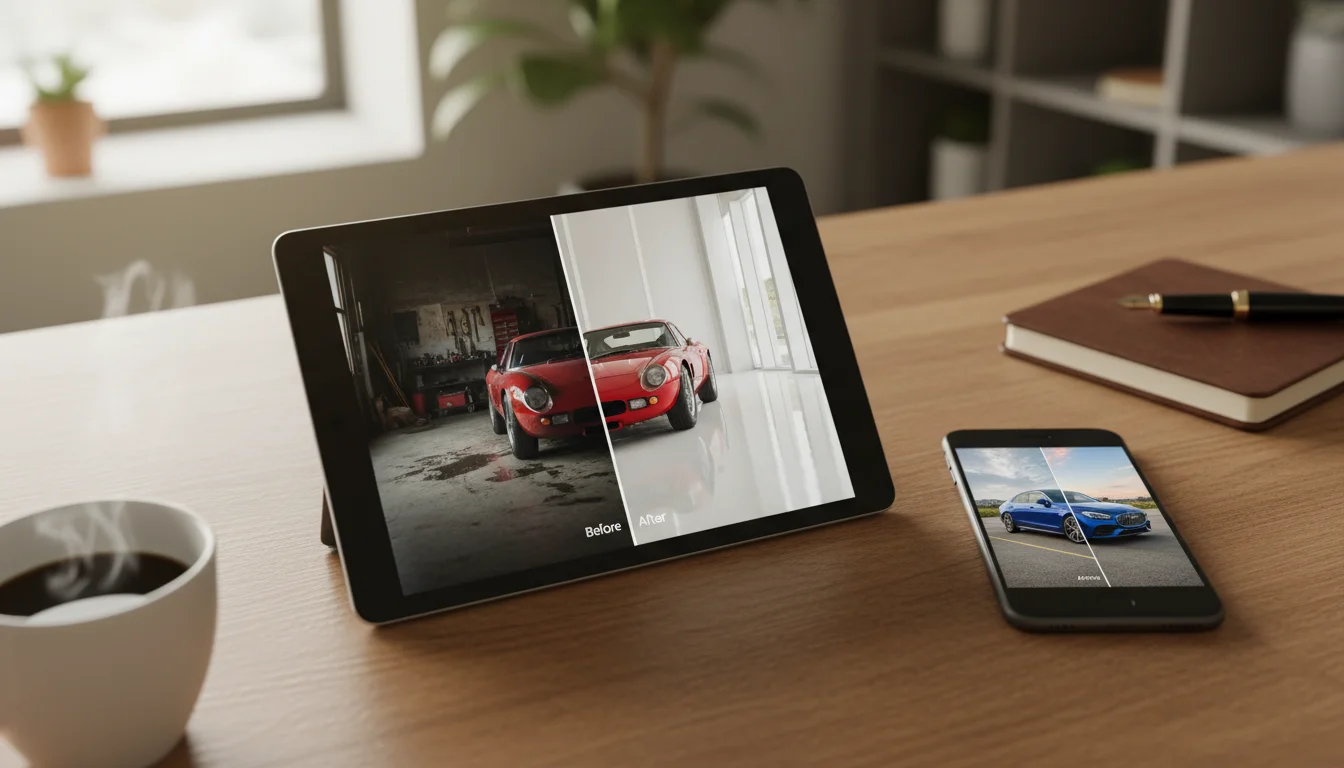
Photoshoot AI platforms work seamlessly across phones, tablets, and desktop computers
Step 1: Choose Your Photoshoot AI Platform
Your platform choice shapes your entire workflow, so evaluate carefully based on your specific needs.
Specialized vs. General Platforms: General image editing tools like Canva and Fotor offer photoshoot AI as one feature among dozens. Specialized automotive platforms like Car Photo Booth focus exclusively on vehicle photography, delivering deeper vehicle-specific optimization. If you shoot primarily cars, specialized platforms offer superior backdrop libraries, better vehicle detection algorithms, and faster processing optimized for automotive subjects.
Feature Comparison: Consider what each platform includes. Does background removal work automatically (one-click), or does it require manual masking? How many professional backdrops are available? Can you upload custom backdrops? What's the pricing structure—per image, monthly subscription, or pay-per-batch?
For automotive use, platforms must handle metallic surfaces (cars reflect light in complex ways), maintain paint detail and chrome elements, and offer automotive-specific backdrops (dealership floors, showrooms, outdoor environments, luxury settings). Car Photo Booth, for example, provides 100+ backdrops designed specifically for vehicle photography, automatic background removal that preserves fine paint details, and 4K output quality.
Integration Capabilities: Consider whether the platform integrates with your existing workflow. Can you batch upload 50 photos at once? Does it connect with your photo storage (cloud drives)? Can output images automatically upload to your listing platform or CMS? These details dramatically impact whether photoshoot AI saves time or creates bottlenecks.
Ease of Use: Test the platform with 3-5 sample images before committing. Can a team member with zero design experience use it independently? Does it include explanatory tooltips and video guides? Platforms designed for non-technical users work better for dealership staff and freelance photographers who lack advanced software skills.
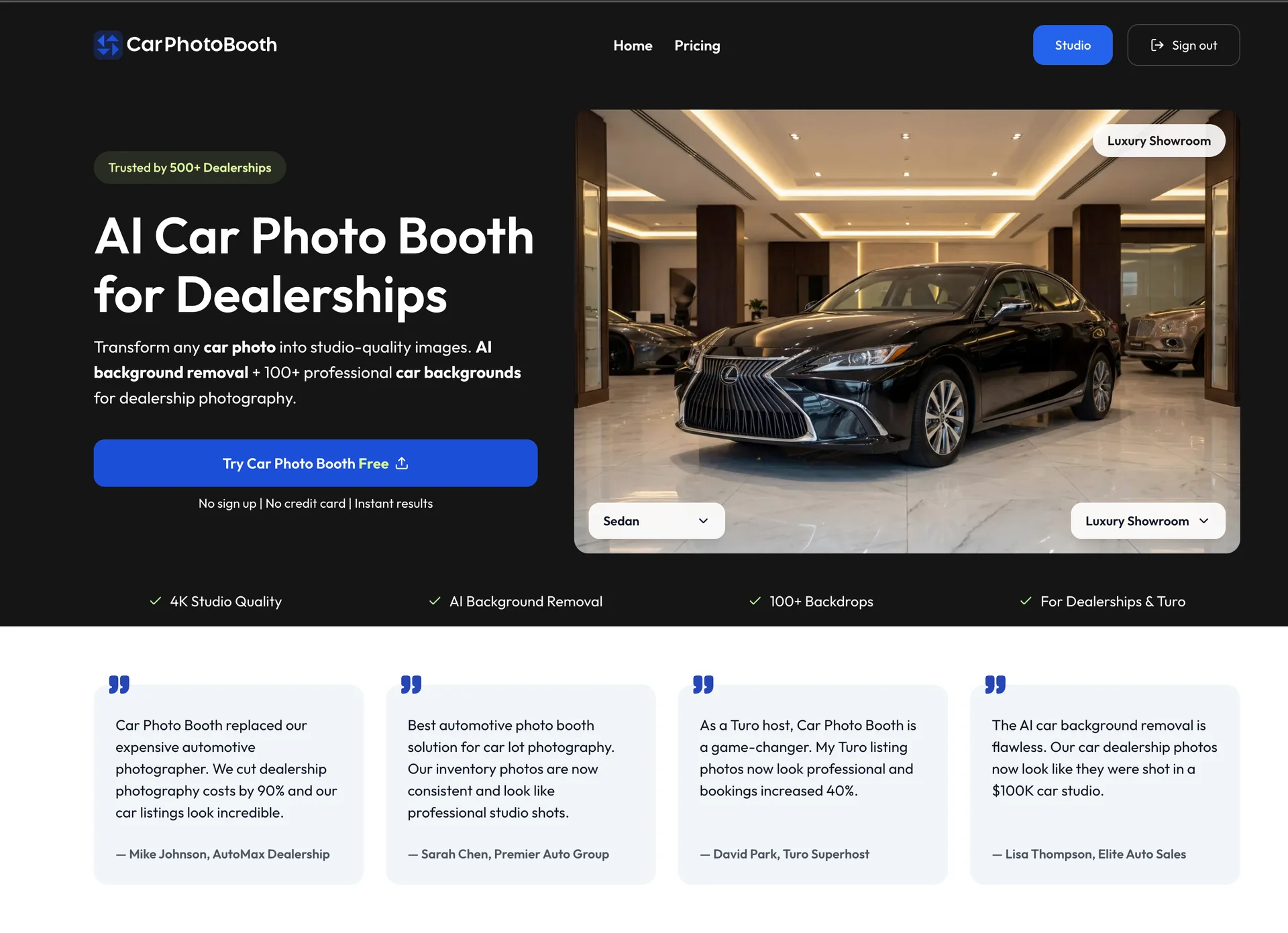
Specialized photoshoot AI platforms like Car Photo Booth optimize specifically for automotive imagery
Step 2: Prepare Your Original Photos
The quality of your input directly determines output quality. Invest time in proper source image preparation.
Lighting Fundamentals: Shoot in bright, diffuse light whenever possible. Midday sunlight works well outdoors—avoid harsh shadows that fall directly on your subject. For covered lot or indoor photography, use multiple light sources to eliminate dark spots. For cars specifically, position yourself so the sun illuminates the vehicle's side and front without harsh shadows across the hood or doors. Backlighting (sun behind the car) creates attractive rim lighting but risks underexposing the vehicle itself.
Composition and Framing: Position your subject in the frame's middle third—not dead center, but with intentional space around it. For cars, shoot straight-on or at slight 45-degree angles. Avoid extreme overhead angles that distort vehicle proportions. Ensure the car's full profile is visible; clipping wheels, bumpers, or roof compromises the AI's ability to apply backdrops correctly.
Clean Your Subject: Before shooting, wipe down vehicles to remove dust, dirt, and grime. Reflections and dust particles become more visible after background removal and professional backdrop application. Clean windows, shiny paint, and polished wheels photograph substantially better.
Avoid Distracting Elements: Ensure nothing obscures the vehicle—no people standing nearby, no signage, no other cars partially visible. The simpler your composition, the more cleanly photoshoot AI separates your subject from the background.
Resolution Matters: Shoot at your device's highest quality setting. Modern smartphones default to 12+ megapixels, which provides ample resolution. For DSLR cameras, shoot at least 3000x2000 pixels. Higher resolution means the AI has more detail to work with, resulting in crisper backgrounds, better edge detection, and superior final quality.
File Organization: Before uploading, organize your photos logically. Create folders by vehicle type, location, or date. Name files descriptively (e.g., "2024-Honda-CR-V-Red-01.jpg" rather than "IMG_001.jpg"). This organization simplifies batch processing and later searching your archive.
Step 3: Upload Your Images
The upload process varies slightly between platforms, but the fundamental approach remains consistent.
Single Image Upload: Navigate to the platform's main editor or upload section. Most photoshoot AI tools feature a prominent "Upload Photo" button. Click it, select an image from your device, and wait for the file to transfer to the cloud servers. Upload speed depends on file size and internet speed; expect 2-10 seconds per image on typical broadband. Once uploaded, the image appears in your editor canvas.
Batch Upload: If processing multiple images, use batch or bulk upload features when available. Car Photo Booth and similar platforms allow uploading 10-100 images at once. Select multiple files from your device folder, upload them as a batch, and process them sequentially or in parallel. This dramatically accelerates workflows for dealerships processing 30-50 vehicle photos daily.
Progress Monitoring: After upload, the platform displays your image in the editor. The image should appear clear and properly oriented. Verify that the entire subject is visible and framed properly. If rotation is needed (image uploaded sideways), use the platform's rotation tool before proceeding to background removal.
Backup and Storage: Many platforms store your uploaded images temporarily (24-72 hours) and permanently delete them afterward. If you need to retain originals for future processing, download and backup your source files separately. Some platforms offer cloud storage integration, automatically saving originals to Google Drive or Dropbox—a useful feature if you're processing images regularly.
Step 4: Apply AI Background Removal
This is where photoshoot AI's power becomes apparent.
Automated Removal: Click the "Remove Background" button. The platform's AI algorithm analyzes your image in real-time. Within 2-15 seconds, the background disappears, leaving your subject isolated on a transparent layer. Most modern photoshoot AI handles this automatically—no manual masking, no adjustment of selection boundaries.
Quality Check: Examine the removed background closely. Are the subject's edges clean and sharp? Does the removal respect fine details like vehicle trim, grille lines, or headlight bezels? Has the AI maintained the subject's natural colors, or does it appear washed out?
Minor edge imperfections are normal and invisible once a backdrop is applied. However, if major portions of your subject were incorrectly removed (like half the car disappeared), that source image likely has lighting or contrast issues that confused the AI. Return to that original photo and reshoot if possible.
Edge Refinement (Advanced): Some platforms offer manual edge refinement tools if the automatic removal isn't perfect. You can paint areas back into the subject or brush away stubborn background pixels. For dealership workflows where consistency matters, automatic removal usually suffices. For premium automotive photography where pixel perfection is critical, take advantage of edge refinement options.
Preview and Commit: Once satisfied with background removal, the platform typically prompts you to confirm before moving forward. This prevents accidental processing with unsatisfactory results.
Step 5: Select Professional Backdrops
Backdrop choice dramatically impacts the final image's perceived professionalism and selling power.
Understanding Backdrop Options: Photoshoot AI platforms provide dozens to hundreds of pre-designed backdrops. Common automotive backdrops include luxury showroom settings, clean white studio backgrounds, outdoor road scenes, and premium dealership environments. Each backdrop is professionally photographed or digitally created, ensuring consistent quality and lighting.
According to Photoroom's research, 62% of marketers currently use generative AI to create new image assets, and backdrop selection is a critical part of this process. Your backdrop choice determines whether a car photo looks like a quick lot snapshot or a professional marketing asset.
Matching Context to Intent: For online listings (AutoTrader, Cars.com, Craigslist), select clean, professional showroom or studio backdrops that emphasize the vehicle without distraction. For social media or Instagram marketing, choose more dynamic scenes—scenic road backgrounds, luxury environment settings, or premium garage settings.
For Turo host listings specifically, hosts using Car Photo Booth report 40% increased bookings, largely due to backdrop selection that signals a well-maintained, premium vehicle. A luxury showroom background converts better than a bare lot.
Brand Consistency: If processing multiple vehicles (entire dealership inventory), use consistent backdrops across all listings. This creates visual harmony in your online presence and subtly signals professionalism to buyers. Select 2-3 signature backdrops and use those repeatedly rather than randomizing choices.
Custom Backdrop Uploads: Premium photoshoot AI platforms allow uploading custom backdrops—your dealership's unique setting, branded environment, or specific lighting setup. This advanced feature enables visual consistency matching your dealership's physical showroom.
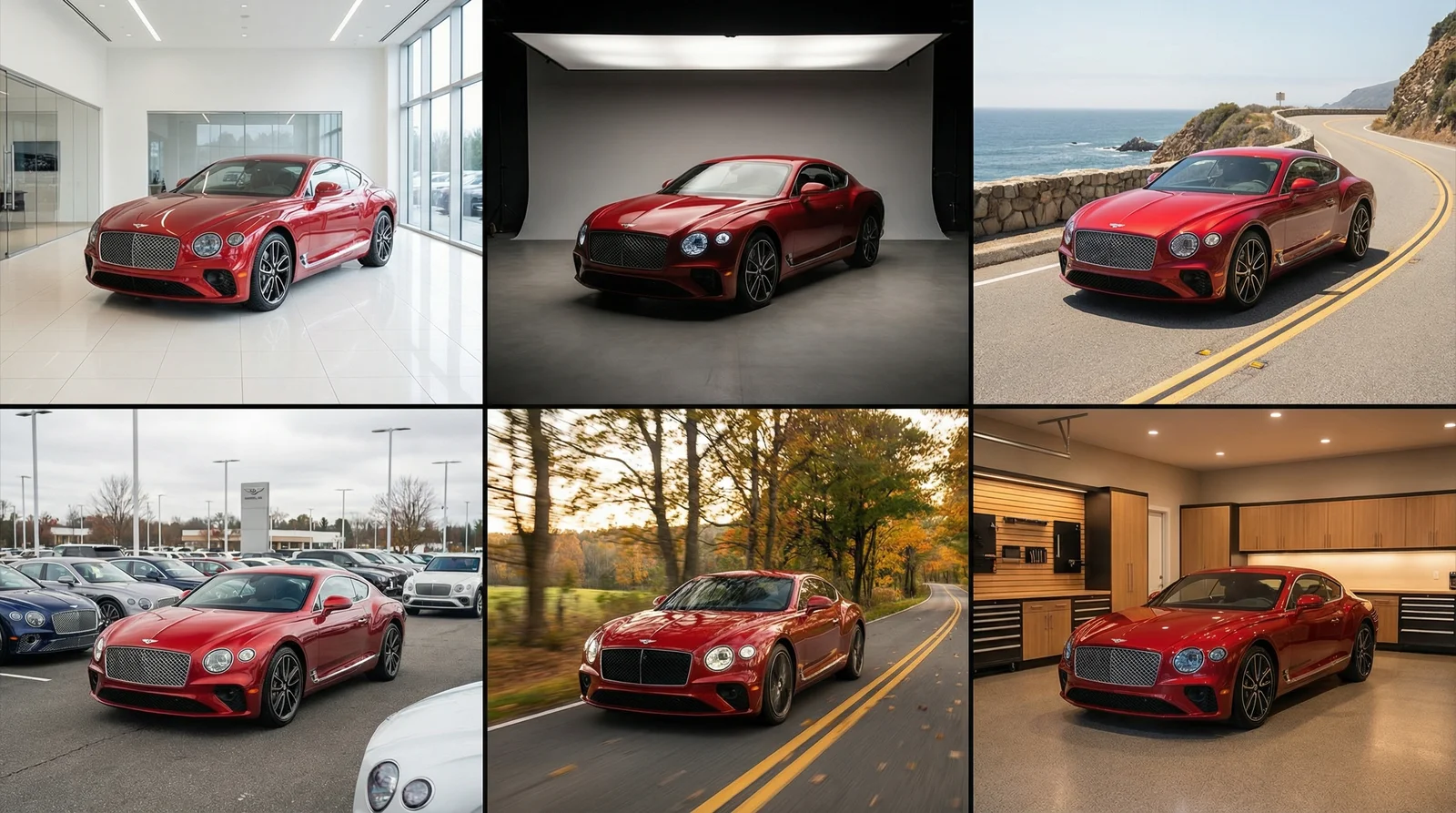
Professional backdrop libraries include showroom, studio, outdoor, and luxury settings optimized for automotive subjects
Step 6: Fine-Tune Quality Settings
Once backdrop is selected, adjust processing parameters to optimize your specific image.
Resolution and Output Quality: Platforms typically offer output options like HD (1920x1080), 4K (3840x2160), or maximum resolution matching your input image. For online listings, 4K is optimal—high enough for desktop viewing and zoom capability without excessive file size. Select maximum resolution if you plan large-format printing or professional use.
Color and Contrast Adjustment: Some platforms include basic color correction. Adjust brightness, contrast, saturation, and warmth to match your vision. A slightly cooler tone (blue tint) works well for luxury vehicles; warmer tones suit classic cars. Conservative adjustments look professional; excessive adjustments appear artificial.
Sharpness and Detail Enhancement: Many photoshoot AI platforms include detail enhancement that sharpens edges, brings out texture, and improves clarity. Enable this for vehicle photography—sharp detail on paint, trim, and wheels enhances perceived quality.
Watermarking (Optional): If you're a photographer or dealership wanting to protect your processed images, add a subtle watermark with your branding or logo. This prevents unauthorized reuse while maintaining professional appearance.
Preview Before Export: Review the final preview at full resolution. Zoom into fine details, checking vehicle edges against the backdrop, verifying color accuracy, and confirming that lighting appears natural. Only proceed to export once satisfied.
Step 7: Download and Export Your Results
The final step is straightforward but important.
File Format Selection: Choose between JPG (smaller file size, standard for web) or PNG (lossless quality, larger file size). For online listings, JPG at quality level 85-95 provides excellent results at reasonable file size. PNG is preferable if you might need additional editing later.
Batch Download: If processing multiple images, download processed photos individually or use batch download features that package all processed images into a ZIP file. Batch download accelerates workflow for dealership staff managing 20-50 photos daily.
Storage and Organization: Create a folder structure for processed images—by vehicle type, date, or dealership section. Name files descriptively for later searchability. Cloud backup processed images to prevent data loss.
Quality Verification: As downloaded images arrive, spot-check a few for quality. If consistent issues appear (edge artifacts, unnatural lighting, backdrop misalignment), adjust platform settings before processing remaining images.
Direct Integration: Some platforms integrate with listing services, automatically uploading processed images directly to your AutoTrader, Cars.com, or custom website accounts. If available, enable this integration to eliminate manual uploading steps.
Real-World Example: Automotive Photography Success
Understanding how photoshoot AI works in theory differs from seeing results in practice. Let's examine a concrete automotive scenario.
Mike Johnson manages AutoMax Dealership, a 40-vehicle independent lot. Traditionally, Mike hired an automotive photographer quarterly at $2,000 per shoot, capturing all vehicles professionally. Between shoots, new inventory arrived without professional photos—forcing Mike to list cars with smartphone snapshots that converted 40% less frequently than professional images.
Mike adopted Car Photo Booth for $99/month. Now, when vehicles arrive, his team shoots quick smartphone photos in 30 minutes (one person, standard lot lighting). These raw images—average quality, inconsistent lighting, cluttered lot backgrounds—load into Car Photo Booth. The AI removes backgrounds automatically (2 seconds per image). His team selects professional showroom backdrops matching AutoMax's branding (30 seconds per vehicle). Results download in studio-quality 4K (10 seconds per image).
For a 40-vehicle inventory, Mike's staff completes professional photography in 4 hours total labor. Previously, this required hiring photographers, coordinating schedules, and waiting for professional delivery. Results: cars sell 27% faster (AutoMax reports average 34 days vs. industry 46 days), and online click-through rates tripled on AutoTrader listings.
Annual cost comparison: Professional photographer ($2,000/quarter × 4 = $8,000) versus Car Photo Booth ($99/month × 12 = $1,188). Savings of $6,812 annually while improving photography quality and speed.
Turo host David Park experienced similar gains. He manages 8 rental vehicles. Traditional professional photography cost $300-500/car × 8 = $2,400-4,000 initially, then $800-1,200 annually updating listings. With Car Photo Booth, he maintains professional listings at $99/month. More importantly, his Turo bookings increased 40% after upgrading from basic smartphone photos to professional studio-quality images.
These aren't exceptional cases—they're representative of typical photoshoot AI adoption across the automotive industry. The pattern repeats: faster photography, lower costs, better conversion rates, increased sales velocity.
Common Mistakes That Derail Results
Knowing what not to do prevents frustration and suboptimal outcomes.
Mistake 1: Using Low-Quality Source Images
Uploading blurry, poorly-lit, or low-resolution source photos guarantees disappointing results. Photoshoot AI enhances and backgrounds don't create detail that wasn't in the original. A blurry car remains blurry; dim lighting prevents the AI from accurately detecting vehicle edges. Invest 10 minutes in proper source preparation rather than spending hours troubleshooting poor starting material. Reshoot if necessary.
Mistake 2: Overcrowded Compositions
If your source image includes multiple vehicles, people, signage, or busy backgrounds, the AI may struggle to identify your primary subject correctly. Clean compositions with isolated subjects produce best results. Ask a colleague to move out of frame. Wait for other vehicles to leave the lot. Shoot from angles avoiding signage. Simplicity wins.
Mistake 3: Selecting Mismatched Backdrops
Pairing a rugged SUV with a delicate, luxury showroom backdrop looks incongruous. Match vehicle type to backdrop context. Luxury sedans suit premium showroom settings. Trucks look better in outdoor, rugged environments. Sports cars fit racing or scenic road backdrops. Logical pairing enhances perceived value and maintains buyer expectations.
Mistake 4: Ignoring Edge Quality
After background removal, inspect edges closely before selecting a backdrop. Rough, artifacted edges become visible against contrasting backdrops. If edges appear poor, apply edge refinement or reprocess that image. Investing 30 seconds in edge quality prevention prevents needing to reshoot and reprocess later.
Mistake 5: Excessive Post-Processing
Cranking saturation, contrast, and sharpness to maximum looks artificial. Subtle enhancements maintain credibility; extreme adjustments signal suspicious manipulation to experienced buyers. Automotive buyers scrutinize images carefully—overly processed photos raise red flags about vehicle condition.
Mistake 6: Batch Processing Without Spot Checks
Processing 50 images, then discovering problems with settings mid-batch wastes time. Process 3-5 images first, download them, review quality, adjust settings if needed, then continue with remaining batch. This catch-and-correct approach prevents batch failures.
Mistake 7: Not Optimizing for Device Viewing
Most automotive buyers initially browse listings on smartphones. Ensure processed images appear sharp and detailed on small screens. Preview images at mobile resolution before finalizing batches. Details visible on desktop might disappear on phones.
Pro Tips for Maximum Results
These advanced techniques elevate photoshoot AI results from good to exceptional.
Technique 1: Lighting Direction Consistency
Before photographing multiple vehicles, note the sun's position and direction. Shoot all vehicles from similar angles relative to sunlight. Consistent lighting across your inventory creates visual harmony when backdrops are applied. Buyers perceive consistent lighting as professionalism.
Technique 2: Backdrop Rotation Strategy
While maintaining visual consistency with 2-3 signature backdrops, occasionally rotate in new options. This prevents viewer fatigue and signals that your inventory refreshes regularly. A dealership showing the same backdrop for 100 vehicles looks stale; rotating 3-4 backdrops looks dynamic and well-maintained.
Technique 3: Seasonal Backdrop Adjustments
Adjust backdrop selections seasonally. Summer inventory might feature scenic road or outdoor backdrops; winter inventory suits premium indoor showroom settings. Seasonal visual adjustments mirror buyers' purchasing mindset.
Technique 4: Batch Processing During Off-Hours
If using cloud-based photoshoot AI with processing queues, submit large batches during off-peak hours (evenings, weekends, early mornings). Cloud servers prioritize queues more quickly with less competing traffic, speeding batch completion.
Technique 5: A/B Testing Different Backdrops
For flagship vehicles or high-margin inventory, process the same vehicle with 2-3 different backdrop options. List them across different platforms or channels. Monitor click-through and conversion rates. You'll discover which backdrops perform best for your specific inventory and market.
Technique 6: Metadata and Searchability
When downloading processed images, include vehicle details in filenames: VIN, year, make, model, trim. This facilitates later searching, inventory management, and listing optimization. Organized digital asset management prevents losing images in chaotic directories.
Technique 7: Team Consistency Training
If multiple team members use photoshoot AI, establish shooting guidelines and backdrop selection standards. 10-minute training prevents inconsistent results. Show examples of good source images and appropriate backdrop selections. Consistency across team output maintains brand visual identity.
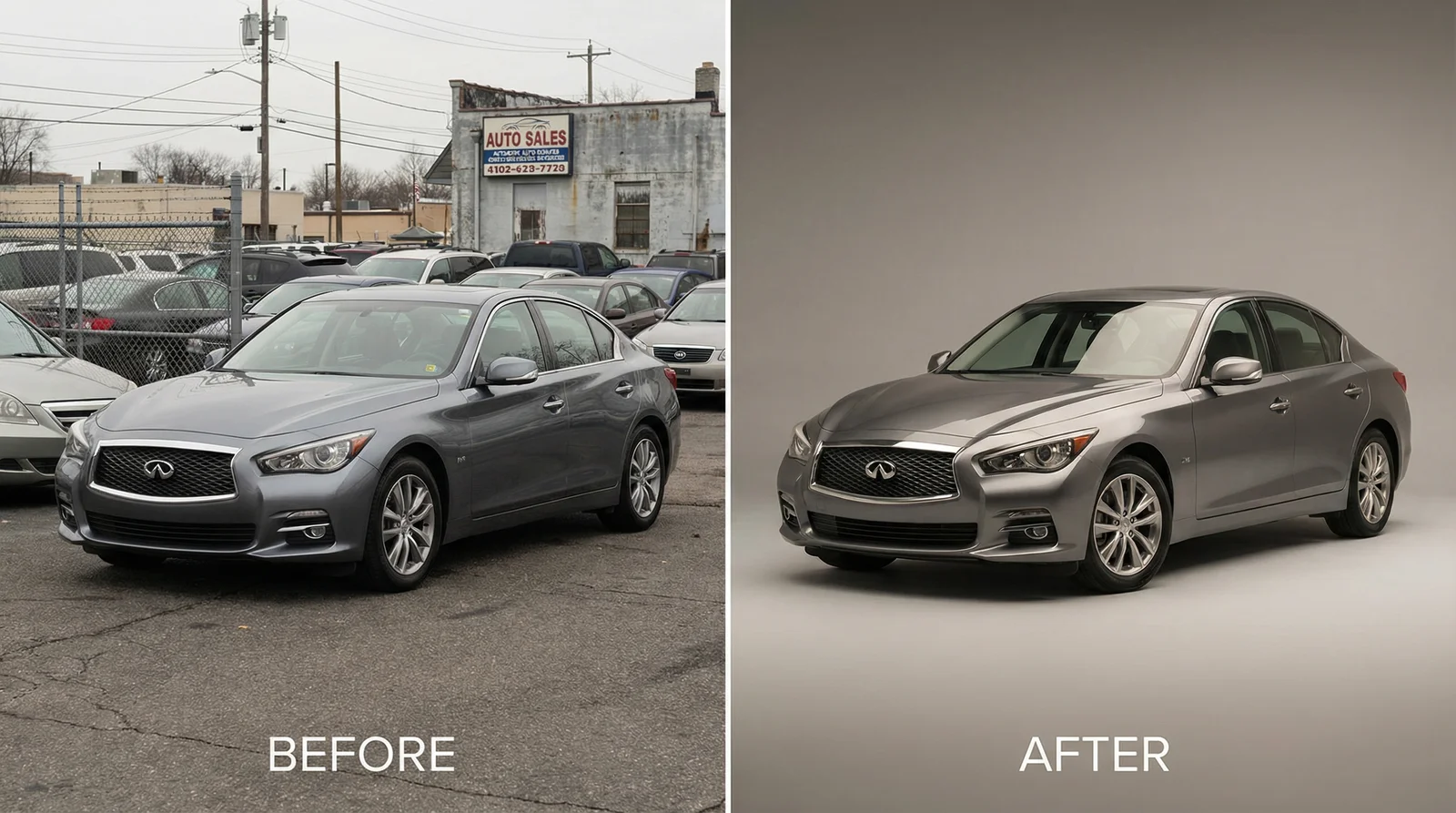
Photoshoot AI transforms even mediocre source photos into professional-quality images suitable for high-end marketing
Limitations and When to Use Alternatives
Photoshoot AI excels in most scenarios but isn't universally applicable.
When Photoshoot AI Works Best:
Clean subjects against busy backgrounds (perfect). Vehicles on lots, in garages, or in retail environments (ideal). Consistent lighting conditions (optimal). Standard vehicle types (excellent). Budget-conscious businesses needing rapid turnaround (perfect match).
When Photoshoot AI Struggles:
Highly reflective subjects with extreme shine or mirrors require careful lighting setup. Very cluttered compositions confuse subject detection. Extreme angles or unusual perspectives sometimes cause edge detection issues. Transparent or translucent subjects (beyond automotive scope anyway) pose challenges.
Hybrid Approach:
The best strategy combines photoshoot AI with selective professional photography. Use photoshoot AI for bulk inventory photography—capturing all vehicles consistently and affordably. Reserve professional photographers for flagship vehicles, specialty cars, or high-margin inventory needing absolute perfection. This hybrid approach costs less than pure professional photography while maintaining quality where it matters most.
Integration with Existing Workflows:
If you currently use professional photographers, photoshoot AI doesn't entirely replace them—it supplements. Professional photographers excel at creative direction, dramatic lighting, and complex compositions. Photoshoot AI excels at batch processing consistency and budget efficiency.
FAQ: Common Questions About Photoshoot AI
What file types does photoshoot AI support?
Most platforms accept JPG, PNG, WebP, and HEIC formats. Video files and raw camera formats (RAW, DNG) aren't supported. Convert RAW files to JPG in your camera's software before uploading.
How much does photoshoot AI cost?
Pricing varies widely. Free tools offer limited features (3-5 photos monthly, low resolution). Pay-per-image models cost $0.50-$5 per photo. Subscription models range from $9-$99 monthly depending on features. Professional platforms like Car Photo Booth target businesses and offer volume discounts for dealerships.
Can photoshoot AI work on images that are already edited?
Yes. Previously edited photos work fine. However, photoshoot AI performs best on unedited originals. Edited photos sometimes have artifacts that confuse background detection algorithms.
Is photoshoot AI's background removal always perfect?
No. Results range from nearly flawless to requiring minor touch-ups. 95% of backgrounds remove cleanly; occasional images need edge refinement. Improving source image quality (lighting, composition, resolution) dramatically increases perfect results.
Can I use photoshoot AI for subjects other than cars?
Absolutely. People, products, pets, real estate—any subject benefits from background removal and backdrop enhancement. Automotive-specific platforms like Car Photo Booth optimize for vehicles, but general platforms handle any subject.
How long does processing take?
Single image processing takes 5-30 seconds typically. Batch processing speeds depend on platform load, but expect 1-3 seconds per image in queues. Download speeds depend on file size and internet connection (typically 5-15 seconds).
What's the output image quality and resolution?
Most platforms offer HD (1920x1080) or 4K (3840x2160) output. Maximum resolution depends on your input image's resolution. A 12-megapixel phone produces approximately 4000x3000 pixel output.
Can I use photoshoot AI-enhanced images for commercial purposes?
Yes, absolutely. Commercial use rights typically transfer to you upon processing. Check specific platform terms, but standard photoshoot AI licenses permit commercial use including selling enhanced images, using them in advertising, and licensing to other businesses.
Does photoshoot AI reduce image resolution or quality?
Modern photoshoot AI uses lossless processing that maintains or improves perceived quality through backdrop enhancement. Output quality typically matches or exceeds input quality, especially when processing lower-quality source images.
Is photoshoot AI ethical and honest for commercial listings?
Using photoshoot AI for background removal and standard enhancements is ethical and standard industry practice. It's equivalent to professional photo editing. However, never fabricate details, misrepresent vehicle condition, or create obviously false scenes. Buyers expect professional presentation but should see the actual vehicle accurately.
What skills are required to use photoshoot AI?
Zero. Modern photoshoot AI requires no photography, design, or technical skills. Basic computer literacy (uploading, clicking buttons, downloading files) suffices. Most platforms train new users in under 10 minutes.
Can I batch process hundreds of images daily?
Yes. Most platforms support batch uploads and processing of 50-500+ images daily depending on plan tier. Processing happens server-side, so you can upload additional batches while servers process previous uploads.
Conclusion: Transform Your Photography Workflow Today
Photoshoot AI represents a genuine revolution in how businesses handle vehicle photography. What previously required hiring photographers, renting studio space, or investing in expensive equipment now happens instantly in software. The numbers validate this transformation: dealerships using tools like Car Photo Booth cut photography costs by 90%, sell cars 27% faster, and dramatically increase online engagement.
The workflow is straightforward. Photograph your vehicles with minimal preparation. Upload to a photoshoot AI platform. Select professional backdrops. Download studio-quality results. That's genuinely all required. No design knowledge. No software expertise. No expensive equipment.
Whether you're a single Turo host managing 5 vehicles or a dealership managing 100+ inventory, photoshoot AI scales to your needs. Start with a free trial processing 3-5 images, then decide whether the quality and efficiency match your requirements. We recommend learning about Car Photo Booth's free trial—no sign-up required, no credit card necessary, instant results.
The automotive industry shifted toward AI-powered imaging in 2025-2026. Leaders who adopted this technology early gained competitive advantages. Leaders who delayed face increasing pressure as buyers expect professional quality photography standard. Now is the optimal time to implement photoshoot AI into your workflow.
Ready to transform your photography process? Begin with one vehicle. See the results firsthand. Experience the time and cost savings. Then scale to your entire inventory. The technology is proven, accessible, affordable, and genuinely transformative for automotive businesses.
Your next vehicle photo should be studio-quality, produced in seconds, and cost-effective. That's what photoshoot AI delivers. The future of vehicle photography isn't hours in a professional studio or thousands in photographer fees—it's intelligent automation creating better results at a fraction of traditional costs.