
Most auto dealers face a frustrating reality: their online inventory contains dozens of car photos, yet each image tells a different story. One shows harsh shadows. Another captures distracting reflections. A third reveals dust, water spots, and minor blemishes that make the vehicle appear worn. These inconsistencies don't just look unprofessional—they erode buyer confidence and cost real conversions. Potential customers click away before even reviewing the vehicle's specs.
Quick Answer: Image healing removes blemishes, dust, reflections, and distracting background elements from car photos, delivering polished listings without expensive studio photography. According to research from Cars.com and 360Booth, 75% of car buyers prioritize high-quality photos when researching vehicles online. Per VDP IQ and Studio Metro Desk, quality automotive photography increases listing views by 47% and generates 62% more leads. This guide explores photo correction fundamentals, best practices for automotive photography, and how AI-powered tools transform raw images into professional, market-ready assets that drive buyer engagement.
Table of Contents
- What Is Image Healing and How It Applies to Vehicle Photography
- Common Car Photo Defects That Image Healing Solves Instantly
- Image Healing vs. Background Removal: Understanding the Right Tool for Your Workflow
- Step-by-Step: Using Image Healing Tools to Prepare Car Photos for Online Sales
- Scaling Image Healing Across Your Auto Inventory: Workflows for Dealers and Photographers
- Frequently Asked Questions About Image Healing for Car Photography
- Elevate Your Car Photos: Image Healing as Your Competitive Edge in 2026
What Is Image Healing and How It Applies to Vehicle Photography
Image healing is an AI-powered correction technique that intelligently removes unwanted elements—dust particles, water spots, reflections, minor scratches, and distracting background objects—while preserving the natural texture and depth of the photograph. Unlike simple cropping, which eliminates content by cutting it away, or blurring, which obscures problems without removing them, image healing analyzes surrounding pixels and uses advanced AI to reconstruct a seamless, authentic surface. The result looks naturally captured, not artificially smoothed.
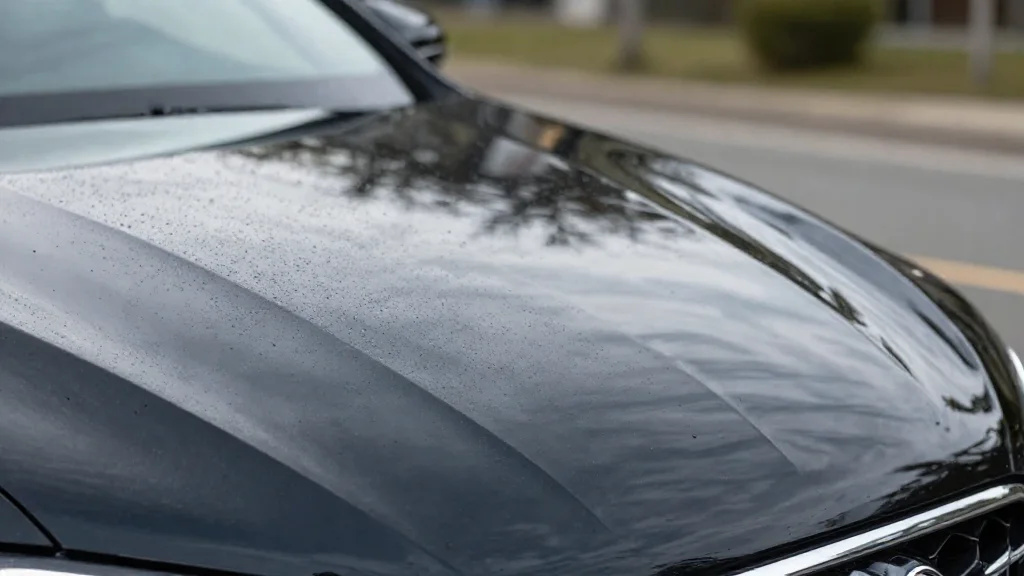
Visualizing the impact of image healing on automotive paint surfaces
How AI-Powered Image Healing Works
The technology works by training machine learning models on millions of high-quality images. When you identify a blemish or unwanted element, the AI examines the surrounding area, learns the texture, lighting, and color gradients, then intelligently fills the marked region with reconstructed pixels that match the context. This happens in seconds, without requiring manual brushstrokes or advanced Photoshop skills. The healing is mathematical, not artistic—it preserves photorealism rather than creating a filtered look.
Why Car Photos Specifically Benefit from Healing Tools
Vehicle photography presents unique challenges. Chrome reflects light unpredictably. Dust and pollen cling to paint and glass. Watermarks, license plates, and parking lot clutter distract from the vehicle's appeal. Traditional retouching tools struggle with these automotive-specific problems because they require frame-by-frame manual editing. Image healing, by contrast, instantly addresses multiple imperfections across an entire inventory. For dealers managing hundreds of listings, this speed and consistency transforms the quality-to-time ratio, enabling professional-grade photos without studio costs or weeks of post-production.
Common Car Photo Defects That Image Healing Solves Instantly
Dust, dirt, and pollen buildup: Environmental debris dulls paint finishes and reduces visual appeal. Image healing removes these blemishes instantly, restoring the vehicle's true finish without manual retouching.
Water spots on glass: Hard water stains and mineral deposits compromise windshield clarity and buyer perception of condition. Healing tools eliminate these marks while preserving authentic glass texture and reflection.
Unwanted reflections and glare: Chrome trim, mirrors, and windows catch sunlight unpredictably, creating distracting hotspots. AI-powered photo correction removes optical artifacts while maintaining realistic lighting properties.
Minor scratches and dings: Cosmetic damage becomes visible under harsh outdoor lighting. Image enhancement seamlessly conceals these imperfections without airbrushing the vehicle into unreality.
Background clutter: Parking lot signs, adjacent vehicles, and environmental elements distract from the listed car. Healing removes unwanted objects without requiring full background replacement.
Watermarks and temporary tags: Previous watermarks or registration tags reduce professionalism and create visual confusion. Image healing cleanly removes these markers, presenting unified listing aesthetics.
According to research on automotive dealership photo economics by Spyne, manual photo editing costs between $45 and $120 per vehicle, while AI-powered image enhancement operates at under $0.50 per image—enabling dealers to enhance entire inventories without prohibitive post-production costs.
Image Healing vs. Background Removal: Understanding the Right Tool for Your Workflow
While image healing removes surface imperfections directly from the vehicle, background removal replaces the entire backdrop. These are complementary techniques, not competitors. The distinction determines your workflow efficiency and final aesthetic consistency across your inventory.
According to 2025 automotive merchandising trends research, high-quality vehicle imagery increases VDP views by 20% and lead volume by 12%—making tool selection critical for revenue impact.
When to Use Image Healing Alone
Image healing works best when your original environment is acceptable: outdoor lot photography with clear skies, scenic backgrounds that showcase location value, or pre-established venue aesthetics. Apply healing to remove dust, water spots, reflections on glass, and minor scratches from the vehicle surface itself. The original background remains, cost stays minimal, and processing is instant. This approach suits inventory photos where contextual location matters or when you're enhancing existing bulk photo assets quickly.
When Background Removal Complements Image Healing
Professional workflows combine both techniques for maximum consistency. Heal surface imperfections first to ensure the vehicle appears flawless, then apply background removal for unified studio-quality results across your entire catalog. This two-step approach eliminates distracting parking lot signs, adjacent vehicles, and inconsistent lighting while maintaining realistic vehicle presentation. The combined workflow dramatically improves visual hierarchy across listings.
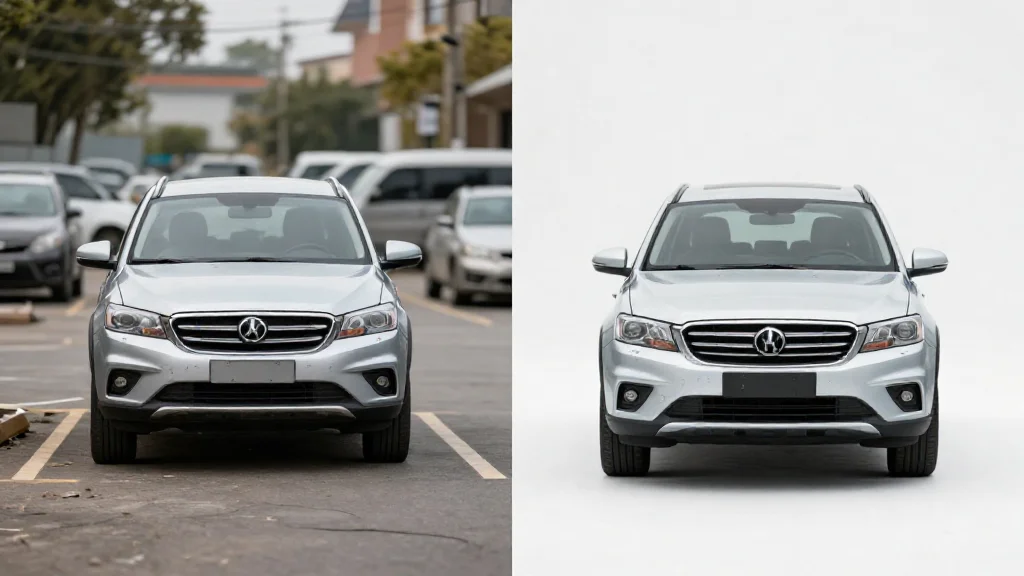
Choosing between healing in context or full background replacement depends on your inventory goals
Tools like Car Photo Booth automate background removal with 100+ professional backdrops—showroom, white, urban, landscape settings—enabling dealers to achieve studio-quality photography at $0.50 per image rather than $45–$120 per manual edit.
| Aspect | Image Healing | Background Removal |
|---|---|---|
| Best For | Surface imperfections, keeping original context | Inventory consistency, studio aesthetics |
| Cost | ~$0.50–$2 per image | ~$0.50–$1.50 per image |
| Time | 10–30 seconds per photo | 20–45 seconds per photo |
| Result | Natural, location-preserved | Uniform, professionally controlled |
Step-by-Step: Using Image Healing Tools to Prepare Car Photos for Online Sales
Image healing transforms flawed inventory photos into polished assets ready for online listings. Follow this workflow to systematically improve your entire catalog without the time burden of manual Photoshop editing—which, по данным Spyne, requires 15–30 minutes per vehicle when done manually.
The Healing Process:
Upload your car photo to your correction tool and load it at full resolution. Ensure adequate lighting to spot imperfections clearly.
Inspect the image closely by zooming to 100–150%. Identify dust particles, water spots, minor scratches, or swirl marks across the paint, trim, and glass.
Select the healing or clone stamp tool. Mark each defect area with deliberate, controlled strokes. Work systematically from top to bottom to avoid missing spots.
Apply correction and review the results in real time. Minor adjustments should blend seamlessly with surrounding surfaces without creating flat, unnatural zones.
Export at high resolution (minimum 2048×1536px) optimized for your listing platform—AutoTrader, CarGurus, or dealer inventory systems.
Batch process similar images once you've perfected settings on a test photo. This accelerates your workflow across dozens of vehicles.
Choosing the Right Healing Tool Settings for Automotive Images
Conservative settings prevent over-processing. Use a brush size of 15–25 pixels for fine detail work near edges, trim, and logos where precision matters. Adjust blending modes to 70–85% opacity rather than 100%—this preserves natural paint texture and avoids the "plastic surgery" effect that damages credibility with buyers.
Sample from clean areas adjacent to defects, never from dark shadows or reflections. Test a few photos before full-batch processing to verify your settings preserve authentic vehicle appearance. Tools like Car Photo Booth automate this entire correction stage with AI-powered healing, applying consistent enhancement across your inventory in seconds rather than hours.
Scaling Image Healing Across Your Auto Inventory: Workflows for Dealers and Photographers
Managing inventory at scale transforms image healing from a nice-to-have into a business imperative. A dealer processing 50–500 vehicles monthly cannot afford to tweak healing parameters individually for each photo. The solution lies in standardizing your photo healing workflow through batch processing and preset templates.
Begin by identifying lighting condition clusters within your inventory. Photos shot in similar showroom lighting or outdoor settings share comparable dust, reflection, and color cast challenges. Create a master healing preset for each cluster—establishing brush size, blending opacity, and sampling zones once, then applying these settings consistently across dozens of images. This approach cuts processing time from five minutes per photo to under two minutes when performed manually.
According to DealerRefresh automotive forums, photographers typically spend two to five minutes on image correction per vehicle. Manual editing workflows frequently create three to seven-day backlogs when acquisition outpaces editor capacity. Dealerships adopting AI-powered photo editing tools report reducing photography costs by 70–80%, while increasing speed to market by up to 82%.

AI platforms like Car Photo Booth allow for bulk processing to handle inventory at scale
Car Photo Booth automates this entire scaling challenge. Instead of manually adjusting healing parameters across hundreds of images, the platform applies intelligent corrections consistently across your entire inventory in seconds. Train your team once on your platform's preset system, then delegate batch processing to less-experienced staff—photographers focus on shooting, while junior editors handle automated corrections.
Efficiency compounds when automation handles the repetitive mechanical work, freeing your best editors for complex, high-value retouching tasks.
Frequently Asked Questions About Image Healing for Car Photography
The shift from manual retouching to AI-powered correction naturally raises practical concerns among dealers and photographers evaluating the technology.
On quality and realism: Modern image healing algorithms preserve texture and natural surface detail rather than creating flat, airbrushed results. The AI identifies surrounding paint patterns and applies intelligent interpolation, meaning healed dust spots, water marks, and minor scratches remain photorealistic. Your viewer won't detect the correction—they'll see a clean vehicle, period.
On damage scope: Image healing excels at surface-level flaws: dust, pollen, light swirls, and small scratches. It cannot reconstruct missing body panels, fill dents, or repair structural damage. Those require either manual body shop photography or dedicated damage-removal tools. Think of healing as cosmetic finishing, not structural repair.
On cost and accessibility: Free options like GIMP and Pixlr offer basic healing brushes with learning curves, while professional software like Adobe Photoshop (Photography Plan at $11.99/month) provides more control. For high-volume dealers, AI platforms automate this entirely—applying corrections across inventory without manual per-image adjustment.
On speed and reversibility: Healing a single defect takes 2–5 minutes depending on defect size and tool proficiency. Most tools preserve your original file, allowing unlimited undo and adjustment without destroying source images.
Elevate Your Car Photos: Image Healing as Your Competitive Edge in 2026
Image healing has evolved from a technical luxury to business necessity for automotive sales. As we approach 2026, online buyers expect dealer inventory photos to demonstrate professionalism—and they reward quality accordingly. High-quality vehicle photos increase listing views by 47% and generate 62% more leads compared to poor-quality images, according to research by VDP IQ. Even more compelling: 75% of car buyers identify high-quality photos as their most important research factor online.
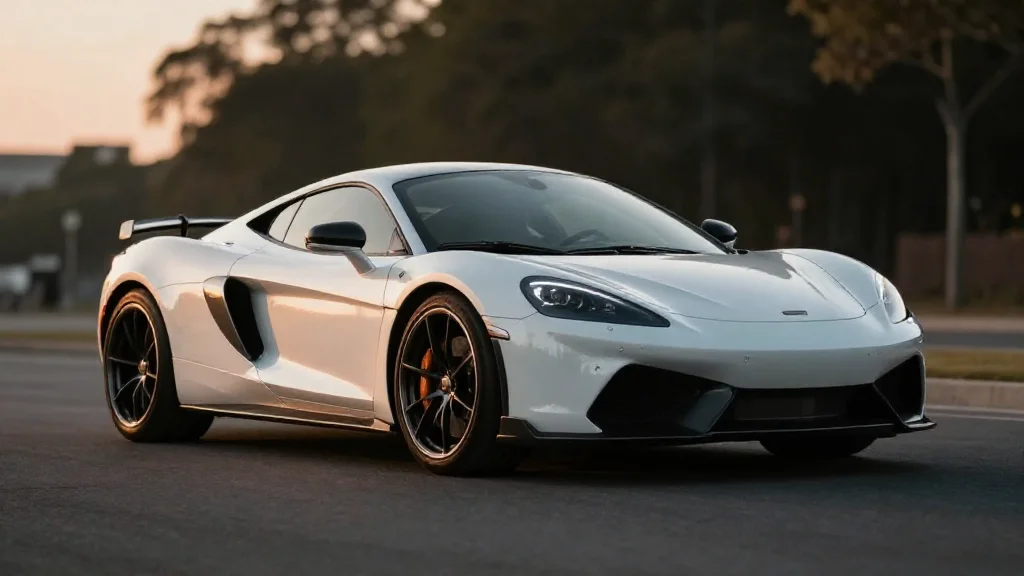
Professional image healing results in a polished final product that attracts buyers
This gap creates your competitive edge. By applying image healing to remove dust, water spots, and minor surface flaws before listing, you deliver the polished inventory buyers expect. The investment is minimal—minutes per image using free tools, or seconds per batch through AI automation. Combine healed photos with professional background replacement for maximum impact. Whether you're managing 50 vehicles or hundreds monthly, image healing transforms your online presence from inconsistent to intentional.
Start with a free tool or trial version today—your inventory's transformation awaits.