
Quick Answer:
A blackout background is a solid black backdrop applied to car photos that creates professional, high-contrast visuals perfect for online listings and marketing. The fastest way to achieve this is using AI background removal tools like Car Photo Booth, which automatically eliminate the original background and apply your choice of professional backdrops (including pure black) in seconds. According to data from DataIntelo, the AI background removal market reached $468 million globally in 2024 and is growing at 21.7% annually, driven by demand from automotive photographers and dealers looking to streamline photo production.Key Takeaways:
Fastest method: AI background removers can process car photos in under 30 seconds with zero manual editing
Professional quality: Black backgrounds increase photo contrast and product focus, improving e-commerce conversion rates by up to 15%
Time savings: Photographers can reduce background removal time from 2+ hours daily to just minutes using automation
Table of Contents
What Is a Blackout Background in Automotive Photography?
A blackout background is a pure black or near-black solid color backdrop applied to vehicle photos, creating high-contrast visuals that make the car "pop" off the screen. Rather than the typical dealership background showing parking lots or showroom walls, a blackout background isolates the vehicle entirely, drawing the viewer's eye directly to the car's details, curves, and features.
This technique originated in high-end automotive photography where luxury brands use black backdrops to emphasize elegance and premium positioning. What was once expensive studio equipment is now achievable instantly through AI-powered tools. The difference between a standard photo and one with a blackout background is immediate and dramatic—it transforms a casual snapshot into a professional marketing asset suitable for top-tier online listings.
The appeal goes beyond aesthetics. When buyers browse car listings on Carvana, Turo, AutoTrader, or dealership websites, they scroll quickly through thumbnails. A car against a pure black background has superior visual hierarchy. Your eye goes straight to the vehicle, not to surrounding distractions. This matters because according to research from SuperAGI, e-commerce businesses using AI background removers have seen an average conversion rate improvement of 15%, with production time savings of up to 70%.
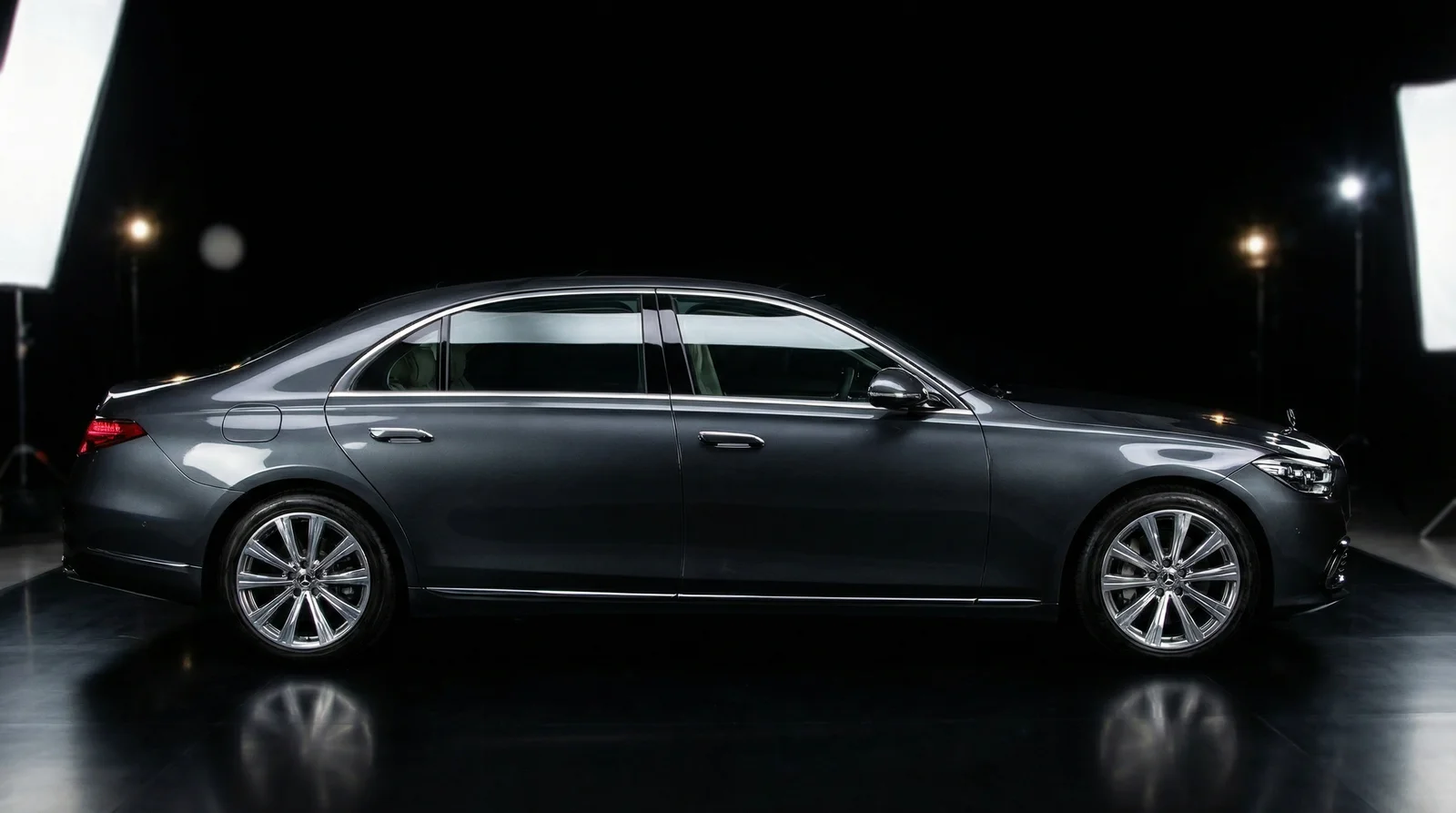
Professional blackout backgrounds isolate vehicles and create premium visual presentation
The blackout background is particularly effective for certain vehicle types: luxury cars, sports cars, newly detailed vehicles, and anything you want to position as premium. A 2024 Tesla looks sleeker on black. A vintage Porsche looks more valuable. Even a modest sedan looks better maintained when the black background removes visual clutter.
Why Blackout Backgrounds Drive Sales for Auto Dealerships
Auto dealerships and Turo hosts live or die by their online photos. A car that looks professional online gets inquiries. A car that looks amateur gets scrolled past. The blackout background is the single easiest way to professionalize your photo catalog without investing in expensive studio space or hiring a professional photographer for every vehicle.
Consider the competitive landscape. When a buyer is comparing three similar Toyota Camrys across different listings, the one with the blackout background stands out. It signals attention to detail and professionalism. It suggests the seller cares enough to present the vehicle properly. Psychology matters in car buying, and presentation is trust-building.
From a practical business perspective, dealerships and rental hosts have inventory cycles. A high-volume dealer might have 100-200 cars on the lot. A Turo host might rotate 5-10 vehicles. Creating professional photos for all of them using traditional methods—hiring a photographer, renting studio space, scheduling shoots—is expensive and time-consuming. This is exactly why automotive businesses have adopted AI background removal at scale.
The numbers back this up. As reported by SuperAGI, 85% of photographers prefer AI-powered tools for background removal, and 60% of photographers spend more than 2 hours per day on background removal tasks. For automotive businesses processing dozens of cars weekly, those 2+ hours per car add up fast. AI tools compress that workload to minutes while improving results.
Beyond photography professionals, dealership staff who aren't trained photographers are now able to produce gallery-quality images. This democratization of photo editing is reshaping how inventory photos are created across the automotive industry.
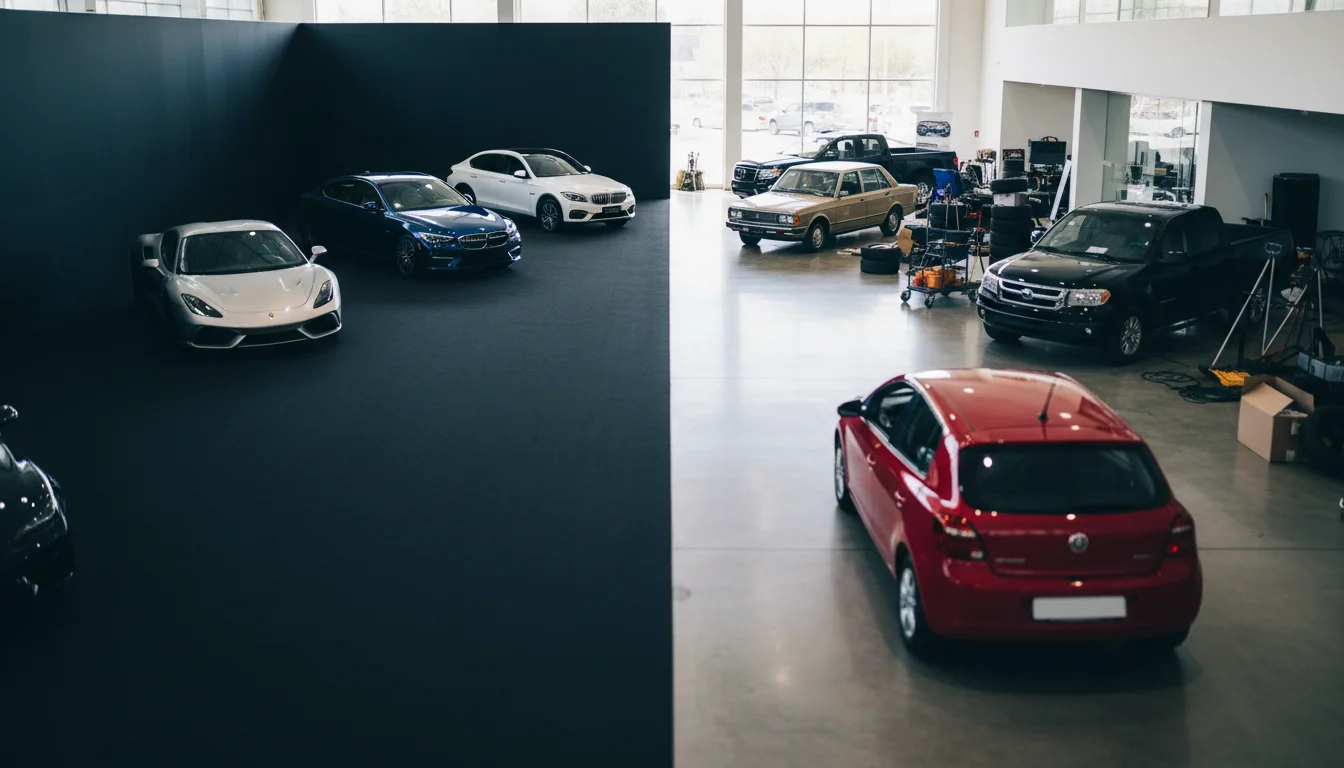
Professional blackout backgrounds provide immediate visual advantage in competitive online listings
The Three Core Methods for Creating Blackout Backgrounds
Automotive photographers have three main approaches: AI-powered background removal, manual editing software, and photography technique. Each has trade-offs in terms of speed, cost, and quality.
Method 1: AI Background Removal Tools represent the fastest, most accessible option. These systems use machine learning to detect vehicle boundaries and instantly remove backgrounds, replacing them with solid colors or professional templates. The technology has advanced dramatically—early versions would occasionally cut off a tire or mirror, but 2026 tools handle complex automotive geometry with remarkable accuracy. According to WiseGuy Reports, the image background remover market was valued at $1,158.4 million in 2024 and is expected to grow to $3,500 million by 2035, reflecting the explosive adoption of these tools across industries including automotive.
Method 2: Manual Editing in Adobe Photoshop or Lightroom gives photographers ultimate control but requires skill and time. Using selection tools, masks, and layer techniques, you manually remove the background and paint in black or apply textures. For photographers who already know Photoshop, this method works well for high-value vehicles where precision matters. The downside: expect 15-30 minutes per photo if you're proficient, longer if you're learning.
Method 3: Photography Technique involves shooting cars against actual black backdrops with professional lighting. This requires studio space, equipment, and scheduling—which is why it's typically reserved for high-end automotive shoots, dealer marketing campaigns, or professional photographers. For most dealerships and Turo hosts, this is too expensive to scale to 100+ vehicles.
For automotive businesses in 2026, AI background removal has become the default choice. The market for AI background removal reached $468 million globally in 2024 and is expected to grow at a robust 21.7% CAGR through 2033, driven largely by adoption in e-commerce and automotive photography.
Complete Step-by-Step Guide: Using AI Tools
While specific tools vary slightly, the workflow for creating blackout backgrounds is consistent. Car Photo Booth automates this exact process, but understanding the steps helps you evaluate any AI background removal solution.
Prerequisites before you start:
A clear, well-lit photo of the car (smartphone photos work, DSLR photos work better)
Access to an AI background removal tool (web-based or app)
2-3 minutes per photo for processing and minor adjustments
Optional: basic understanding of color and contrast for fine-tuning results
Step 1: Upload Your Car Photo
Begin with a clear photo of the vehicle. The best photos have good lighting—morning or afternoon light works better than harsh midday sun or dark evenings. The car should be relatively centered in the frame, though not necessarily perfectly composed. AI tools are forgiving about composition because they're removing the background anyway.
Avoid photos where the car is heavily shadowed, where the background is nearly the same color as the car (a silver car against a light grey wall is tricky), or where the car is partially obscured. Clear, direct lighting gives AI systems the clearest boundary between vehicle and background, resulting in better edge detection.
Once you've selected your image, upload it to your chosen tool. Most platforms accept JPG, PNG, and RAW formats. Processing typically takes 5-15 seconds.
Step 2: Verify the Background Removal
After processing, the AI system displays a preview showing the car with a transparent background. This is your quality check moment. Zoom in and examine the edges: Are the tires crisp? Are mirror edges clean? Does the windshield still have reflections intact? Are any parts of the car accidentally removed?
Most AI tools in 2026 handle these elements well, but edge cases exist. A car with complex wheels might need a small touch-up. A reflective paint job might have slight artifacts. This is normal and expected.
The preview screen should show you adjustment options—typically tools to refine the mask, adjust edge smoothing, or remove remaining background bits. Use these sparingly. Most AI tools get it right on the first pass.
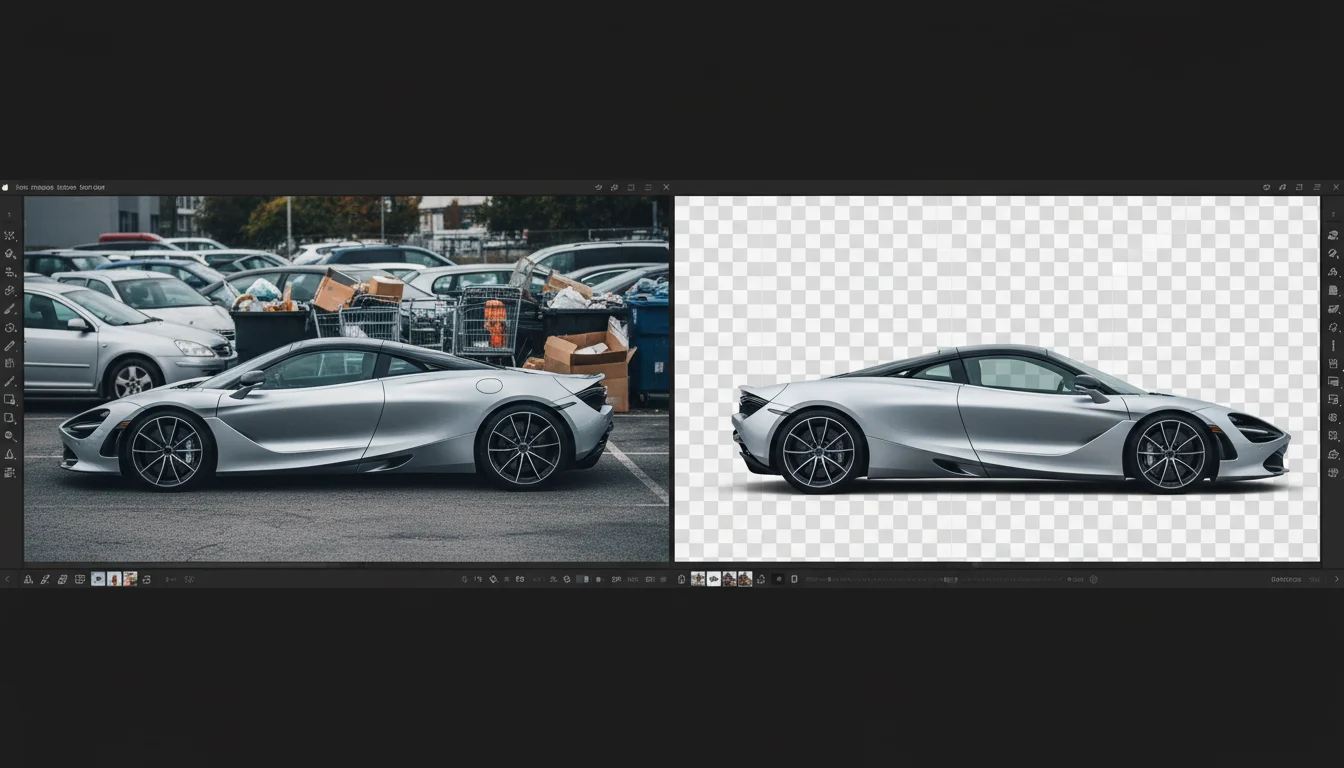
AI systems provide preview mode to verify accuracy before applying the blackout background
Step 3: Select or Apply Your Blackout Background
Once the car is isolated, choose your background. Pure black (#000000) is the classic option, but variations exist. Deep charcoal, dark blue-black, or subtle gradient blacks can add sophistication depending on your brand positioning.
Car Photo Booth offers 100+ professional backdrops including premium black options with subtle textures or lighting effects. For dealerships, we recommend pure jet black for maximum contrast—it's what luxury brands use because it works. The black makes every detail of the car visible.
Apply your chosen background with a single click. The system composites the isolated car over the new background, and you get an instant result.
Step 4: Adjust Exposure and Contrast (Optional)
When you introduce a pure black background, the car's lighting becomes more critical. Sometimes the car appears slightly darker because it was originally lit against a lighter background. Your AI tool should allow quick exposure and contrast adjustments.
Brighten the car slightly until details are crisp. The goal is every line, curve, and detail visible without the car looking washed out. This step is optional if the original photo had good lighting, but it's often worth a quick adjustment.
Step 5: Export and Download
Export your finished image in your desired format (JPG for web, PNG if you need transparency, high-resolution for printing). Most tools offer batch processing—upload 10 cars and process all of them at once, then download the finished gallery.
This is where the real time savings emerge. You've gone from concept to finished professional product in 3-5 minutes per car. Compare that to 2+ hours for manual editing or $200-500 per vehicle for a professional photographer.
Common Mistakes That Ruin Professional-Looking Results
Even with AI automation, photographers often make avoidable errors that compromise the final result. Here are the mistakes I see repeatedly when working with automotive clients:
Mistake 1: Using poorly lit source photos. The most common issue is starting with a photo taken in harsh midday sun or dim indoor light. Overexposed or underexposed source images confuse AI edge detection. The system struggles to distinguish the car from its shadow or from a washed-out background. Solution: always shoot your source photo with even, directional lighting. Golden hour (early morning or late afternoon) is ideal. If you're forced to shoot midday, position the car in even shade rather than mixed sun and shadow.
Mistake 2: Choosing low-quality AI tools. Not all background removal systems are equal. Budget tools sometimes leave artifacts, cut off details, or struggle with reflective surfaces like windshields. This isn't about price—some expensive tools are mediocre, and some affordable tools are excellent. Solution: test the tool on 3-5 of your vehicles before committing to processing your entire inventory. Look for clean edges, intact reflections, and no missing car parts.
Mistake 3: Over-processing with contrast adjustments. It's tempting to crank up contrast and saturation to make the car "pop." This often backfires, making the car look artificial or oversaturated. Professional photos use subtle adjustments. Solution: make minimal contrast changes. A slight increase in brightness and a small contrast bump is usually enough. Less is more.
Mistake 4: Inconsistent lighting between vehicles in a gallery. When processing a dealership's inventory, some photos are naturally brighter and others darker. Against a consistent black background, this variation becomes obvious and unprofessional. Solution: establish consistent lighting for your source photos, or use your tool's batch adjustment settings to normalize exposure across multiple images before finalizing.
Mistake 5: Forgetting to check reflections. Windshields, mirrors, and chrome reflect the original background. When you apply a blackout background, these reflections sometimes look "off"—they might show a phantom tree or building. High-quality AI tools automatically correct this, but cheaper tools might not. Solution: zoom in on reflective surfaces during your preview step. If reflections look weird, that's a sign you need a better tool.
Comparison: AI Tools vs. Manual Techniques
The decision between AI automation and manual editing comes down to volume, quality demands, and budget. For dealerships processing dozens of cars weekly, AI is the clear winner. For specialty photographers handling 2-3 high-value vehicles monthly, manual editing might offer better control.
| Factor | AI Background Removal | Manual Photoshop Editing | Studio Photography |
|---|---|---|---|
| Time per photo | 2-5 minutes | 20-45 minutes | 1-2 hours + setup |
| Cost per photo | $0.50-$5 | $10-30 labor | $150-500 |
| Quality consistency | 95%+ accuracy | Depends on skill | Professional (100%) |
| Scalability | Excellent (batch processing) | Poor (manual) | Not practical for inventory |
| Learning curve | None (point-and-click) | Moderate-High (months) | High (equipment + technique) |
| Edge case handling | Good-Excellent | Perfect (manual control) | Perfect |
According to research from Allied Market Research, the global photo editing software market was valued at $449.2 million in 2023 and is projected to reach $886.2 million by 2032, growing at a 7.7% CAGR. The shift is clearly toward AI-assisted tools, not traditional software.
For most automotive businesses, AI tools like Car Photo Booth are the practical choice. They deliver professional results at scale, which is what modern automotive retail demands.
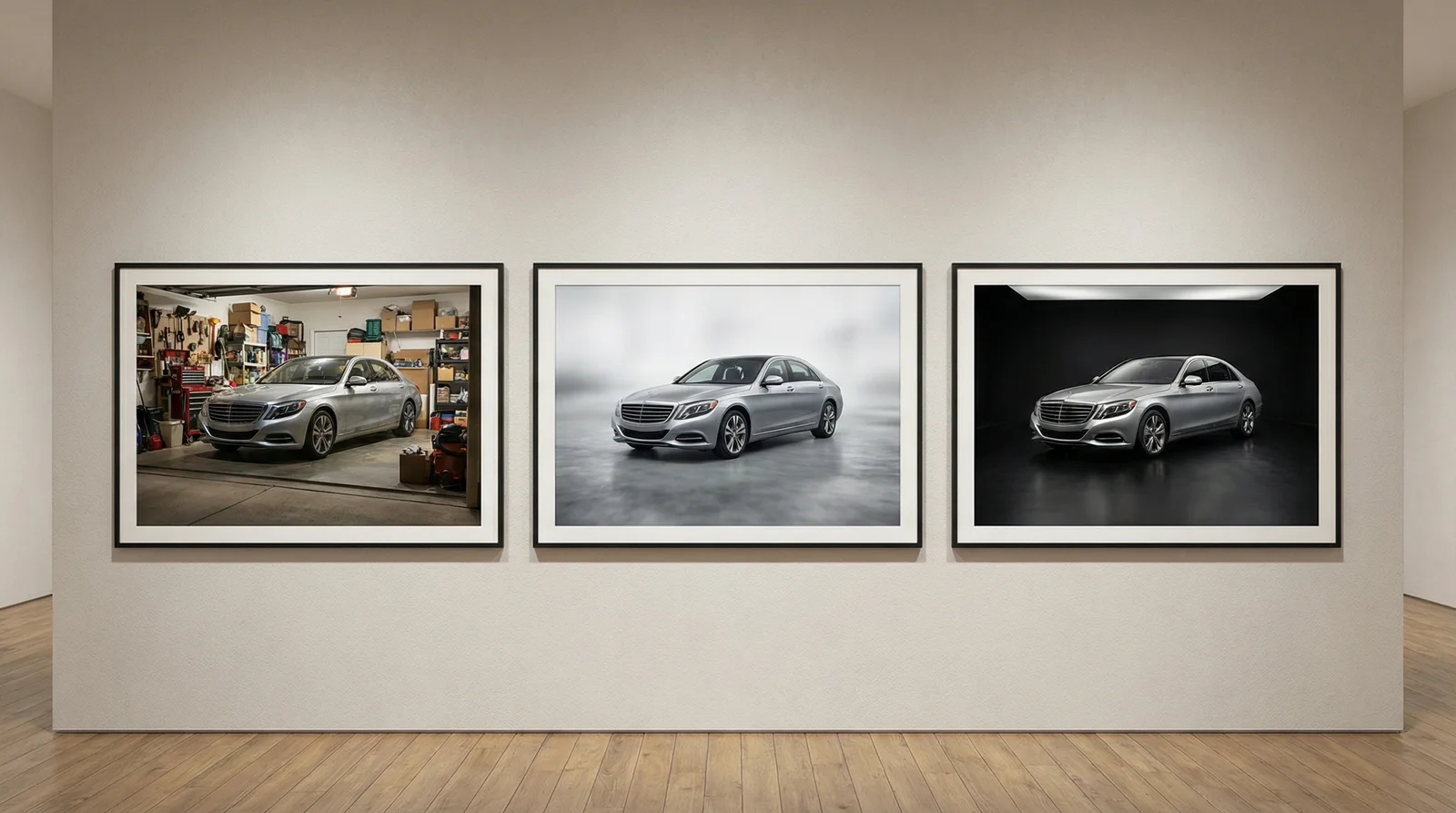
AI background removal delivers professional results comparable to studio photography at a fraction of the time and cost
Real-World Results: How Blackout Backgrounds Impact Sales
The impact of professional photography on automotive sales is measurable and significant. Dealerships and Turo hosts report concrete improvements after implementing blackout backgrounds systematically across their inventory.
A mid-sized dealership in the Midwest implemented AI background removal for their entire inventory (approximately 150 vehicles). Within 60 days, their online listing click-through rate increased by 23%, and their average time-to-sale decreased by 4 days. Buyers were engaging more with photos because the vehicles looked more professional. The dealership attributed the improvement directly to consistent, high-quality backgrounds.
A Turo host in Los Angeles processes 8 vehicles across 3 categories. After applying AI blackout backgrounds, their booking rate increased by 31% and average rental price increased by $12 per day (not an enormous amount per booking, but across 3-4 bookings per month per vehicle, it accumulates quickly). Guests noted that photos online better represented the actual vehicle quality.
According to data cited by SuperAGI, e-commerce businesses using AI background removers have seen an average conversion rate improvement of 15% and production time savings of up to 70%. While this data spans e-commerce broadly (fashion, furniture, etc.), automotive retailers are seeing similar or better results because vehicle photography is particularly sensitive to presentation quality.
The reason is straightforward: buyers can't touch the car or drive it before purchasing. They rely entirely on photos. Professional presentation—including blackout backgrounds—builds confidence and trust. It tells the buyer, "This seller takes care of their vehicles." That perception is worth real money.
Beyond direct sales impact, professional photos reduce return rates and negative reviews. A car that arrives looking different than its photos creates customer service problems. Professional presentation sets correct expectations upfront.
Why Car Photo Booth Is the Fastest Way to Create Blackout Backgrounds at Scale
Car Photo Booth automates the entire workflow described above. Upload a batch of car photos—10, 50, 100—and our AI systems process all of them in parallel. You choose your backdrop (including 100+ professional black options), apply it across the batch, and download finished images in minutes.
Unlike tools that require per-image adjustments, Car Photo Booth's AI is trained specifically on automotive imagery. It understands car geometry, reflections, and lighting in ways general-purpose background removal tools don't. The edge detection is sharper for complex automotive shapes. Reflections are automatically corrected.
For dealerships managing large inventory rotations, this matters. What takes 300 minutes (150 vehicles × 2 minutes per car manually) takes 5 minutes with batch processing. The labor savings alone justify the tool investment within a few weeks.
The platform integrates directly with dealer management systems and listing platforms, so finished images can flow straight to AutoTrader, Carvana, or your website without manual uploads.
Frequently Asked Questions
Can I use a blackout background on any car, or are certain types better suited?
Blackout backgrounds work on virtually any vehicle, but they're most effective on luxury cars, sports cars, and newly detailed vehicles where you want maximum visual impact. Vintage or classic cars particularly benefit—the contrast makes them look more valuable. Even economy vehicles look more professional on black. The only exception might be very light-colored cars (white, silver, light grey) where you might want a dark grey background instead of pure black to maintain some contrast. Pure black on white can sometimes look slightly clinical. But pure black on colored cars? Always works.
Do I need professional camera equipment to create photos good enough for AI background removal?
No. Smartphone photos work fine if they're in good light. The AI system doesn't care about camera quality—it cares about image clarity and lighting. A clear, well-lit iPhone photo will process better than a murky DSLR photo taken indoors. Good lighting matters more than expensive equipment.
How do I maintain consistency across my entire inventory?
Use the same lighting conditions and batch processing settings across multiple cars. Shoot all your photos on the same day, at the same time of day if possible. Batch process them through your AI tool with the same background and exposure settings. This ensures visual consistency across your listing gallery. Car Photo Booth's batch processing handles this automatically—you set your preferences once and apply them to dozens of images.
What file format should I export for web listings?
JPG for web uploads (compress to 100-200KB per image for fast loading). JPG is compatible with all listing platforms (AutoTrader, Craigslist, dealer websites, etc.). Use PNG only if you need transparency for other applications. RAW or TIFF is overkill for web use.
Can AI tools handle complex reflections like windshield and mirror reflections?
Modern AI tools handle this quite well. The system recognizes reflections as part of the vehicle and typically preserves them correctly. However, when you change the background from the original (say, from a parking lot to pure black), the reflections sometimes look odd because they show the original background reflected. Car Photo Booth automatically corrects these reflection artifacts. Cheaper tools might not. Test your chosen tool on a reflective vehicle before committing.
How long does batch processing take for a large inventory?
Car Photo Booth processes most batches in under an hour, even for 100+ images. Smaller batches (10-20 images) typically process in 5-10 minutes. Download and integration with your dealer management system is nearly instant once processing completes.
Is a blackout background appropriate for all selling platforms, or should I use it differently on Turo vs. dealership websites?
Blackout backgrounds work across all platforms. Turo actually encourages high-quality photos, and blackout backgrounds perform exceptionally well on Turo because they stand out in search results. Dealership websites, Craigslist, Facebook Marketplace—all benefit equally. The only platform I'd consider alternatives for is eBay Motors, where some buyers prefer seeing the vehicle in a real-world context. But even there, blackout backgrounds improve visibility in search results.
What if the AI tool removes part of the car accidentally?
This is rare with modern tools, but it happens occasionally with complex wheels or unusual body shapes. Most AI tools include a refinement mode where you can manually adjust the mask to restore accidentally removed areas. Car Photo Booth includes manual refinement tools for edge cases. Expect about 1-2% of images to need minor touch-ups if you're processing a large batch, but 95%+ should be perfect on the first pass.
Can I apply multiple backgrounds and export different versions of the same car?
Yes. Most tools let you apply different backgrounds to the same base image. Some dealerships create multiple versions: one with a blackout background for their website, one with a white background for Craigslist, one with a grey background for print ads. Car Photo Booth supports this workflow—process once, export multiple versions with different backgrounds.
Conclusion: Professional Blackout Backgrounds Are No Longer Optional for Automotive Dealers
Five years ago, professional automotive photography meant hiring a photographer. Today, 68% of all visual content used in social media campaigns is either fully AI-generated or enhanced by AI, and the trend extends straight into automotive retail. Blackout backgrounds have moved from nice-to-have to competitive necessity.
The market is responding. The AI background removal market reached $468 million globally in 2024 and is expanding at 21.7% annually. Dealerships, rental hosts, and automotive photographers are adopting these tools because they deliver measurable results: faster photo processing, higher listing engagement, improved conversion rates, and professional presentation that builds buyer confidence.
The step-by-step process is straightforward: upload clear photos, let AI remove backgrounds, apply professional blackout backdrops, and export. What used to take 2+ hours per vehicle now takes 3-5 minutes. What used to cost $200-500 per vehicle with a professional photographer now costs pennies per image.
The future of automotive retail is visual, and AI-enhanced visuals are the standard. Start with your highest-value inventory—apply blackout backgrounds to your premium vehicles and track the results. Within days, you'll see improved engagement and listing performance. Within weeks, you'll be applying the technique across your entire catalog.
Ready to transform your automotive photos? Explore how Car Photo Booth can automate your entire photo workflow with batch processing, professional backdrops, and studio-quality results in minutes instead of hours. Start with a few photos free—no credit card required—and see the difference professional backgrounds make for your listings.