
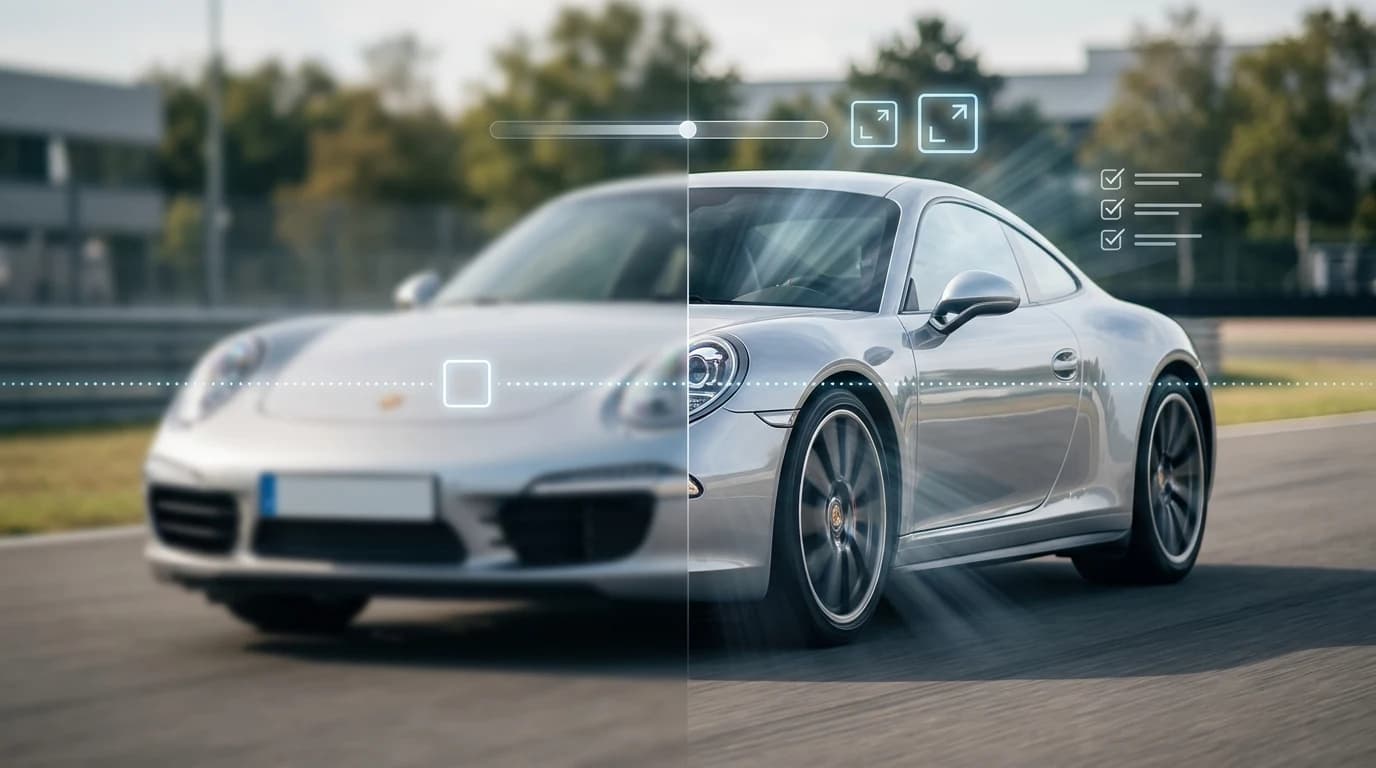
Professional car photos are the silent engine of automotive sales. Whether you're a dealership moving inventory, a Turo host competing for bookings, or a photographer building a portfolio, image quality directly impacts buyer confidence and conversion rates. Blurry, poorly lit, or cluttered photos signal neglect—they make vehicles look cheaper and less desirable, regardless of actual condition. Clear, crisp images with consistent lighting and professional backdrops tell a different story: they communicate care, transparency, and value.
Quick Answer: Modern AI tools make images clearer by analyzing pixel data, enhancing sharpness, and removing visual noise in seconds. You can make a car image clearer using cloud-based solutions that automatically adjust contrast, reduce blur, and upscale resolution to 4K quality without manual editing. These AI-powered platforms process photos instantly, transforming lot shots into studio-quality listings that convert faster and command better prices.
The challenge isn't complexity—it's scale and consistency. Traditional photo enhancement requires expensive equipment, professional lighting setups, or time-consuming manual editing in Photoshop. For dealers managing hundreds of vehicles or Turo hosts juggling multiple listings, that workflow doesn't scale. You need a solution that's fast, affordable, and produces uniform results across your entire inventory.
This article walks you through how modern AI solutions can enhance image clarity, explores the technology behind automated photo improvement, and shows you how to integrate these tools into your sales process. Whether you're clearing up an image with simple adjustments or completely transforming your photo pipeline, you'll discover practical methods that fit your budget and timeline.
Table of Contents
- Understanding Image Clarity: What Makes a Car Photo Sharp and Professional
- Step-by-Step Guide to Making Images Clearer with AI Technology
- Prerequisites
- Step 1: Assess Your Starting Image
- Step 2: Choose the Right AI Clarity Tool
- Step 3: Upload and Process Your Image
- Step 4: Review and Compare Side-by-Side
- Step 5: Export in High Resolution
- Step 6: Batch Process Your Inventory
- AI vs. Traditional Methods: Why Modern Solutions Beat Manual Photo Editing
- Real-World Results: How Dealerships and Turo Hosts Improved Photo Quality
- Frequently Asked Questions About Making Images Clearer
- Transform Your Car Photos in Seconds: Get Started Today
Understanding Image Clarity: What Makes a Car Photo Sharp and Professional
Image clarity in automotive photography isn't a single quality—it's the convergence of multiple technical and compositional factors working together. A sharp car photo combines proper focus, adequate resolution, controlled lighting, and minimal visual noise. When these elements align, the result is a listing that commands attention and converts browsers into serious buyers.
Focus and motion blur are the primary culprits behind unclear car images. Motion blur occurs when the camera or subject moves during exposure, creating streaks across the frame. Focus blur (also called soft focus) happens when the camera's autofocus locks onto the wrong point—perhaps the background instead of the vehicle's grille. Both destroy the crisp detail that buyers expect when evaluating a vehicle online. Resolution matters equally: a high-resolution image preserves fine details like trim lines, wheel design, and paint texture. Low-resolution photos lose this information, appearing flat and unconvincing even if technically sharp.
Lighting dramatically impacts perceived clarity. Harsh, uneven lighting creates shadows that obscure details and reduce contrast. Professional automotive photography uses diffused, directional lighting that reveals the vehicle's form without washing out color or creating blown-out highlights. Composition also plays a role—cluttered backgrounds, distracting elements, and poor framing dilute visual impact, making even technically clear images feel less polished.
The sales impact is measurable. According to research from Car Studio AI, well-lit, clear photos boost click-through rates by 40% to 50% compared to darker or blurry alternatives. Buyers instinctively trust sharp, detailed images—they signal transparency and quality. Conversely, unclear photos suggest the dealer has something to hide, triggering skepticism before the buyer even reads the description.
Understanding these factors is essential before applying solutions. Whether you're working with smartphone snapshots from the lot or professional studio shots, clarity depends on controlling these variables. The good news: modern AI tools can correct many of these issues automatically, sharpening blurry car photos and enhancing resolution in seconds—transforming inconsistent inventory into a cohesive, professional presentation.
Step-by-Step Guide to Making Images Clearer with AI Technology
Prerequisites
Before you begin, ensure you have the following in place: a smartphone or camera with decent resolution (even 12MP is sufficient), access to a computer or tablet with internet connectivity, and 5–10 minutes per image. No advanced technical knowledge is required—most modern AI tools are designed for non-technical users. You'll also want a few sample car photos to practice with before processing your entire inventory.
Step 1: Assess Your Starting Image
Examine your original photo carefully. Look for the primary clarity issues: motion blur from a moving vehicle, soft focus from incorrect camera settings, low resolution from a smartphone, or poor lighting that makes details fuzzy. Understanding what caused the blur helps you select the right AI tool and set appropriate expectations. Take a screenshot or note the image dimensions and file size—this information helps you choose the correct processing settings later. Expected result: You'll have a clear diagnosis of what needs fixing, which prevents wasted processing time on tools that won't solve your specific problem.
Step 2: Choose the Right AI Clarity Tool
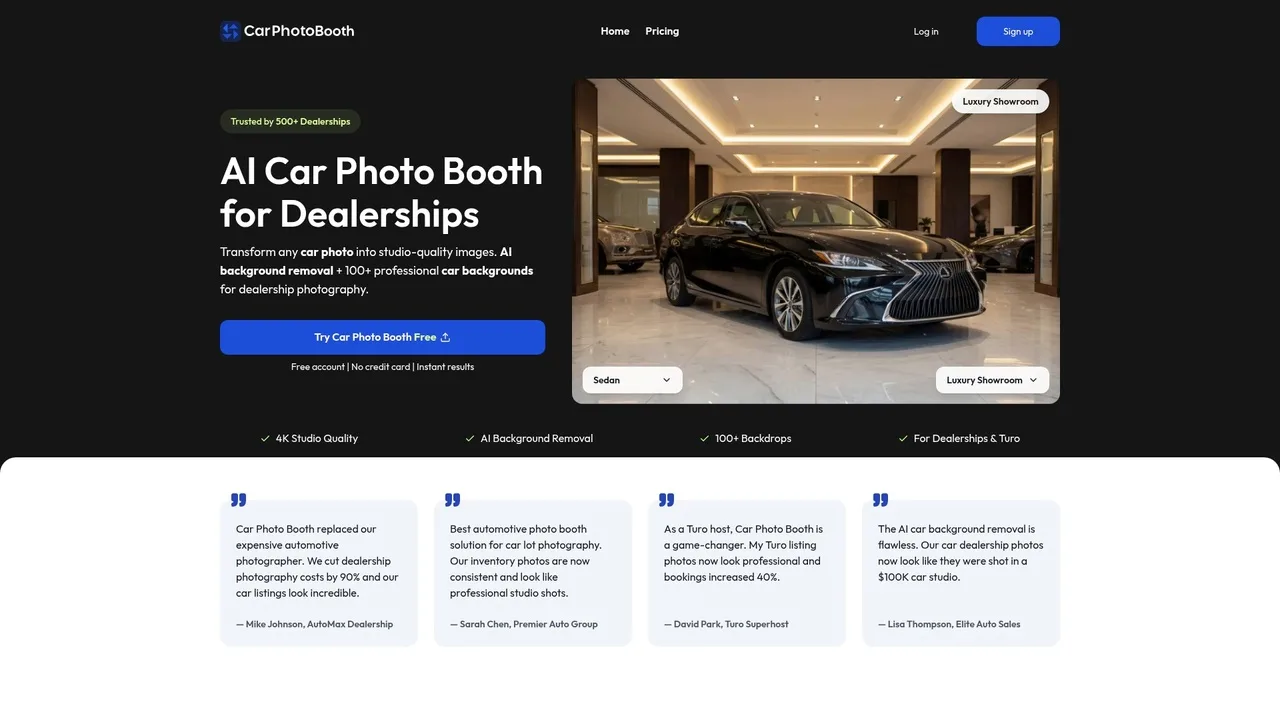
Not all AI sharpening tools work equally well for automotive photography. Some excel at removing motion blur, others at enhancing low-resolution images. For car dealers and Turo hosts, you need a tool that preserves the vehicle's details while cleaning up background distractions. Car Photo Booth, for instance, combines background removal with clarity enhancement in a single workflow—eliminating the need to bounce between multiple platforms. This integrated approach saves time and ensures consistent results across your entire inventory. Expected result: You've selected a tool matched to your specific clarity challenge, reducing trial-and-error processing.
Step 3: Upload and Process Your Image
Open your chosen AI tool and upload your car photo. Most platforms accept JPG, PNG, and WebP formats. The upload typically takes 10–30 seconds depending on file size and your internet speed. Once uploaded, the AI analyzes the image and applies clarity enhancements automatically—sharpening soft edges, reducing noise, and enhancing fine details like trim, wheels, and paint texture. This step requires no manual adjustment for basic clarity work. Expected result: Within 10–15 seconds, you'll receive a processed image that's noticeably sharper and more detailed than the original.
Step 4: Review and Compare Side-by-Side
Before accepting the result, compare the processed image directly against the original. Look for over-sharpening artifacts (halos around edges) or unnatural color shifts—signs the AI pushed too hard. Most quality tools allow you to adjust intensity sliders if needed, letting you dial in the perfect balance between clarity and natural appearance. This comparison step prevents publishing images that look artificially processed. Expected result: You've verified the enhancement looks professional and maintains the vehicle's authentic appearance.
Step 5: Export in High Resolution
Save your processed image in the highest available resolution—ideally 4K or at minimum 2K for online listings. Higher resolution gives buyers the ability to zoom in and inspect details, building confidence in the vehicle's condition. Use lossless or high-quality compression settings to preserve the clarity work you've just completed. Expected result: You have a publication-ready image that displays crisply across all platforms—desktop, mobile, and print catalogs.
Step 6: Batch Process Your Inventory
Once you've perfected the workflow on a single image, apply the same settings to your entire car inventory. Most AI tools offer batch processing, allowing you to upload 10–50 images at once and process them simultaneously. This scales your clarity enhancement from hours of manual work to minutes of automated processing. Expected result: Your entire inventory now has consistent, professional-quality clarity—eliminating the patchwork appearance that damages buyer trust.
AI vs. Traditional Methods: Why Modern Solutions Beat Manual Photo Editing
The choice between AI-powered image enhancement and traditional photo editing methods fundamentally shapes your dealership's workflow, budget, and competitive edge. Understanding where each approach excels—and where it falls short—clarifies why automotive businesses at scale are shifting toward AI solutions.
Manual Photoshop Editing: The Time Tax
Professional retouching in Photoshop demands expertise and patience. Tasks like background removal, shadow correction, and sharpness enhancement require 10–20 minutes per image for basic work, with complex automotive retouching stretching to 15–30 minutes per vehicle. Even with improved AI selections in newer versions, Adobe estimates that masking-heavy tasks still consume 2–3 minutes per image—faster than before, but still a bottleneck when processing 50+ vehicles weekly. You're also dependent on skilled editors, which means hiring costs, training overhead, and inconsistency across your team.
Hiring Professional Photographers: Premium Price Tag
Professional car photographers charge between $50 to $300 per hour, with premium specialists commanding $200–$500 per hour or $300–$2,000 per image. Even dealership photography vendors—the budget option—charge $15–$20 per vehicle on average. For a dealership managing 100+ inventory rotations monthly, this compounds into thousands in recurring expenses. Physical photo booths, meanwhile, require $25,000–$60,000 in upfront capital, plus ongoing maintenance and space allocation.
AI Solutions: Speed, Consistency, Scale
AI-based tools like Car Photo Booth process images in seconds, not minutes. A single image moves from lot photo to studio-quality asset in under 10 seconds, with batch processing handling 50+ vehicles simultaneously. Cost drops to roughly $3–$7 per vehicle, depending on volume. More importantly, every image receives identical treatment—no variation in editing style, no human error, no dependency on individual skill levels. When you're fixing a blurry picture or correcting exposure across your entire inventory, AI applies the same intelligent adjustments uniformly.
| Factor | Manual Photoshop | Professional Photographer | Physical Booth | AI Solution |
|---|---|---|---|---|
| Cost per Image | $15–$30 (labor) | $300–$2,000 | $25–$60K setup | $3–$7 |
| Time per Image | 10–30 min | 30–60 min | 5–10 min | <10 sec |
| Consistency | Variable | Variable | Good | Excellent |
| Scalability | Poor | Poor | Moderate | Excellent |
| Learning Curve | Steep | N/A | Minimal | Minimal |
The verdict: AI doesn't replace artistry for premium editorial work, but for dealership inventory—where speed, consistency, and cost efficiency matter most—it's the clear winner. When you need to fix blurry pictures across 200 vehicles before next week's sale, AI delivers results in hours, not weeks.
Real-World Results: How Dealerships and Turo Hosts Improved Photo Quality
The gap between theory and practice narrows quickly when you see the numbers. Dealerships and Turo hosts operating at scale have discovered that image clarity directly translates to business outcomes—and AI-powered solutions deliver measurable improvements across the board.
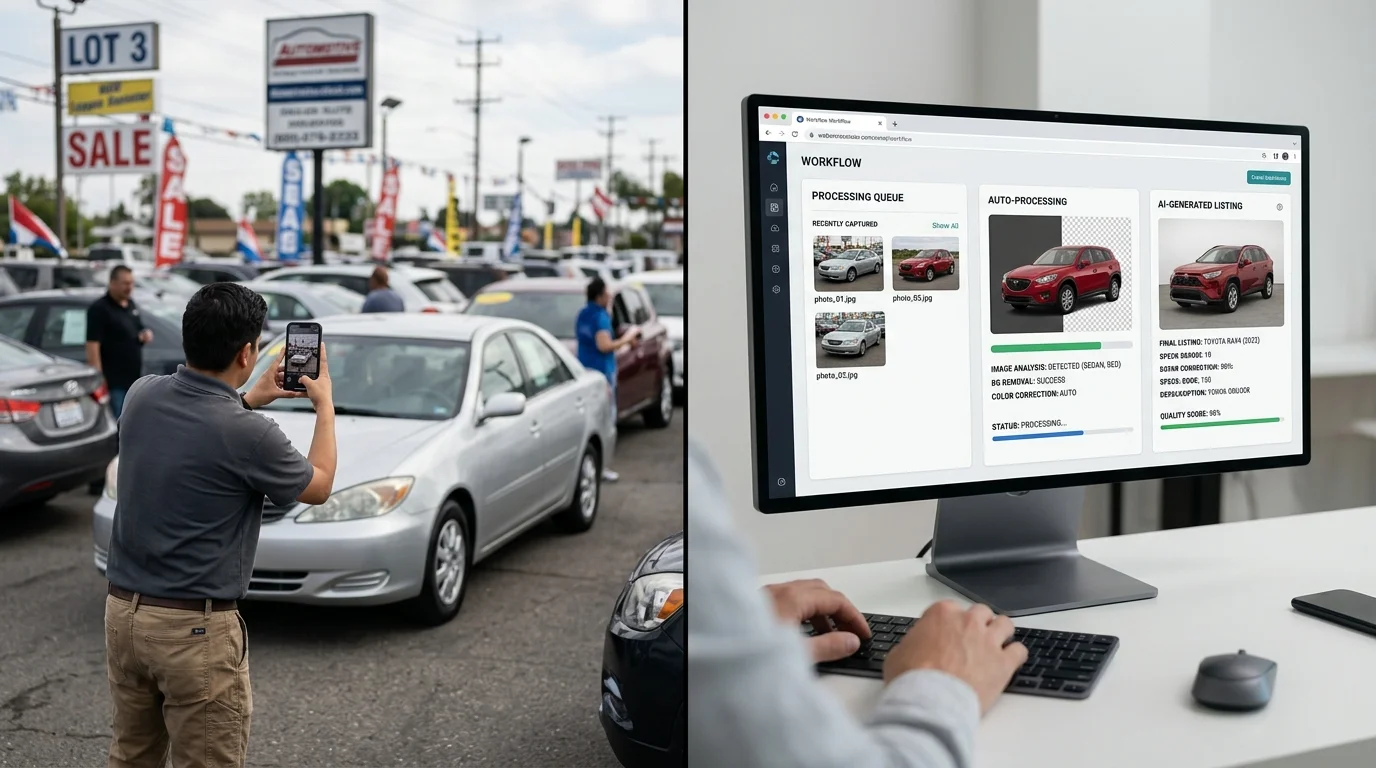
A Texas dealership that transitioned their entire inventory to AI-enhanced photos experienced a 27% reduction in average listing time. The shift wasn't about artistic perfection; it was about confidence. When buyers encountered sharp, professionally lit images with consistent backgrounds, they felt assured enough to reach out sooner. The dealership didn't need to hire additional photographers or invest in studio equipment. They processed their backlog of lot photos through AI background removal and replacement, transforming inconsistent smartphone shots into cohesive catalog assets in a fraction of the time manual retouching would have required.
The impact compounds at scale. According to Turo's host resources, professionally photographed listings generate up to 50% more traffic from potential renters compared to standard photos. Turo hosts who invested time in making their images clearer—whether through better lighting, composition, or AI enhancement—saw direct correlations with booking frequency and rental rates. For hosts managing multiple vehicles, the efficiency gain becomes critical: AI processes dozens of cars in the time it takes to manually edit a handful.
Cox Automotive research reveals the broader pattern: swapping low-quality inventory photos for multiple custom real photos boosts click-throughs by 133%, while expanding visual coverage to 40+ images increases vehicle detail page views by 65%. The mechanism is straightforward: clarity breeds engagement, and engagement precedes sales.
Car photographers working with dealership clients have adopted AI background replacement as a production multiplier. Rather than spending hours in post-processing to make a photo clearer or more polished, they capture the vehicle, process it through AI, and deliver studio-quality results within minutes. This workflow shift allows photographers to serve more clients without sacrificing quality—or charging premium rates for what used to be labor-intensive manual work.
Frequently Asked Questions About Making Images Clearer
Will AI processing reduce image quality or create artifacts?
Modern AI enhancement tools are designed to preserve detail while improving clarity. Unlike aggressive compression or oversharpening, which introduce halos and noise, contemporary algorithms work at the pixel level to enhance existing information rather than fabricate it. The processing happens in seconds, and you retain full control—most platforms let you preview results before saving. Quality loss occurs only if you export at lower resolutions; keeping your output at 4K or 2K maintains professional standards suitable for dealership listings and rental platforms.
How long does it take to process and clear an image?
Processing typically completes in 10–30 seconds per image, depending on file size and the complexity of the enhancement. Batch processing multiple vehicles takes proportionally longer, but even a full inventory of 50 cars processes in under 15 minutes. This speed advantage compounds across your workflow: what once required hours of manual editing now happens in real time, allowing you to refresh listings weekly without production bottlenecks.
What file formats and sizes are compatible?
Most AI tools accept standard formats—JPG, PNG, and WebP—with file sizes ranging from 1MB to 50MB. There's no need to compress images before uploading; the platform handles optimization automatically. After processing, you can download in your preferred format, making integration with existing dealership management systems or Turo uploads seamless.
Is there a learning curve, or can anyone use these tools?
The interface is intentionally straightforward: upload, select your preferred background or enhancement style, and download. No technical knowledge required. Even users unfamiliar with photo editing can produce studio-quality results on their first attempt. Training your team takes minutes, not days.
What's the actual cost per image?
Pricing ranges from $3–10 per car depending on your subscription tier and volume. Compare this to hiring a photographer ($30–50 per vehicle) or maintaining a physical booth ($25K–60K setup), and the ROI becomes obvious within the first month of consistent use.
Can AI truly make a blurred picture clear, or are there limits?
AI excels at sharpening moderately soft images—those shot in poor lighting or with slight focus drift. Severely motion-blurred or out-of-focus photos have limits; the algorithm can only enhance what's already present in the data. The best approach: capture the cleanest possible source image, then let AI refine it. Learn specific techniques for sharpening car photos to maximize results before processing.
Do I need special equipment or software installed?
No. Web-based platforms require only a browser and internet connection. Mobile apps are optional but convenient for on-lot shooting. There's nothing to download, install, or maintain—your infrastructure stays unchanged.
Transform Your Car Photos in Seconds: Get Started Today
The evidence is overwhelming: dealerships and Turo hosts who invest in clearer, more professional car images see faster sales cycles and higher listing engagement. The mechanism is simple—buyers make split-second decisions based on visual quality, and a sharper, more polished image communicates value before a single conversation happens.
AI-powered solutions have fundamentally changed the equation. Where traditional methods required hiring photographers, maintaining expensive studio setups, or spending hours in Photoshop, modern tools now deliver studio-quality results in seconds. The cost per image drops from $30–50 down to $3–10, and the consistency becomes automatic. Every vehicle in your inventory gets the same professional treatment, whether it's your first listing or your thousandth.
The path forward is straightforward. Start with a free trial—no credit card, no commitment. Upload a few lot photos and watch AI remove distracting backgrounds, sharpen details, and apply professional studio backdrops in real time. You'll immediately see whether this workflow fits your operation. If you're processing more than a handful of vehicles monthly, the ROI becomes undeniable within your first billing cycle.
Ready to eliminate the friction between raw lot photos and polished listings? Try Car Photo Booth free today, or explore pricing plans designed for dealerships, Turo hosts, and photographers at every scale. Your next sale could be waiting on the other side of a clearer image.