
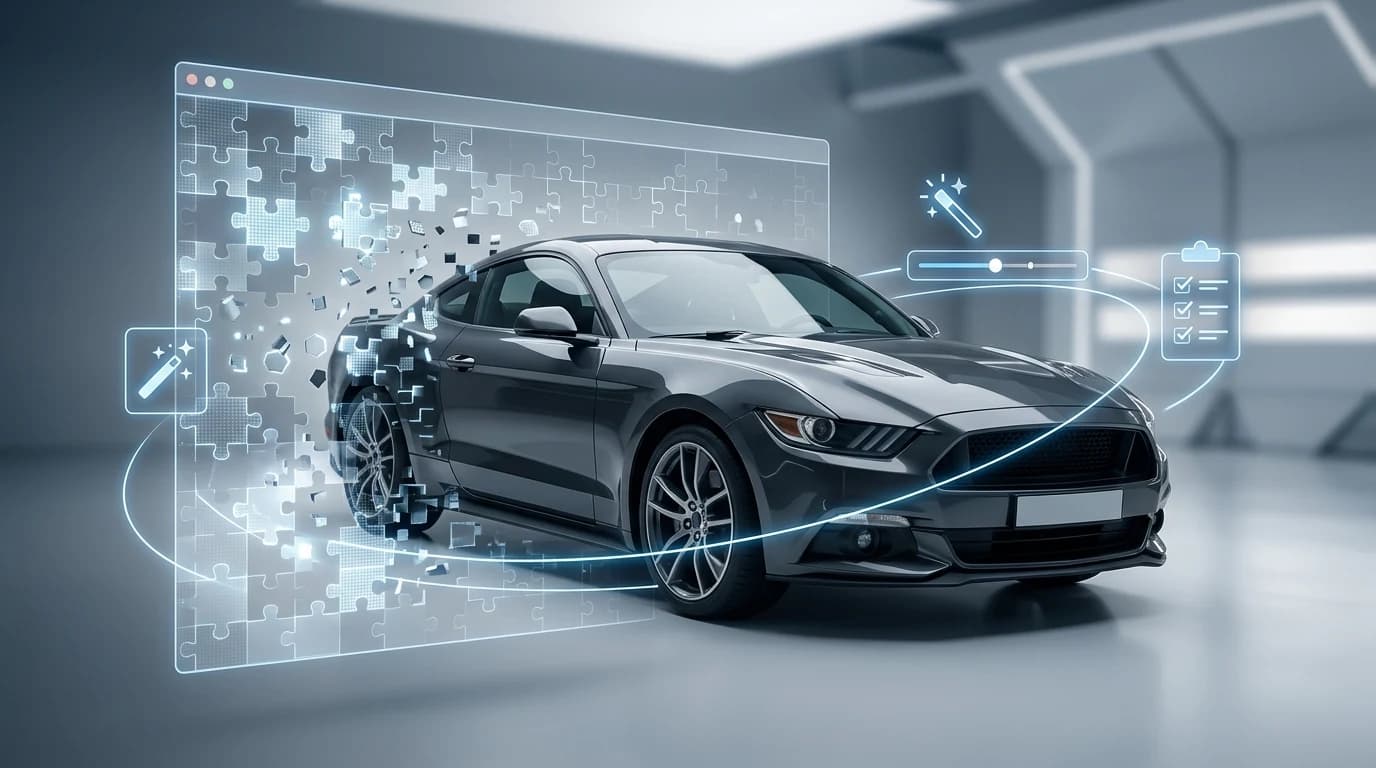
Animated GIFs have become a powerful tool in automotive marketing, allowing dealerships and Turo hosts to showcase vehicles in motion while maintaining viewer attention across social media feeds and email campaigns. However, a cluttered or unprofessional background can undermine the impact of even the most compelling vehicle footage. Removing backgrounds from animated GIFs—creating a transparent or professionally replaced backdrop—elevates your listings from amateur to studio-quality, directly influencing click-through rates and buyer confidence.
Quick Answer: Removing backgrounds from animated GIFs requires specialized tools that process each frame individually while preserving animation integrity. AI-powered solutions like Car Photo Booth handle this automatically, detecting and removing backgrounds frame-by-frame while maintaining smooth motion and exporting as transparent or professionally styled GIFs. For dealerships managing high-volume inventory, this approach saves weeks of manual editing work while delivering consistent, polished results.
Why does this matter for your business? When prospective buyers encounter a vehicle photo with a distracting parking lot, cluttered showroom, or inconsistent lighting, their attention fragments. A clean, transparent background—or a professionally rendered studio environment—creates psychological focus on the vehicle itself. This section walks you through the mechanics of GIF background removal, explores why it outperforms static image editing, and demonstrates how modern AI tools eliminate the technical complexity that once made this task prohibitively expensive for independent dealers and photographers.
Table of Contents
- Understanding Animated GIFs and Background Removal Challenges
- Step-by-Step Process: Removing Backgrounds from Animated GIFs
- AI-Powered Solutions vs. Manual Background Removal Tools: What Works Best
- Best Practices for Using Animated GIFs in Car Dealership Listings
- Streamline Your Car Photo Workflow: The Future of Dealership Marketing
Understanding Animated GIFs and Background Removal Challenges
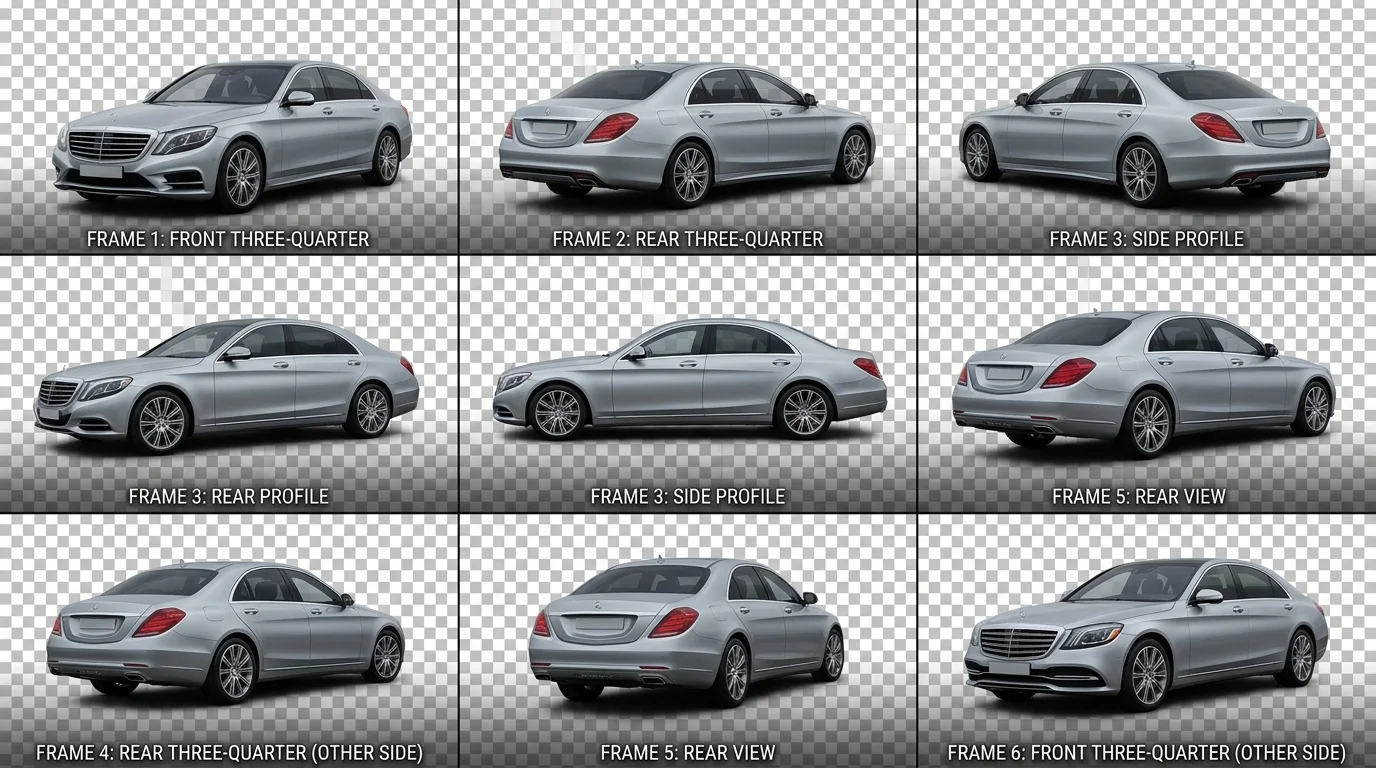
Animated GIFs are multi-frame image sequences that create motion by cycling through a series of static images in rapid succession. Unlike a single photograph, a GIF contains anywhere from 2 to 100+ individual frames, each potentially with different lighting, angles, or background elements. This fundamental difference creates a significant technical hurdle: traditional background removal tools process images as static files, treating each frame independently without understanding the animation's continuity. The result is inconsistent removal—some frames lose their backgrounds cleanly while others retain fragments, creating a flickering or degraded effect that undermines professionalism.
For car dealers managing inventory, this challenge compounds quickly. A vehicle showcased in a 10-frame rotating GIF requires 10 separate background removal operations if done manually, multiplying labor time and error rates. Standard photo editors lack the intelligence to recognize that the same vehicle appears across frames and should maintain consistent background removal. Additionally, GIF compression limitations mean that quality often degrades with each edit cycle, resulting in pixelated or blurry final products that fail to showcase details buyers scrutinize—wheel design, paint finish, interior trim.
Modern AI-powered solutions eliminate this friction by processing all frames simultaneously, detecting the vehicle's edges across the entire sequence and removing backgrounds while preserving animation smoothness. This frame-by-frame intelligence ensures consistent results and maintains the visual quality that converts browsers into qualified leads. For dealerships seeking to change car photo backgrounds professionally, animated GIFs represent a powerful storytelling tool—one that demands smarter removal technology than legacy tools provide.
Step-by-Step Process: Removing Backgrounds from Animated GIFs
Step 1: Prepare Your GIF File
Before uploading, ensure your animated GIF meets basic technical requirements. The file should be in standard GIF format (.gif extension) and ideally under 50MB to process quickly. If your GIF contains multiple frames showing the same vehicle from different angles or in motion, verify that each frame is clear and well-lit—this ensures the AI can accurately detect vehicle edges across the entire sequence. Check the frame count in your file properties; GIFs with 8–20 frames process most efficiently without quality loss.
Step 2: Upload to Your Background Removal Tool
Access an AI-powered background removal platform and select the GIF upload option. Drag and drop your file or click to browse. The system will automatically detect that you're processing an animated GIF and prepare to handle frame-by-frame analysis. Most modern tools process all frames simultaneously rather than individually, which maintains animation smoothness and consistency. Wait for the upload to complete—this typically takes 5–15 seconds depending on file size and frame count.
Step 3: Configure Removal Settings
Once uploaded, the tool displays a preview of your GIF with the vehicle highlighted. Review the detection accuracy: the AI should cleanly outline the car's perimeter without cutting into wheels, trim, or reflective surfaces. If needed, adjust sensitivity sliders to refine edge detection. For vehicles with complex details—chrome accents, glass windows, or metallic paint—slightly increase precision settings to prevent over-removal of important visual elements.
Step 4: Select a Professional Background
Choose from available backdrop options. For dealership inventory, studio backgrounds (white, gray, or showroom settings) convey professionalism, while lifestyle backgrounds (urban streets, scenic drives) tell a story. Car Photo Booth offers over 100 professionally designed backdrops specifically optimized for automotive listings. Select one that matches your marketing goals and target audience expectations.
Step 5: Preview and Export
Review the processed GIF in the preview window, checking that all frames maintain consistent background removal and animation plays smoothly. Ensure the exported resolution meets your needs—4K quality preserves fine details for online listings. Download the final file and verify playback in your browser or listing platform before publishing.
Pro Tip: Test your GIF on actual listing platforms (Turo, dealership websites) before bulk processing. Different platforms may compress animations differently, so a quick preview prevents surprises at scale.
AI-Powered Solutions vs. Manual Background Removal Tools: What Works Best
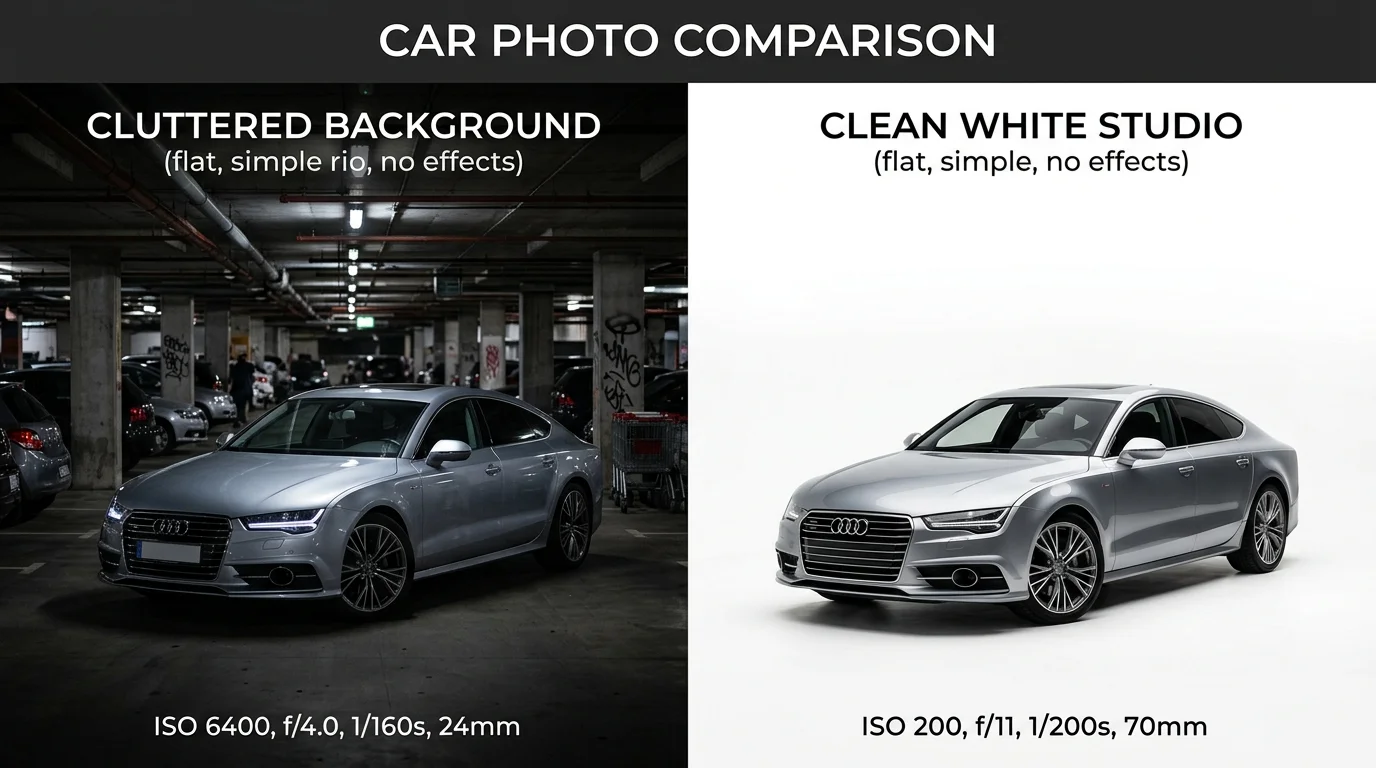
When dealerships and Turo hosts face the challenge of processing dozens or hundreds of vehicle photos, the choice between AI-powered background removal and manual editing tools becomes a critical business decision. Each approach carries distinct trade-offs in speed, cost, consistency, and quality—and understanding these differences directly impacts your bottom line.
Manual editing software like Photoshop or GIMP offers granular control over every pixel. A skilled editor can handle complex scenarios: reflections in windows, intricate trim details, or vehicles shot against challenging backgrounds. However, this precision comes at a steep price. Professional editors charge $15–$20 per vehicle for standard work, with background removal adding another $5–$15 per image. For a dealership processing 50 vehicles weekly, manual editing translates to thousands of dollars monthly—before accounting for the time lag between shooting and listing.
AI-powered GIF background removers operate on entirely different economics. These tools process entire animated sequences frame-by-frame in seconds, ensuring every frame maintains identical background removal and consistent styling. Car Photo Booth, for example, handles this automation at $3 per vehicle—a 70–80% cost reduction compared to traditional methods. The consistency advantage is equally significant: manual editors may apply slightly different removal precision across frames, creating subtle flickering in animations. AI systems eliminate this variability by design.
| Metric | Manual Editing | AI Background Remover |
|---|---|---|
| Cost per vehicle | $20–$50 | $3 |
| Processing time | 15–30 min per GIF | 10 seconds |
| Frame consistency | Variable (human error) | Perfect (automated) |
| Learning curve | Steep (weeks to months) | Minimal (minutes) |
| Scalability | Limited by team size | Unlimited |
| Quality for simple backgrounds | Excellent | Excellent |
The real advantage of AI emerges at scale. A dealership processing 100 vehicles monthly saves roughly 50 hours of editing time and $4,700 in costs by switching to automated solutions. For Turo hosts managing rotating inventory, this efficiency compounds quickly.
Manual tools retain value for edge cases—vehicles with complex reflections, unusual lighting, or artistic requirements where human judgment matters. But for standard inventory photography, AI background removal delivers professional results at a fraction of the cost and effort. The choice ultimately depends on your volume, budget, and tolerance for processing delays.
Best Practices for Using Animated GIFs in Car Dealership Listings
Animated GIFs transform static inventory photos into dynamic showcases that capture buyer attention immediately. However, their effectiveness depends on technical optimization and strategic deployment across platforms. The key is balancing visual impact with performance—a slow-loading GIF loses viewers before the animation even starts.

File Size and Web Performance
According to SVGator's best practices guide, keeping animated GIF file sizes under 1 MB ensures smooth loading on desktop and mobile devices, while email marketing requires staying under 200 KB for optimal performance. Lossy compression can reduce file size by 30–50% without noticeable quality loss. For dealership websites, aim for 2–3 second load times; anything longer increases bounce rates significantly.
Platform-Specific Optimization
Facebook and Instagram handle GIFs differently than your dealership website. Social platforms automatically compress animated content, so export at slightly higher quality to compensate. On your own website, GIFs perform best in product detail pages where buyers spend 30+ seconds examining vehicles. Email campaigns should use static preview images with a clickable link to the animated version—this reduces load times and respects subscriber bandwidth.
Combining Static and Animated Content
The most effective approach pairs 3–5 high-quality static images with 1–2 animated GIFs showing the vehicle from different angles or highlighting key features. This strategy works because 67% of consumers consider image quality very important in vehicle purchasing decisions, and mixing formats keeps engagement high without overwhelming page load times. Animated GIFs showing 360-degree rotations or close-ups of interior details outperform generic lot shots.
Engagement and Conversion Impact
VDP visitors who interact with photos are 16% more likely to submit an inventory lead. When you combine background removal with professional backdrops and animated motion, engagement increases further—the dynamic element draws eyes, while the clean, studio-quality aesthetic builds buyer confidence. This is why dealerships using real, professionally edited photos with removed backgrounds see measurable improvements in lead quality.
Streamline Your Car Photo Workflow: The Future of Dealership Marketing
Removing backgrounds from animated GIFs transforms how dealerships present inventory online. The process—whether manual or AI-powered—solves a critical problem: lot photos lack the polish that converts browsers into buyers. By combining background removal with professional backdrops, you create consistent, studio-quality visuals that build buyer confidence and reduce friction in the purchasing journey.
The business case is straightforward. Traditional studio photography costs $30–50 per vehicle; physical booths require $25,000–60,000 upfront investment. AI-powered background removal eliminates these barriers. At Car Photo Booth, we process animated GIFs in 10 seconds, delivering 2K–4K quality exports without watermarks. Dealerships process dozens of vehicles monthly at a fraction of traditional costs, freeing budgets for inventory expansion or marketing spend elsewhere.
Automation is no longer optional—it's competitive necessity. Dealerships that embrace AI-driven photo workflows gain speed, consistency, and scalability that manual methods cannot match. Ready to transform your listing quality? Start with Car Photo Booth's free account—no credit card required. Experience instant background removal and access 100+ professional backdrops designed for automotive marketing. The future of dealership marketing runs on efficiency, and it starts with your photos.