
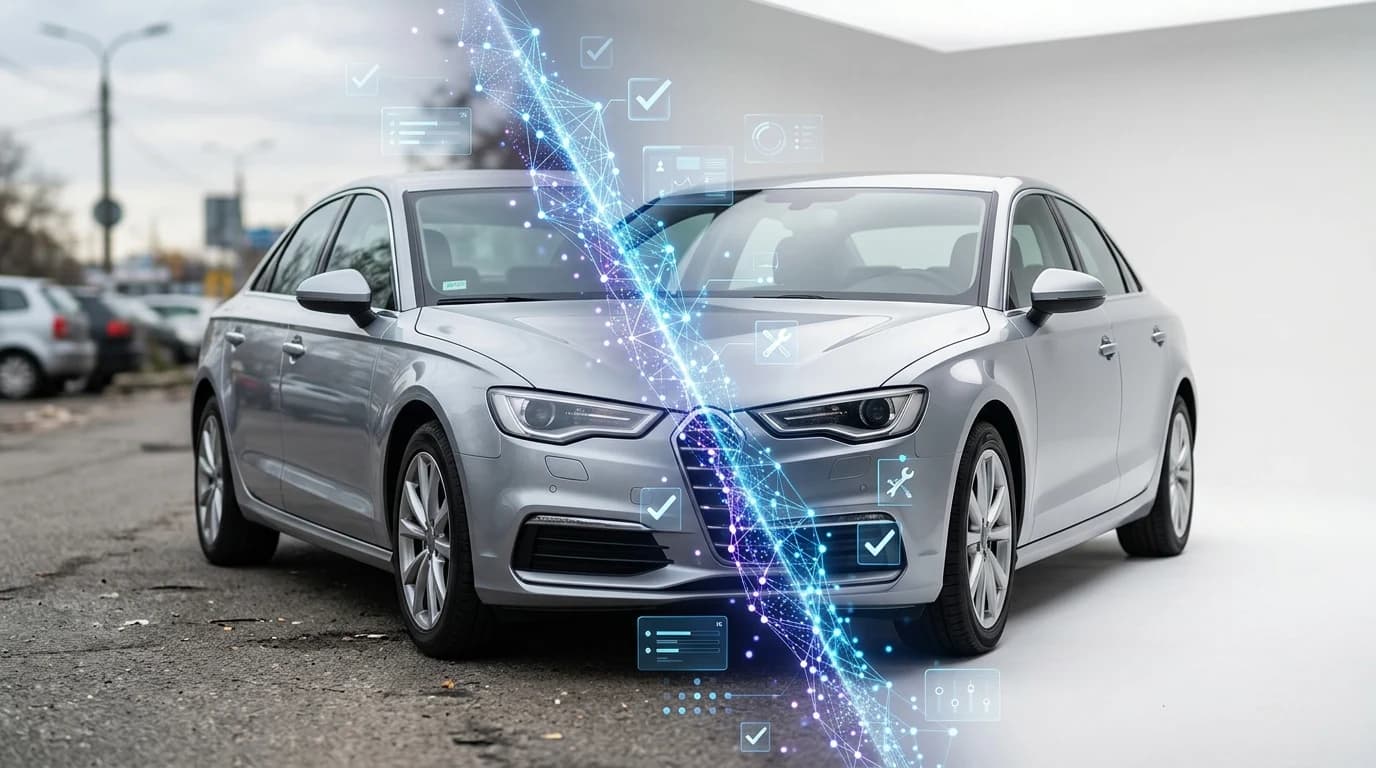
Creating professional automotive photography at scale presents a genuine challenge for dealerships, Turo hosts, and independent car sellers. Traditional studio photography demands significant investment—renting booth space, hiring photographers, or outsourcing to agencies costs $25–$60 per vehicle and often takes days to coordinate. Meanwhile, lot photos shot in inconsistent lighting and cluttered environments fail to showcase vehicles effectively, leading to longer listing times and lower conversion rates. Buyers expect polished, studio-quality images, yet achieving that standard across hundreds of inventory photos strains budgets and workflows.
Quick Answer: Background removal for car photos uses AI-powered tools to automatically detect and isolate vehicles, then replace cluttered or distracting backgrounds with professional alternatives. This matters because it transforms ordinary lot shots into studio-quality listings in seconds—eliminating expensive photography sessions, ensuring visual consistency across your catalog, and improving buyer engagement and sales velocity without hiring additional staff or renting studio space.
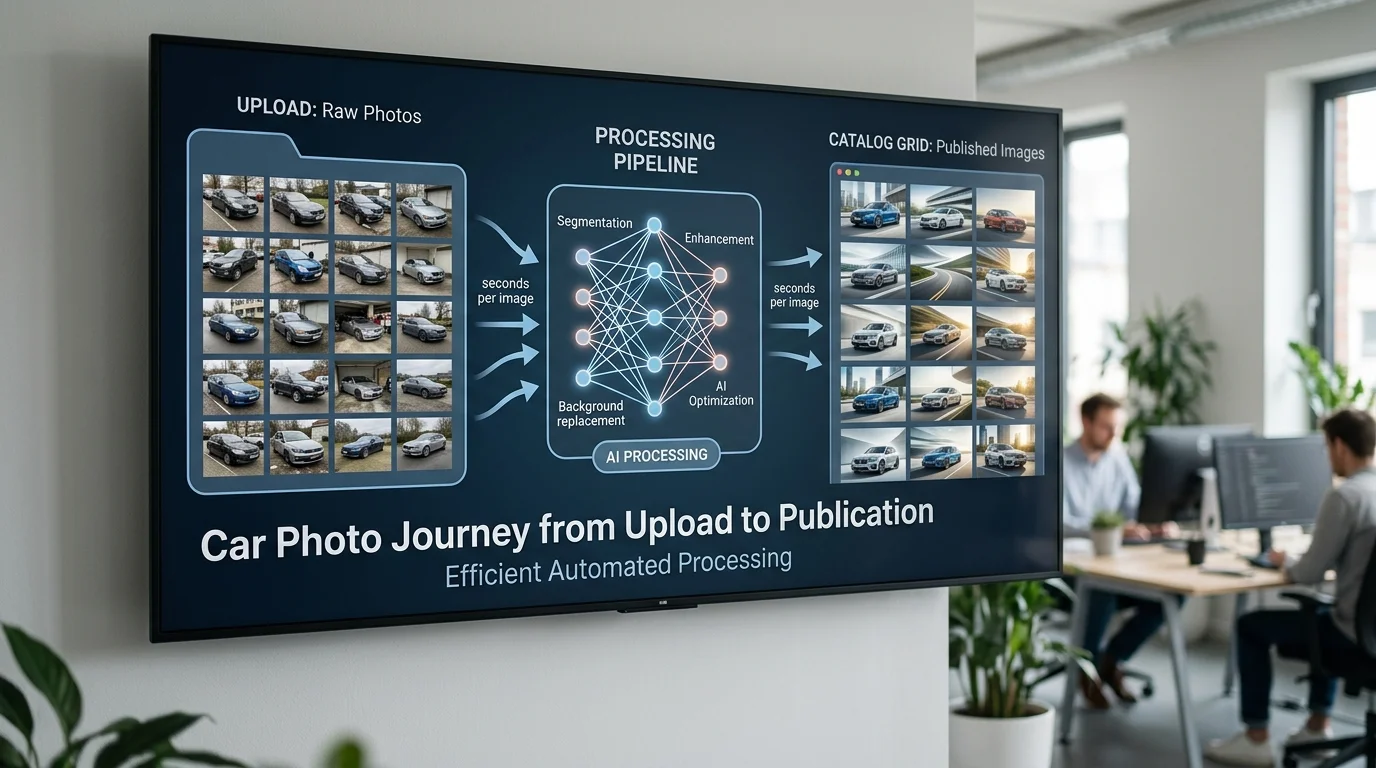
Modern AI background removal has fundamentally changed this equation. Instead of scheduling shoots and coordinating logistics, dealerships now process photos in batches—uploading a photo and receiving a studio-quality result in under 10 seconds. The technology handles the heavy lifting: detecting vehicle edges with precision, removing shadows and reflections, and applying one of over 100 professional backdrops that range from clean showroom settings to lifestyle environments. This shift transforms professional automotive photography from a logistical bottleneck into a scalable, cost-effective workflow.
This guide walks you through why background removal matters for your business, how modern AI solutions work, and practical steps to integrate this into your photo production pipeline. Whether you're managing 50 vehicles or 5,000, you'll discover how to eliminate studio costs while maintaining the consistency that builds buyer confidence and accelerates sales.
Table of Contents
- Understanding Background Removal: What It Is and Why Car Dealers Need It
- The Cost Problem: Why Traditional Studio Photography Isn't Scalable
- How Transparent Backgrounds Solve the Inventory Photo Challenge
- Step-by-Step Guide: Removing Car Photo Backgrounds Using AI Tools
- Preparing Your Car Photos for Best Results
- Selecting and Applying Professional Backgrounds
- Batch Processing for High-Volume Inventory
- Comparing Background Removal Methods: AI vs. Manual Editing vs. Studio Photography
- Why Manual Photoshop Editing Doesn't Scale
- The ROI of AI Background Removal vs. Hiring Photographers
- Best Practices: Creating Consistent, Professional Car Photo Galleries
- Establishing a Photo Workflow for Your Team
- Maintaining Brand Consistency Across Multiple Platforms
- Common Mistakes When Removing Car Photo Backgrounds and How to Avoid Them
- Transforming Your Car Photo Strategy With AI Background Removal
Understanding Background Removal: What It Is and Why Car Dealers Need It
Background removal in automotive photography refers to the automated process of isolating a vehicle from its surroundings—whether that's a cluttered dealership lot, a showroom with distracting elements, or an inconsistent outdoor setting—and replacing it with a clean, professional backdrop. Unlike simple cropping, which merely trims the edges of an image, intelligent background removal uses computer vision to detect the precise boundaries of the vehicle itself, preserve fine details like trim and reflections, and create a transparent layer that allows seamless substitution of new backgrounds.
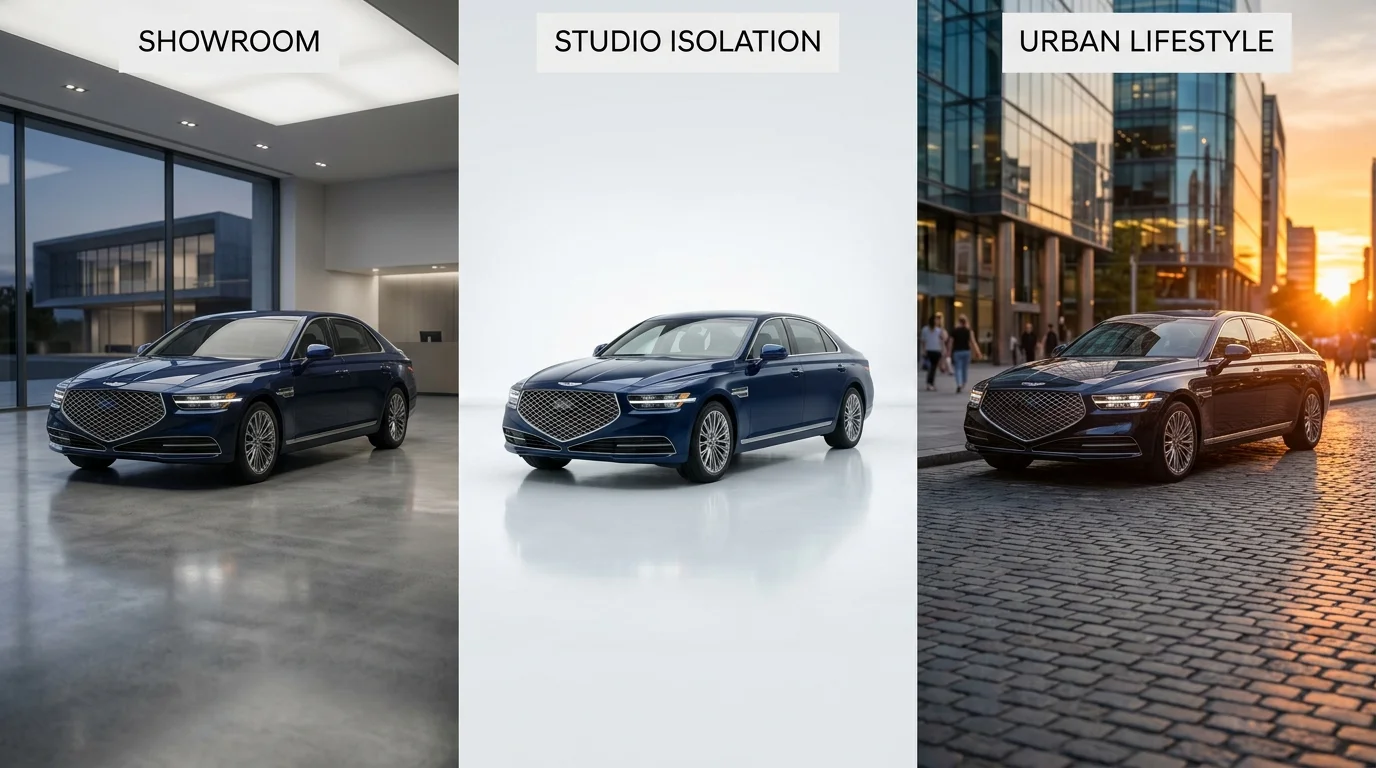
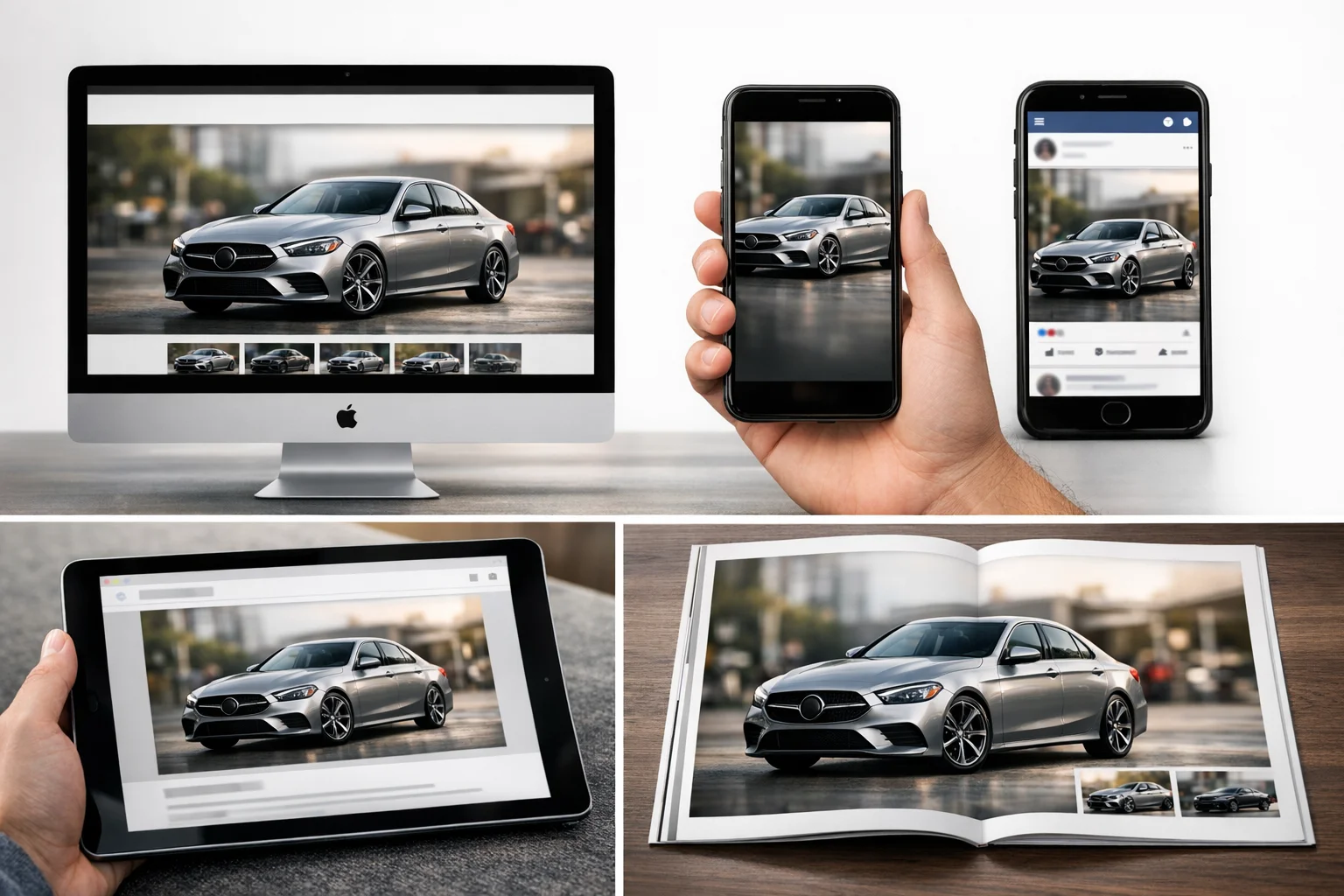
The distinction matters operationally. Cropping reduces image dimensions and loses compositional flexibility. Transparent background technology preserves the full vehicle asset and enables infinite reuse across different marketing channels without re-shooting. A single processed image can appear against a luxury showroom setting on your website, a minimalist white backdrop on classified listings, and an urban lifestyle environment on social media—all from the same source photo.
The Cost Problem: Why Traditional Studio Photography Isn't Scalable
Traditional automotive photography carries substantial overhead that compounds across large inventories. Professional car photographers charge between $50 and $300 per hour, while dedicated photo booth installations range from $38,000 for booth-only setups to $42,875 for complete turntable bundles. Beyond capital expenditure, dealerships spend an additional $5–15 per vehicle on post-production background removal and replacement after initial photography is complete.
For a dealership managing 200 vehicles monthly, this creates a financial bottleneck: photographer fees alone ($10–$30 per vehicle according to industry vendor pricing) multiply into thousands of dollars, while every day a vehicle sits improperly merchandised costs up to $50 in combined carrying costs, floorplan interest, and depreciation. The logistical friction—scheduling shoots, coordinating lot access, managing inconsistent lighting—delays inventory presentation and prevents rapid response to market demand.
How Transparent Backgrounds Solve the Inventory Photo Challenge
Removing backgrounds and applying consistent professional backdrops addresses both cost and consistency simultaneously. When every vehicle in your catalog appears against the same curated showroom environment or clean studio setting, buyers perceive unified brand quality and professionalism—critical because nearly 90% of car shoppers cite photos as the primary factor influencing engagement with a listing.
Transparent backgrounds also unlock operational flexibility. Rather than re-shooting vehicles when marketing strategies shift, you swap backdrops in seconds. A seasonal campaign requiring lifestyle imagery, a marketplace requiring white backgrounds, or a social media initiative demanding branded environments all become achievable without returning to the lot. This reusability compounds savings: the cost per vehicle drops from $15–$45 (photographer plus booth maintenance) to under $3 when processed through AI solutions, freeing budget for inventory expansion or digital marketing investment.
The visual consistency extends beyond aesthetics—it signals professionalism to algorithm-driven listing platforms and improves click-through rates by ensuring your vehicles stand out against competitor photos shot in inconsistent conditions. When you can create transparent images instantly and apply professional backgrounds at scale, the entire merchandising operation shifts from a production constraint into a competitive advantage.
Step-by-Step Guide: Removing Car Photo Backgrounds Using AI Tools
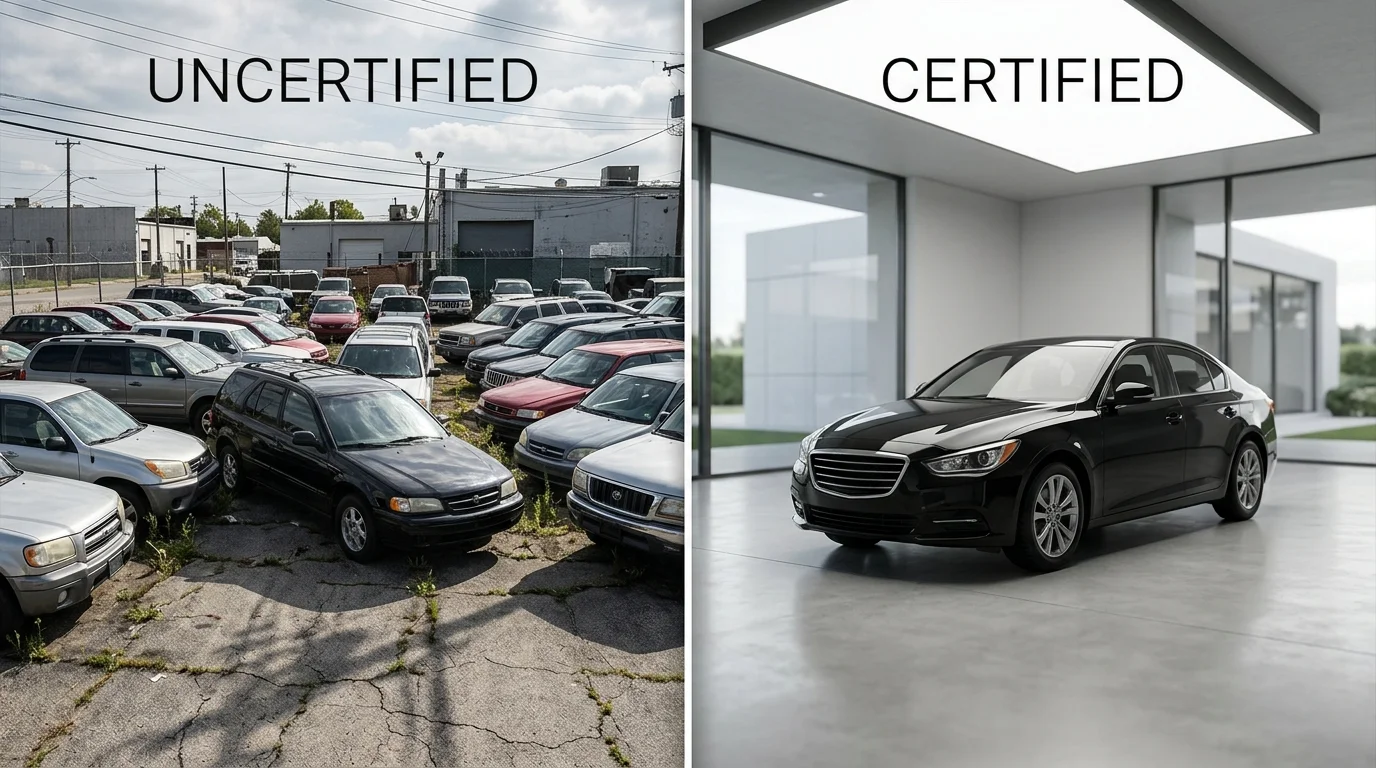
The process of removing backgrounds from car photos has shifted dramatically from a hours-long manual task requiring specialized software expertise to a streamlined, seconds-long operation powered by artificial intelligence. Modern AI-driven solutions analyze vehicle edges, lighting, and color separation automatically, eliminating the need for tedious selection tools, layer masks, or Photoshop proficiency. What once demanded a dedicated photo editor on staff now happens instantly through a web interface or API integration, making professional-grade image processing accessible to dealerships of any size.
Preparing Your Car Photos for Best Results
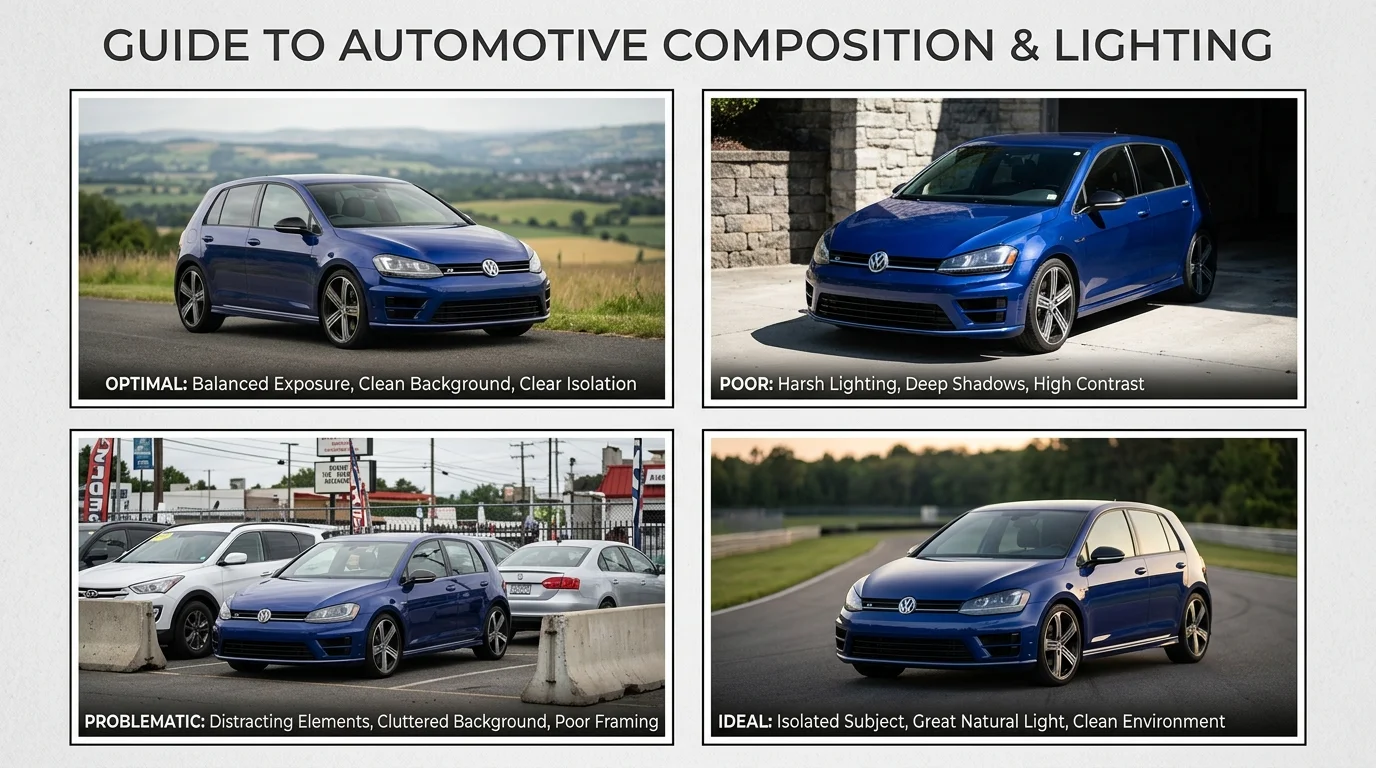
Before uploading images to any background removal tool, invest a few minutes in preparation to ensure optimal AI processing. The algorithm performs best when the vehicle is clearly separated from its surroundings—this means shooting in natural daylight or well-lit conditions where shadows and highlights define the car's edges. Avoid cluttered backgrounds with distracting elements, power lines, or other vehicles that might confuse the AI's edge detection. Position the car as the dominant subject in the frame, ideally with the full vehicle visible and minimal cropping.
File format and resolution matter less than clarity. JPEG and PNG files both work equally well; the AI processes compressed images just as effectively as uncompressed ones. Typical file sizes range from 500 KB to 5 MB—standard smartphone or DSLR output requires no conversion. If your photos are already high-resolution (4K or 8K), the tool will process them without degradation, though processing time may increase slightly. The key is ensuring the car itself is in sharp focus; blurry vehicles or motion blur in the background can occasionally cause the AI to misidentify edges, though modern systems handle this far better than they did two years ago.
Selecting and Applying Professional Backgrounds
Once the background is removed, the real creative control begins. Leading AI solutions like Car Photo Booth offer over 100 professionally designed backgrounds specifically engineered for automotive marketing—luxury showroom settings with polished floors and studio lighting, clean white or transparent backgrounds for marketplace listings, outdoor environments ranging from urban streets to scenic highways, and branded dealership environments. The choice of background directly influences how potential buyers perceive the vehicle and which platforms the image suits best.
Luxury vehicles benefit from showroom backdrops that convey exclusivity and premium positioning; a high-end sedan photographed against a white studio background reads as clinical, while the same car against a luxury dealership interior immediately signals prestige. Economy vehicles and family cars perform better against lifestyle backgrounds—suburban driveways, city streets, or natural outdoor settings that help buyers envision the car in their own lives. Transparent backgrounds serve a different purpose entirely: they're essential for marketplace integrations, eBay listings, and inventory management systems that apply their own backgrounds or require flexibility across multiple sales channels.
Consistency across your entire inventory creates a cohesive brand identity that algorithms and human buyers both recognize. When every vehicle in your catalog uses the same background style—whether that's a uniform showroom aesthetic or a consistent outdoor environment—the listing gallery appears professionally curated rather than assembled from random lot photos. This visual uniformity improves click-through rates on search results and builds trust by signaling that you've invested in professional presentation.
Batch Processing for High-Volume Inventory
Dealerships managing hundreds of vehicles cannot afford to process images one at a time. Batch processing—uploading dozens or hundreds of photos simultaneously and applying the same background across all of them—reduces what would be weeks of manual editing into hours of automated work. Most AI platforms handle batch uploads through their dashboard, allowing you to select multiple images, choose a background, and initiate processing across the entire set with a single action.
For operations at scale, API integrations offer seamless automation. Rather than manually uploading photos through a web interface, dealerships can connect their inventory management system directly to the background removal service, creating a workflow where new vehicle photos are automatically processed and returned with professional backgrounds applied. This eliminates the human bottleneck entirely: as soon as a photo is added to your inventory database, it flows through the AI pipeline and emerges ready for listing. Some dealerships integrate this directly into their CMS, so images appear on their website with professional backgrounds without any intermediate steps.
The time savings compound dramatically. Processing 50 cars manually might consume 3–4 hours of labor; the same batch through AI takes under 10 minutes. For a dealership adding 20 vehicles weekly, that's roughly 150 hours of editing time recovered annually—hours that can be redirected toward customer service, sales, or marketing strategy. When you multiply that efficiency across multiple dealerships or high-volume Turo hosts managing 100+ listings simultaneously, the operational transformation becomes undeniable.
Comparing Background Removal Methods: AI vs. Manual Editing vs. Studio Photography
Three primary approaches dominate automotive photo production today, each with distinct cost, time, and quality implications. Understanding where each method excels—and where it fails—is essential for dealerships and Turo hosts making operational decisions at scale.
Why Manual Photoshop Editing Doesn't Scale
Manual background removal using Photoshop or similar software demands significant technical skill and time investment. According to professional photography research, removing a background and applying a new one typically requires 10–30 minutes per image when executed to professional standards. For a dealership processing 50 new inventory photos weekly, this translates to 8–20 hours of editing labor per week—or roughly 400–1,000 hours annually.
The consistency problem compounds the inefficiency. Different editors produce slightly different results; lighting, edge quality, and shadow handling vary from image to image. This creates a fragmented visual experience across your online catalog, undermining brand cohesion. Additionally, manual editing requires hiring skilled staff or outsourcing to freelancers, both of which introduce quality control bottlenecks and scheduling delays. When a vehicle arrives on your lot and needs to be listed within hours, manual editing becomes a liability rather than a solution.
The ROI of AI Background Removal vs. Hiring Photographers
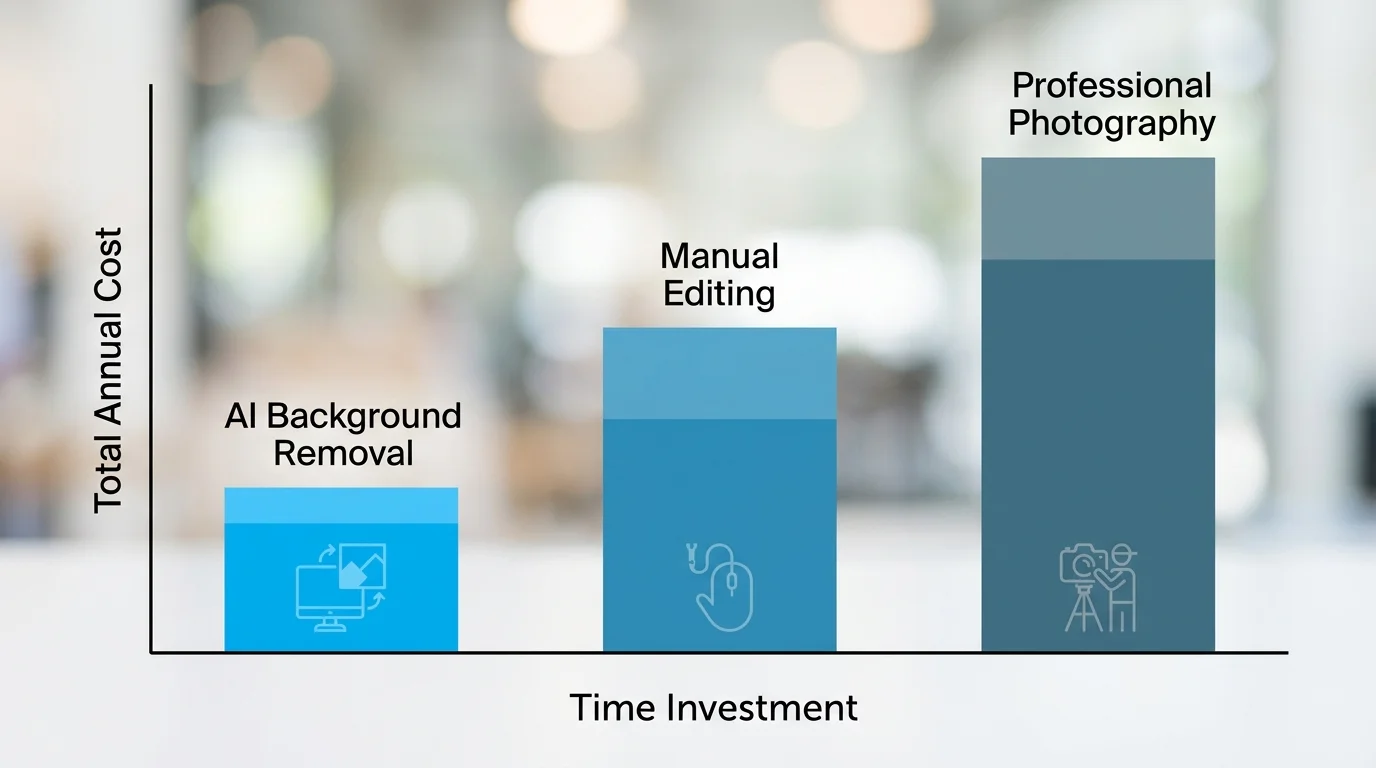
The financial gap between approaches is stark. Professional automotive photographers charge $30–50 per vehicle, while manual editing services typically cost $5–15 per image. AI-powered background removal, by contrast, operates at $3–10 per car depending on volume and subscription tier—and processes each image in under 10 seconds.
For a dealership managing 1,000 inventory photos annually, the math is decisive:
| Method | Cost Per Image | Annual Cost (1,000 images) | Time Per Image | Annual Labor Hours |
|---|---|---|---|---|
| Professional Photographer | $30–50 | $30,000–50,000 | 30–60 min | 500–1,000 hrs |
| Manual Editing (In-house) | $5–15 | $5,000–15,000 | 10–30 min | 167–500 hrs |
| AI Background Removal | $3–10 | $3,000–10,000 | <10 sec | <3 hrs |
The break-even point favors AI immediately. Even at the higher end of AI pricing ($10 per image), you save $20,000–40,000 annually compared to photographers, while reclaiming 500+ hours of internal labor. Consistency improves because every image flows through the same neural network, producing uniform lighting, shadow treatment, and background integration. You can also make an image with a transparent background in seconds, enabling flexibility across multiple sales channels—website listings, marketplace ads, printed catalogs, or social media—without re-processing.
Scalability becomes the decisive factor. When you onboard 100 new vehicles in a single week, AI processes them all overnight. Manual editing would require hiring temporary staff or accepting multi-week delays. Studio photography requires booking time slots weeks in advance, making it impractical for high-velocity inventory turnover.
Best Practices: Creating Consistent, Professional Car Photo Galleries
Consistency is what separates a professional dealership gallery from an amateur collection. When buyers scroll through your inventory, they unconsciously evaluate whether your operation looks organized and trustworthy. Mismatched lighting, random background styles, and inconsistent vehicle angles signal unprofessionalism—even if the cars themselves are excellent. Establishing clear standards for how photos are captured, processed, and published ensures every listing reinforces your brand identity and maximizes buyer confidence.
Establishing a Photo Workflow for Your Team
A structured workflow transforms background removal from an isolated task into a seamless part of your sales pipeline. Begin with standardized capture: photograph each vehicle from the same angles (front three-quarter, driver side, interior) under consistent lighting conditions. This consistency upstream makes the AI processing stage faster and more predictable. Once images are captured, upload them to your background removal tool in batches rather than one at a time—this saves hours weekly and ensures no vehicle falls through the cracks.
After processing, implement a quality review step before publishing. Assign one person to verify that backgrounds are cleanly integrated, vehicle details are sharp, and color grading matches your brand standards. This checkpoint prevents mistakes from reaching your website or marketplace listings. Using AI background removal tools, per image processing time drops below 10 seconds, so even with review, you're processing 100+ vehicles in under an hour—a dramatic improvement over manual editing or studio photography scheduling.
Document your workflow in a simple checklist your team can follow. Include file naming conventions (e.g., VIN-angle-background.jpg), folder structure, and approval sign-off. This prevents confusion and makes it easy to onboard new team members.
Maintaining Brand Consistency Across Multiple Platforms
Your dealership website, AutoTrader listings, social media, and email campaigns should all feel visually cohesive. Select one or two signature background styles—perhaps a luxury showroom for premium vehicles and a clean white background for everyday inventory. Stick with these choices across all platforms. When a buyer sees your car on Facebook, then clicks through to your website, the consistent visual presentation reinforces recognition and professionalism.
Different platforms have different image requirements, but your background choice remains constant. A white background works equally well on a mobile-optimized listing or a printed catalog. A professional showroom background elevates perceived value whether displayed on a desktop or smartphone. By standardizing backgrounds, you eliminate the need to re-process images for different channels—one processed image serves everywhere.
Consistency also extends to metadata and file organization. Use the same naming system across your inventory management system, ensuring photos can be quickly located, updated, or replaced. When you launch a seasonal promotion or refresh your website design, having organized, consistently-processed images means implementation takes days instead of weeks. This operational efficiency directly impacts your ability to respond to market changes and update inventory quickly, which is especially critical for high-velocity dealerships and Turo hosts managing frequent vehicle turnover.
Common Mistakes When Removing Car Photo Backgrounds and How to Avoid Them
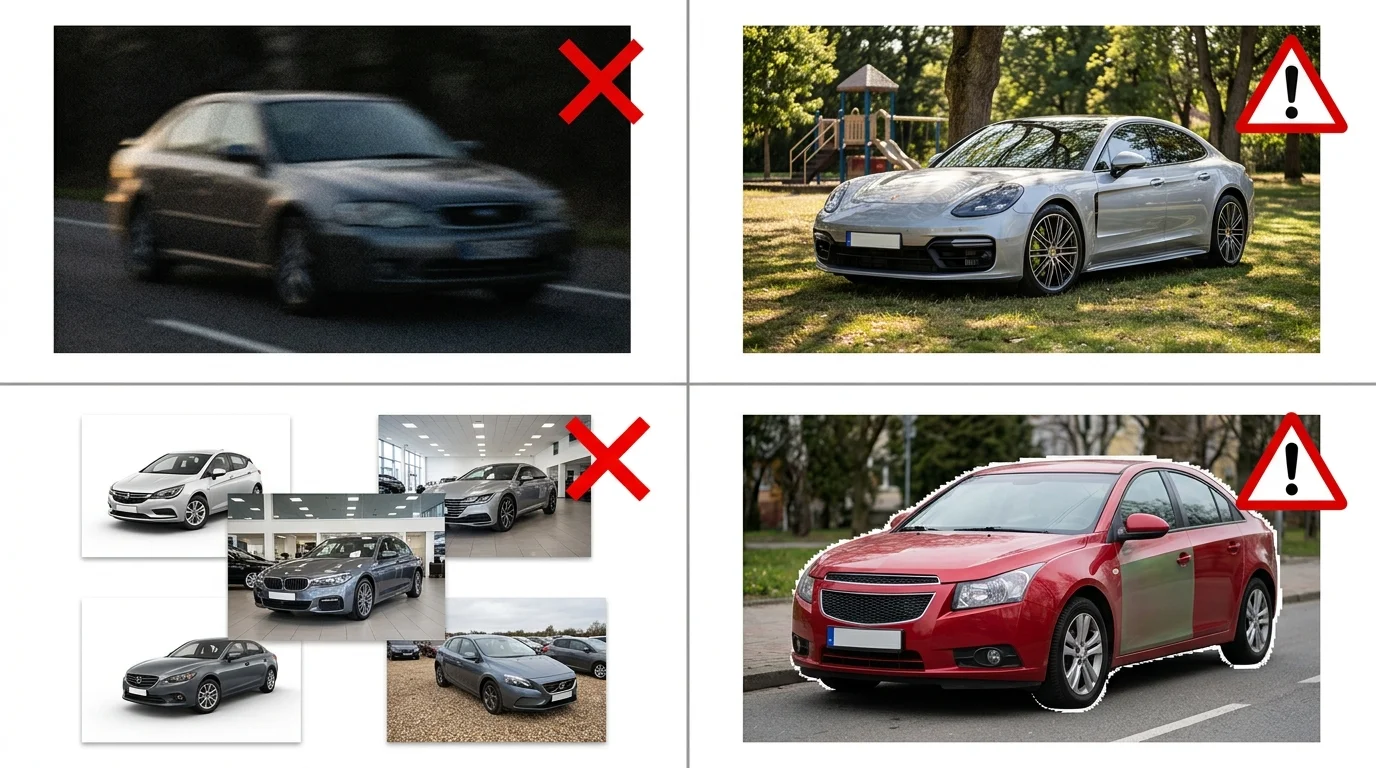
The most costly error dealerships make is starting with low-quality source images. A blurry photo, poor lighting, or a vehicle partially obscured by shadows will produce equally poor results after background removal—no AI tool can recover detail that was never captured. Always photograph vehicles in good natural light with sharp focus on the entire vehicle body. If your source image is soft or underexposed, the background removal process will amplify those flaws rather than fix them.
Equally damaging is mismatching backgrounds to vehicle type and target audience. A luxury sedan photographed against a casual outdoor park background signals budget-conscious positioning, not premium value. A work truck against a showroom setting looks incongruous. The background should reinforce the vehicle's market positioning: luxury vehicles benefit from professional showroom backgrounds, while practical vehicles work well with neutral or lifestyle contexts. Your background choice communicates as much as the vehicle itself.
Failing to review outputs before publishing creates brand inconsistency across your inventory. Batch processing 50 vehicles without spot-checking results means errors compound—edge detection mistakes, color shifts, or inappropriate background selections go live unnoticed. Allocate 10 seconds per image for quality review before uploading to listings or catalogs.
Finally, inconsistent styling across your inventory fragments buyer perception. If some vehicles have white backgrounds, others have showroom settings, and a few have outdoor scenes, your catalog appears disorganized and unprofessional. Establish a single background standard for each vehicle category and apply it uniformly. This consistency, combined with careful source image selection and deliberate background matching, transforms background removal from a technical task into a strategic marketing decision that strengthens your dealership's visual identity.
Transforming Your Car Photo Strategy With AI Background Removal
AI background removal has become the industry standard for professional automotive photography because it eliminates the cost and complexity of traditional studio setups while delivering consistent, scalable results. A dealership that once spent $25,000–$60,000 on physical booth infrastructure can now process hundreds of vehicles monthly for a fraction of that investment. The speed advantage is equally transformative: what required hours of manual editing or expensive photographer time now happens in seconds, allowing you to refresh inventory listings in real time and respond to market demand without production bottlenecks.
The real power lies in scalability and control. When you remove backgrounds with AI, you gain the freedom to apply any of over 100 professional backdrops—from luxury showroom settings to lifestyle outdoor scenes—without reshoot costs or studio scheduling constraints. This means consistency across your entire catalog becomes achievable, not aspirational. You can standardize your brand presentation while testing different background strategies to see which drives higher engagement and conversion rates.
Starting is genuinely risk-free. Most AI background removal tools, including Car Photo Booth, offer free trials with instant results—no credit card required, no software installation, no learning curve. Upload a lot photo, watch it transform into a studio-quality image in seconds, and experience firsthand why dealerships and Turo hosts are abandoning expensive alternatives. The decision to upgrade to a paid plan comes after you've already seen the quality and speed yourself, making it an easy business case to justify to management.