
Making a high resolution image means using advanced technology to increase a photo’s pixel count while enhancing detail and clarity, and with AI, this process has become both accessible and highly effective—especially for car photography. In today’s digital-first automotive marketplace, first impressions are made in milliseconds—and they hinge almost entirely on image quality. High-resolution car photos aren’t just a luxury; they’re a baseline expectation for online buyers. Whether you're a dealership, Turo host, or automotive photographer, low-quality or inconsistent visuals can erode trust, reduce engagement, and cost sales. As platforms increasingly prioritize rich, immersive content, the ability to make image larger and sharper—without expensive equipment or retakes—has become essential. AI now enables instant enhancement of resolution and clarity, transforming smartphone snapshots into high-fidelity, marketing-ready assets through precise, intelligent upscaling.
Understanding Image Resolution for Car Photography
Image resolution determines how sharp and detailed a car photo appears across digital platforms, from listing sites like Autotrader to social media and printed brochures. At its core, resolution refers to pixel dimensions—the total number of pixels horizontally and vertically in an image. A higher pixel count, such as 3000×2000 versus 1200×800, captures finer details like grille textures, alloy wheel finishes, and reflections, making it ideal for zooming and responsive layouts. However, pixel count alone doesn’t guarantee print or display quality; it must be paired with appropriate DPI (dots per inch) and file size. For online use, 72 DPI is standard, but for high-end brochures or banners, 300 DPI ensures crisp output. File size—measured in MB or KB—impacts loading speed and platform compatibility, requiring a balance between fidelity and performance.
Upsizing a low-resolution image through traditional scaling merely stretches existing pixels, resulting in blurriness or pixelation. True high-resolution enhancement, on the other hand, requires intelligent upscaling that adds meaningful detail. This distinction is critical for automotive professionals who rely on visual precision to convey vehicle condition and premium appeal. For best results, combining resolution enhancement with proper lighting and composition is essential—learn more in our guide on image optimization best practices for car listings.
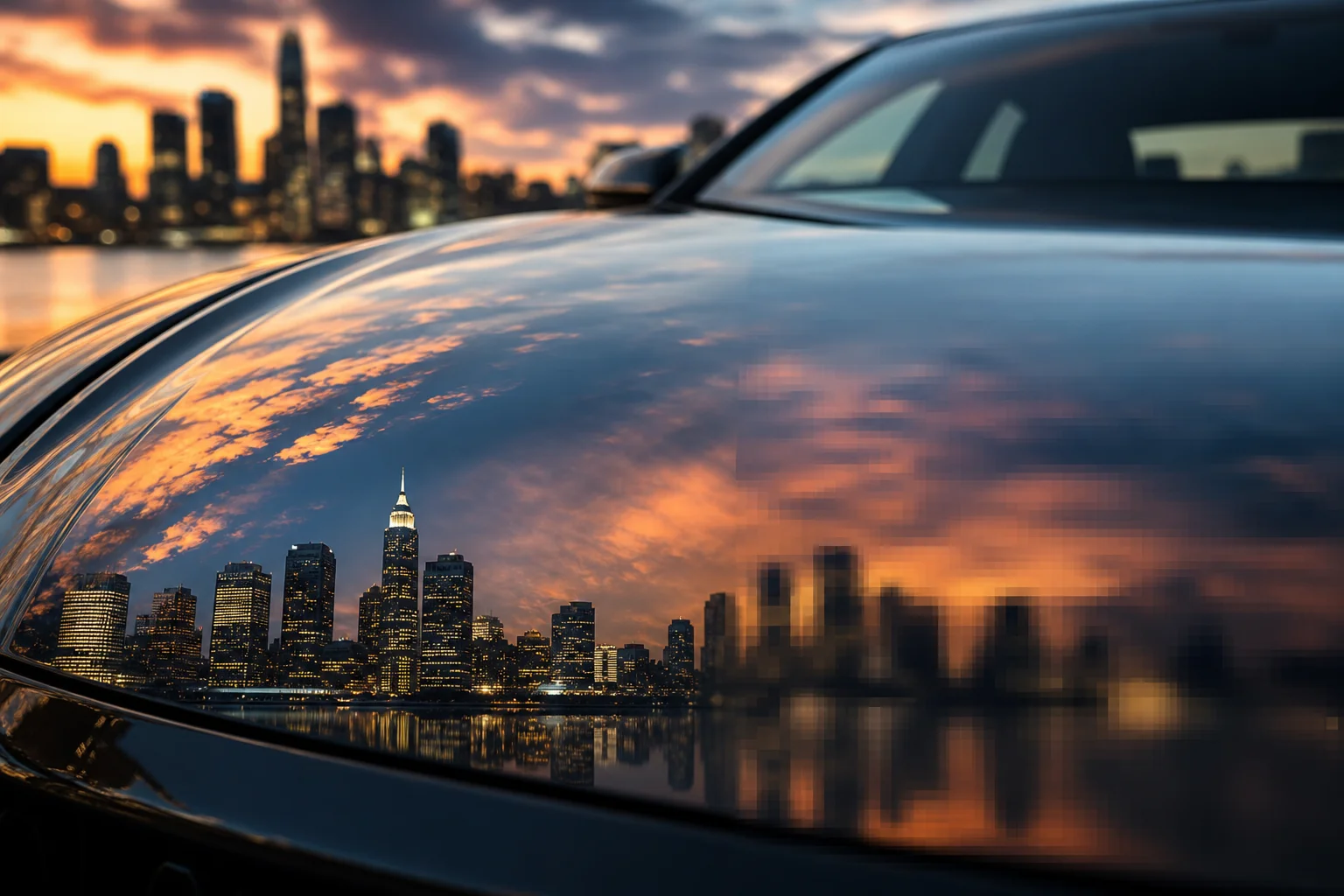
Visualizing the impact of resolution: sharpness matters in automotive imaging
Traditional Methods vs. AI-Powered Resolution Enhancement
Scaling a car image to higher dimensions has long relied on interpolation techniques that stretch existing pixels, often resulting in soft edges and lost detail. These traditional methods, while accessible, fall short when precision and realism are required. Modern AI upscaling, by contrast, doesn’t just enlarge—it reconstructs. Unlike traditional bicubic interpolation that simply stretches pixels and creates blur, AI image upscaler tools analyze patterns in millions of high-resolution images to intelligently reconstruct detail, delivering results that closely mimic optical enlargement.
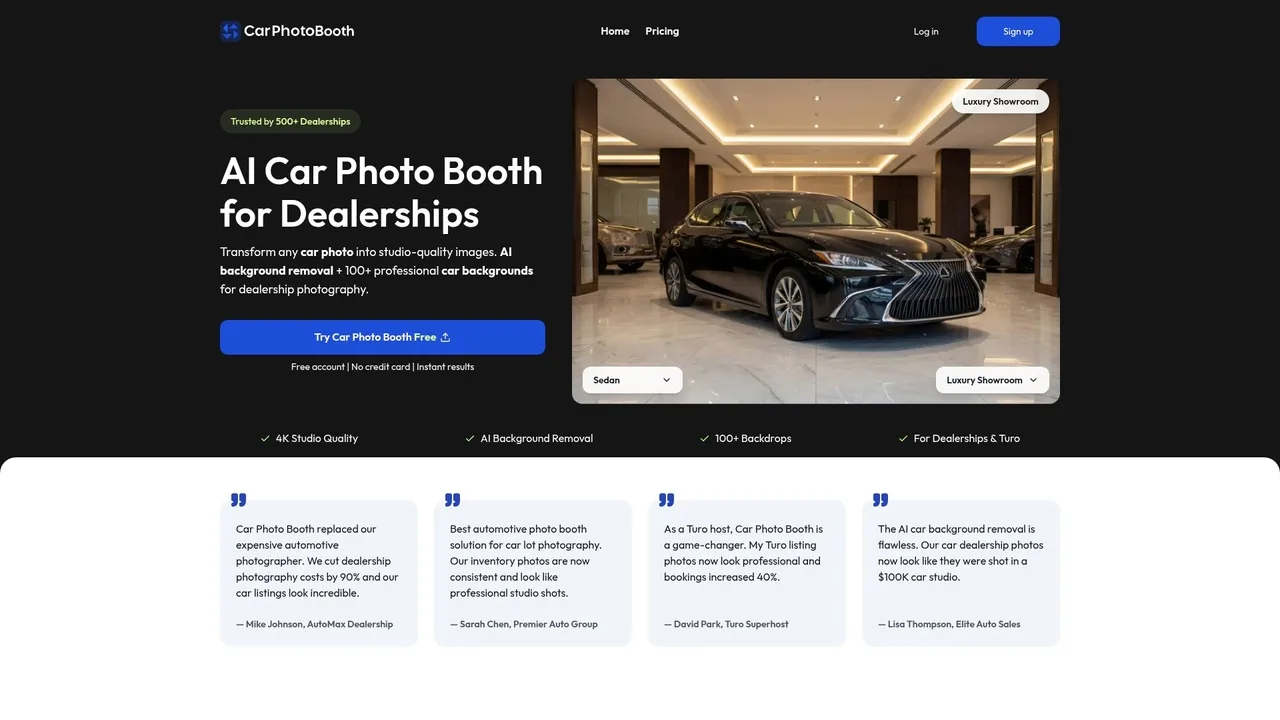
AI-powered interface designed specifically for automotive image enhancement
Photoshop’s Bicubic and Preserve Details 2.0
Adobe Photoshop offers two primary resampling methods: Bicubic and Preserve Details 2.0. Bicubic interpolation, the standard for years, redistributes pixel data evenly but tends to produce halos and artifacts on high-contrast edges—common in car body lines and grilles. Preserve Details 2.0, introduced as part of Adobe’s AI enhancements, applies noise reduction during upscaling and focuses on maintaining original image characteristics while enlarging. This makes it more effective for preserving natural textures like paint grain and trim finishes. However, it still operates within the limits of interpolation, requiring skilled manual adjustments to avoid over-sharpening. For automotive professionals, this means a steep learning curve and inconsistent output across teams.
Microsoft Photos Super Resolution and Other Built-In Tools
Operating system-level tools like Microsoft Photos Super Resolution offer basic AI-powered upscaling with minimal user input. While convenient, these tools lack granular control and are optimized for general photography, not automotive specifics. They often fail to resolve fine reflections on curved surfaces or accurately reconstruct chrome and glass textures. Outputs may appear artificially smoothed, undermining the premium look required for dealership listings. These tools are best suited for casual use, not professional-grade car photography workflows.
How AI Models Outperform Traditional Resampling
Neural networks excel by learning from vast datasets of vehicle images, enabling them to predict realistic micro-details—such as specular highlights on a hood or the texture of alloy wheels—where interpolation only guesses. This capability transforms low-resolution smartphone shots into assets suitable for high-end digital catalogs. At Car Photo Booth, we leverage this technology to not only make image larger but also enhance photorealism, combining upscaling with background replacement for a complete, studio-quality transformation in seconds.
| Method | Detail Recovery | Ease of Use | Best For |
|---|---|---|---|
| Bicubic Interpolation | Low | Medium | Minor web resizing |
| Preserve Details 2.0 | Medium | High | Controlled upscaling with editing |
| OS-Level AI (e.g. Microsoft) | Medium | High | Quick personal use |
| Neural Network AI (e.g. Car Photo Booth) | High | High | Professional automotive listings |
For teams needing consistency and quality at scale, AI-powered enhancement is no longer optional—it’s foundational. Explore how these techniques integrate into full production workflows in our guide to AI-powered car photo editing.
Step-by-Step: Make a Car Photo Larger Using AI in 2026
Achieving high-resolution, studio-quality car images no longer requires professional lighting, expensive photo shoots, or hours of manual editing. With AI, dealers and auto businesses can transform a standard smartphone photo into a polished, high-fidelity asset ready for digital catalogs, marketplaces, and advertising—all in seconds. The process hinges on combining intelligent background replacement with deep learning-based upscaling to preserve and enhance detail where it matters most: on the vehicle’s surface, contours, and finish.
Step 1: Capture or Upload Your Base Image
Start with a clear, well-lit photo taken in natural daylight whenever possible. Avoid harsh shadows, lens flare, or motion blur. Ensure the entire vehicle is in frame, with a slight distance to provide context and reduce perspective distortion. While AI can compensate for minor imperfections, a sharp base image maximizes output quality when you make image larger. A modern smartphone camera is sufficient—what matters most is composition and focus on the car’s body lines and reflective surfaces.
Step 2: Remove and Replace Background with AI
Automated background removal isolates the vehicle instantly, eliminating distractions like cluttered lots or uneven pavement. At Car Photo Booth, we use semantic segmentation models trained specifically on automotive forms to deliver pixel-precise masking—even around complex elements like grilles, wheels, and mirrors. Once removed, replace the backdrop with a professional setting: a showroom, urban skyline, or clean white canvas. This step not only enhances visual consistency across your fleet but also prepares the image for upscaling by focusing AI attention on the car itself. For more on optimizing visual presentation, see our guide to professional car backgrounds.
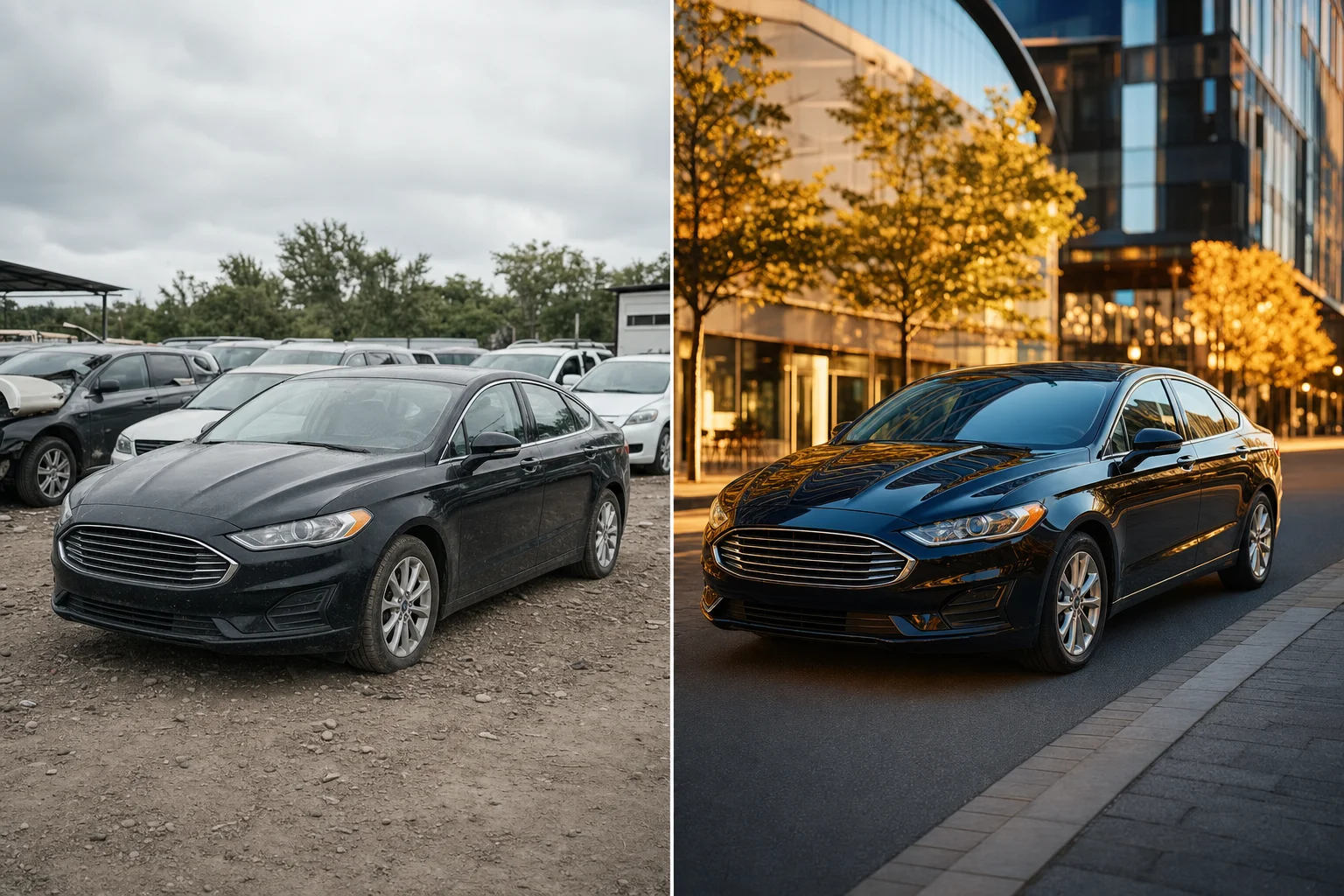
AI transforms mundane snapshots into premium, high-resolution automotive visuals
Step 3: Apply AI Super-Resolution Upscaling
This is where the image gains resolution without sacrificing quality. Traditional resizing blurs edges and loses texture, but neural network AI analyzes patterns in the original pixels—especially on metallic paint, glass, and trim—to synthetically reconstruct fine details. The result is a photorealistic enlargement that holds up at 4K or print resolution. Car Photo Booth’s model is fine-tuned on automotive surfaces, ensuring that reflections, curves, and sharp lines remain intact when you make photo larger. Unlike generic upscalers, our system preserves material integrity, avoiding the “plastic” look common in poorly processed images.
Step 4: Export for Web and Print Use Cases
Choose your output format based on use: JPEG for fast-loading online listings, PNG for transparency or brochures requiring layered editing. Adjust compression to balance file size and clarity—especially important for platforms like Autotrader or Turo. Car Photo Booth auto-optimizes exports for common use cases, delivering files at 300 DPI for print or responsive dimensions for mobile feeds. With one-click batch processing, entire inventories can be upgraded uniformly, ensuring brand consistency and eliminating the cost of studio reshoots.
Why Car Photo Booth Is the 2026 Standard for AI Car Imaging
One-Click Studio-Quality Results
Car Photo Booth eliminates the need for complex post-production workflows by applying automotive-specific AI enhancements in a single step. Our system automatically detects vehicle contours, corrects lighting imbalances, removes distracting backgrounds, and replaces them with professionally designed environments—white studio, urban streets, or scenic landscapes—from a library of 100+ options. Unlike generic photo editors, the model is trained exclusively on car surfaces, ensuring reflections on chrome trim, depth in metallic paint, and clarity in glass remain natural after processing. This level of precision ensures every exported image meets dealership-grade standards without manual intervention. For teams managing high-volume listings, this consistency across thousands of images strengthens brand credibility and accelerates buyer trust.
Scale Your Inventory Imaging in Minutes
Manual editing bottlenecks are a thing of the past. While traditional outsourcing requires hours per vehicle, Car Photo Booth processes full photo sets in seconds. A 15-image vehicle lineup—exterior, interior, wheels, and details—is enhanced simultaneously, with AI applying background removal, exposure correction, white balance normalization, and license plate blurring in one automated pass. This capability allows dealerships and Turo hosts to refresh entire inventories overnight, ensuring all listings present a uniform, professional appearance. With batch processing, seasonal updates or new arrivals can be photographed on-site with a smartphone and transformed into polished assets before hitting digital marketplaces. This operational agility is redefining how automotive businesses manage visual content at scale.
Cost Comparison: AI vs. Studio Shoots
Outsourcing photo editing or full studio shoots incurs significant overhead, with per-vehicle costs ranging from $45 to $120 depending on service level. In contrast, AI-powered platforms like Car Photo Booth reduce processing costs to under $0.50 per image at scale. Dealerships switching to AI report photography cost reductions of 70–80% compared to traditional methods, freeing budget for customer acquisition and digital marketing. This efficiency is not just financial—it’s temporal. By cutting editing time from days to minutes, teams eliminate scheduling delays and accelerate time-to-market. As the industry shifts toward rapid, high-quality visual production, AI imaging isn’t just an alternative; it’s the economically and operationally superior standard. For a deeper look at available tools, explore our guide to the best AI-powered tools to edit car photos like a pro in 2026.
Frequently Asked Questions About Making High-Resolution Car Images
Can AI truly increase image resolution without blurring?
Modern AI upscaling goes beyond traditional interpolation by analyzing patterns in automotive design—grille textures, headlight contours, alloy wheel geometry—and synthesizing new, plausible detail. This means when you make a photo larger, the system doesn’t stretch pixels but intelligently fills in high-frequency elements, preserving sharpness. Platforms like Car Photo Booth use generative models trained specifically on vehicle imagery, ensuring enhancements align with real-world aesthetics and structural accuracy.
What's the minimum photo quality needed for AI upscaling?
To effectively make image larger using AI, input photos should clearly show the vehicle’s body panels, windows, and wheels, with minimal motion blur or extreme underexposure. While license plates and fine reflections can be inconsistent, the main structure must be intact. Even smartphone-captured lot shots meet this threshold, making AI accessible for dealerships and Turo hosts alike.
How fast can I process 50 car photos with AI?
With automated batch processing, platforms like Car Photo Booth upscale and enhance 50 car photos in under 10 minutes. There’s no manual per-image editing—upload, select output settings, and receive studio-quality results simultaneously, accelerating time-to-market for large inventories.
Are AI-generated car images accepted on Turo, CarGurus, and AutoTrader?
Yes, all three platforms accept AI-enhanced images as long as they accurately represent the vehicle. According to The Rideshare Guy, Turo hosts with high-resolution, well-lit photos see the strongest booking performance. We ensure our edits maintain authenticity—no fictional modifications—so your listings stay compliant while standing out visually. For best practices, see our guide to AI-powered car photo editing.