
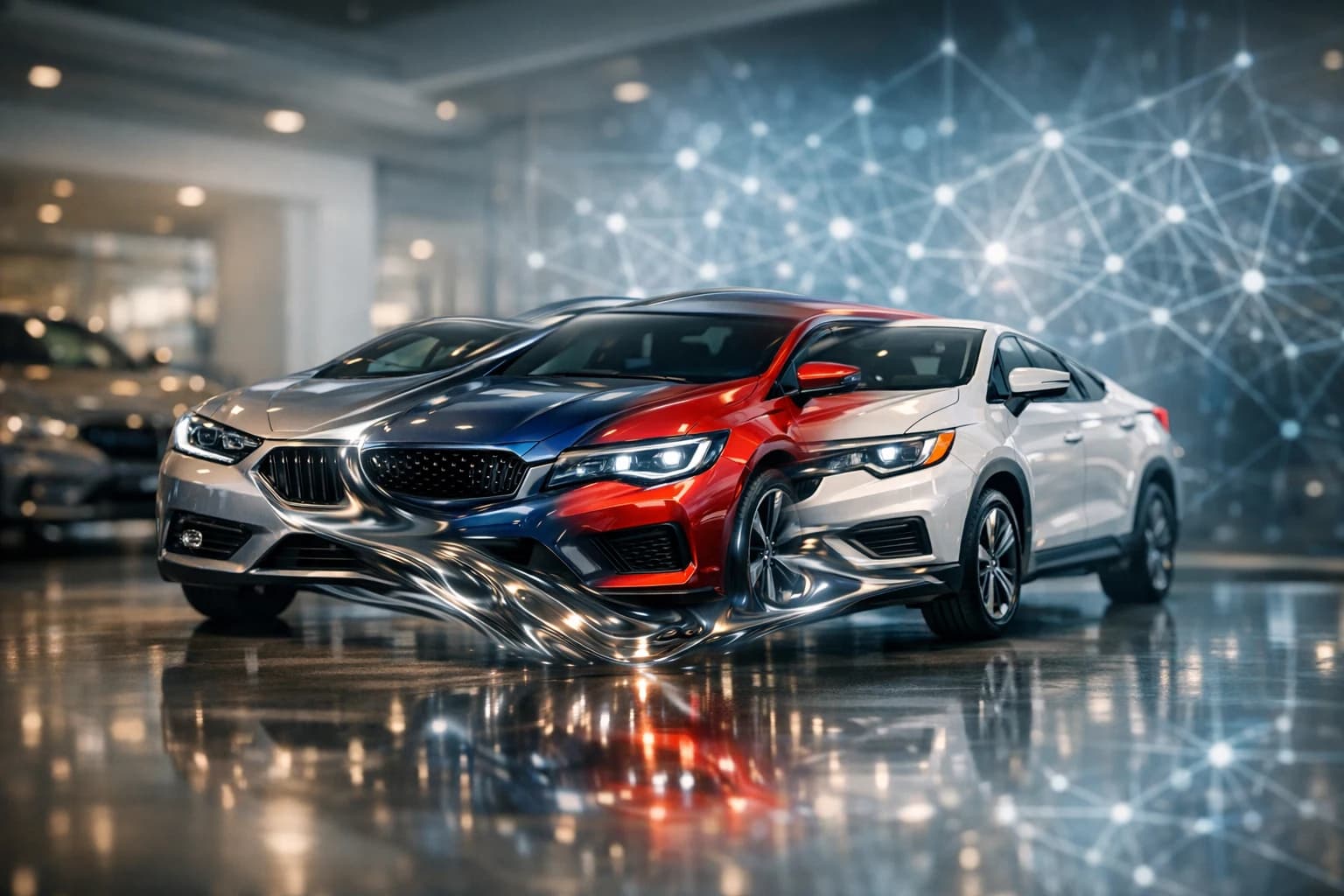
When dealers talk about how to swap faces on car photos, they're not referring to the viral social media trend—they're describing a powerful automotive photography technique that replaces cluttered, inconsistent backgrounds with professional studio environments. This process uses AI photography tools to remove the original background from a vehicle image and replace it with a polished alternative: a luxury showroom, neutral white backdrop, urban setting, or natural landscape. For dealerships and auto sellers, this capability solves a critical problem: creating a cohesive, branded visual identity across hundreds of listings without the prohibitive cost of studio shoots or professional lighting equipment.
Quick Answer:
Dealers use AI background removal and replacement technology to transform lot photos into studio-quality images in seconds. Over 90% of car shoppers start their search online, spending months researching before visiting a dealership—making professional visuals essential. Tools like Car Photo Booth automate this process, removing backgrounds and applying 100+ professional backdrops at roughly $3–$5 per image, compared to $30–$50 per vehicle for traditional photography. This approach maintains visual consistency across inventory while dramatically reducing production time and cost.
The shift toward AI-powered automotive background removal reflects a broader market reality: online presentation now drives buyer behavior, and inconsistent imagery damages credibility. This article explores the mechanics of background swapping, the business case for dealerships, and the practical tools that make professional car photos accessible without expensive studio infrastructure.
Table of Contents
- Traditional Face Swapping vs. AI-Powered Background Replacement for Cars
- Manual Photoshop Techniques: Layer Masks and Blending
- AI Background Replacement: Speed and Consistency
- Best AI Tools for Swapping Car Photo Backgrounds and Styling
- Car Photo Booth: Specialized AI for Dealership Photography
- Alternative Tools and When to Use Them
- Step-by-Step: Creating Professional Car Photos with AI Face Swapping
- Uploading and Batch Processing Multiple Car Photos
- Selecting the Right Background for Your Vehicle Type
- Fine-Tuning Lighting and Color for Consistency
- ROI and Cost Savings: AI Photo Swapping vs. Studio Photography
- Breaking Down Photography Costs: Traditional vs. AI
- Time Savings and Inventory Velocity
- Overcoming Common Challenges: Quality, Consistency, and Brand Alignment
- Ensuring AI Backgrounds Look Natural and Professional
- Maintaining Consistent Branding Across Your Photo Catalog
- Choosing AI Face Swapping for Your Automotive Photography in 2026
Traditional Face Swapping vs. AI-Powered Background Replacement for Cars
Manual Photoshop Techniques: Layer Masks and Blending
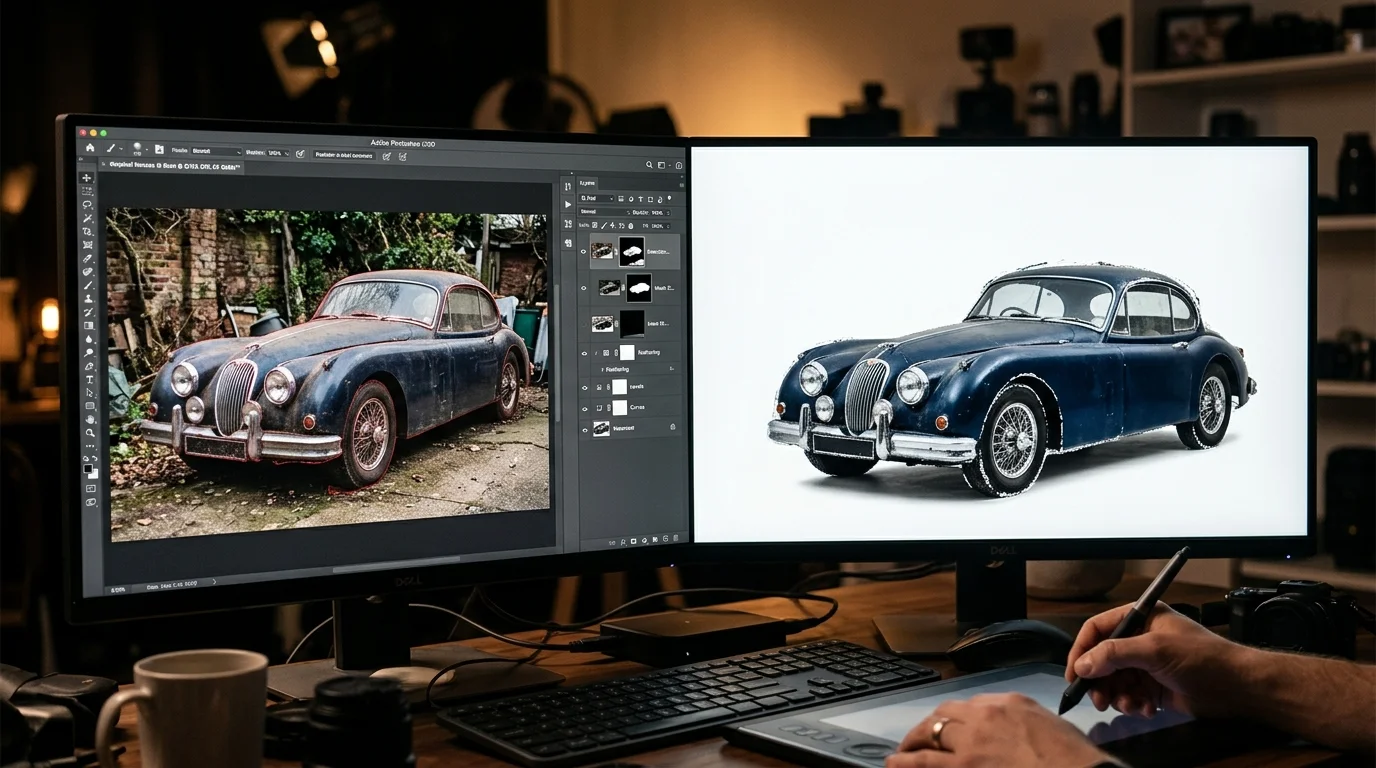
Traditional face swapping in Photoshop relies on layer masks, feathering, and manual color correction—techniques borrowed from portrait retouching. A designer isolates the vehicle using selection tools, creates a mask to separate it from the background, then manually blends edges and adjusts lighting to match a new backdrop. This approach demands technical skill, color theory knowledge, and patience. A single vehicle photo typically requires 15–30 minutes of work, even for experienced editors. When dealerships manage 50–100 photos weekly, this workflow becomes a bottleneck. Beyond time, consistency suffers: each editor interprets lighting and color differently, resulting in a patchwork of styles across inventory listings.
AI Background Replacement: Speed and Consistency
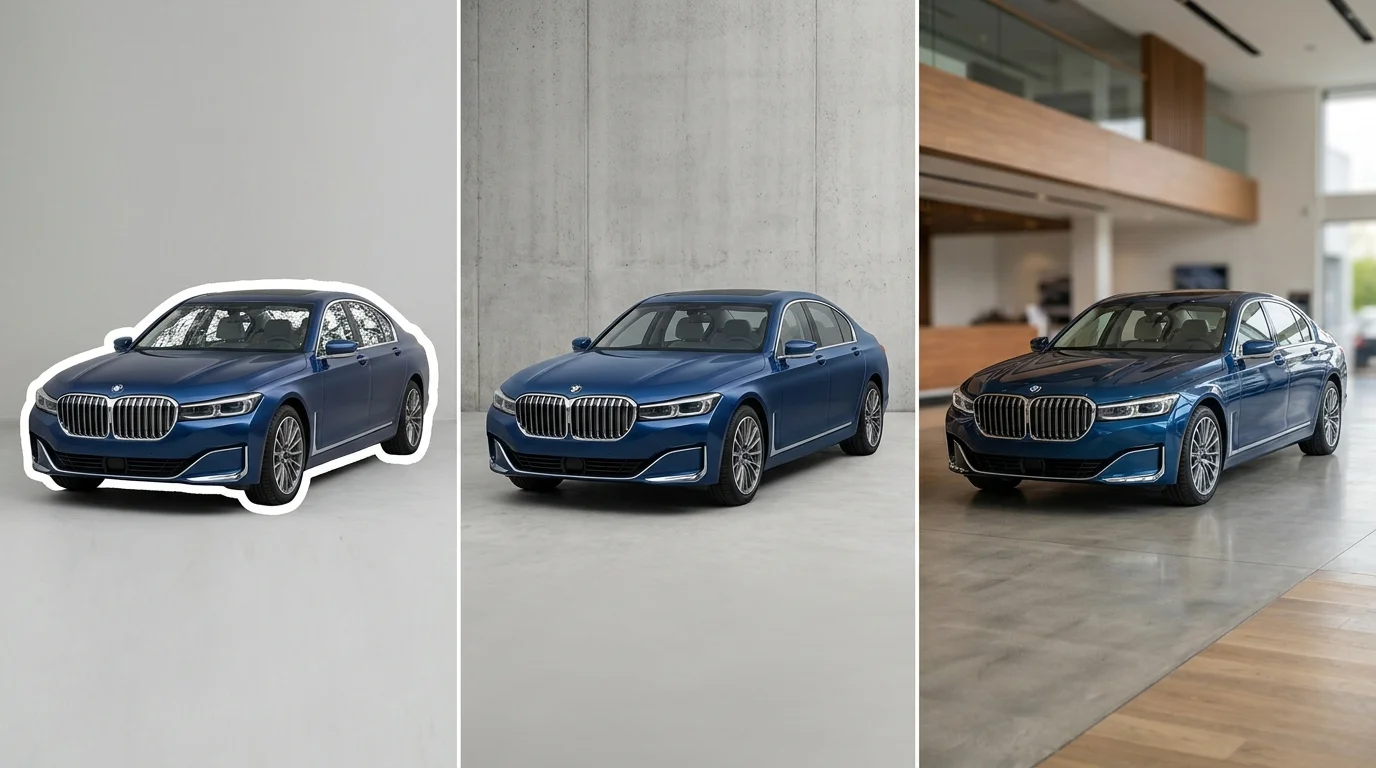
AI-powered background removal eliminates manual masking entirely. Modern computer vision algorithms detect vehicle boundaries with pixel-level precision in under 10 seconds, automatically removing the original background without human intervention. The system then applies one of 100+ professional backdrops—showroom environments, outdoor landscapes, or clean white studios—instantly adjusting lighting and shadows to match the vehicle's original lighting conditions. This automation ensures every photo in a dealership's catalog maintains visual consistency, a critical factor when buyers evaluate dozens of listings across platforms.
The business case is compelling: professional car photographers charge approximately $50–300 per hour, with experienced professionals commanding $200–300 per hour in the US. Post-production editing adds another $5–15 per vehicle. AI solutions like Car Photo Booth compress this workflow into seconds at roughly $3–$5 per image, while maintaining the polished aesthetic that drives buyer confidence. For dealerships handling high-volume inventory, this shift from manual photo editing to automated background replacement represents not just cost savings but operational scalability. When speed and consistency matter equally, AI-driven solutions outperform traditional techniques by orders of magnitude.
Best AI Tools for Swapping Car Photo Backgrounds and Styling
When dealerships evaluate AI solutions for automotive image enhancement, the decision hinges on three critical factors: specialized automotive capability, processing speed, and cost per image. Generic background removal tools exist in abundance, but they often struggle with the unique challenges of car photography—reflective surfaces, complex lighting, and the need for consistent styling across inventory. Specialized automotive AI tools address these gaps by combining intelligent edge detection with automotive-specific background libraries.
Car Photo Booth: Specialized AI for Dealership Photography
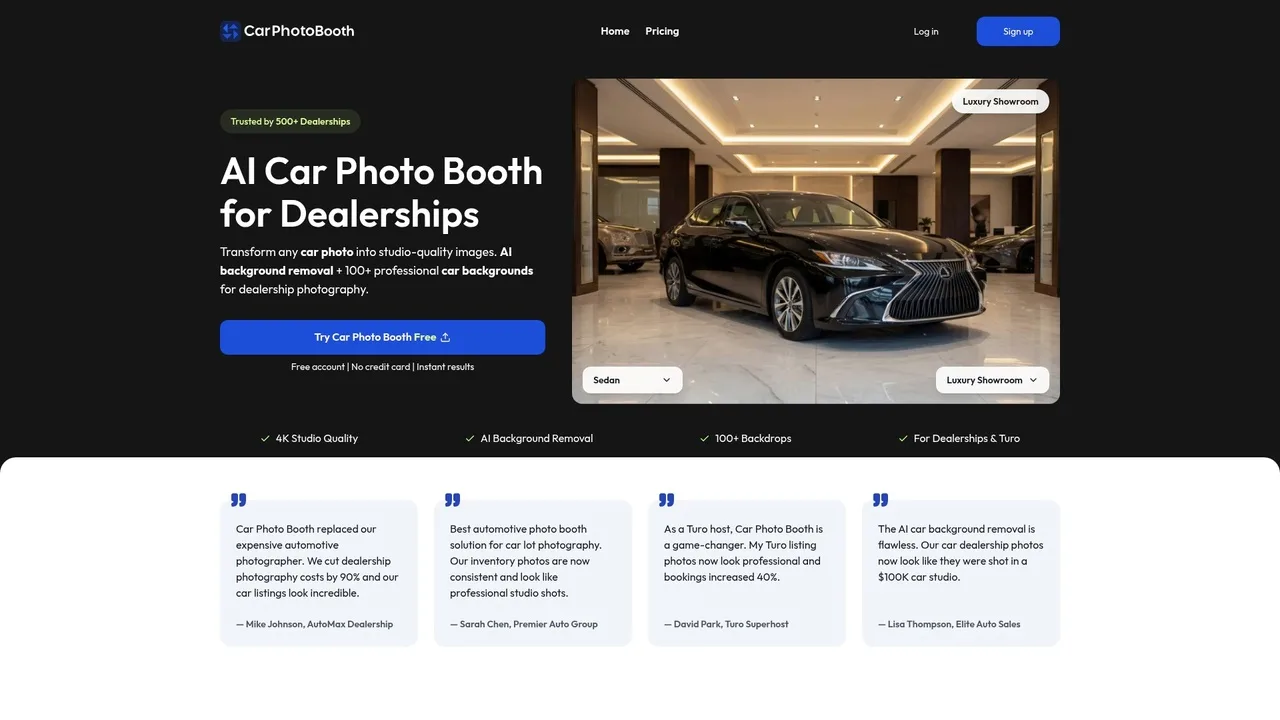
Car Photo Booth delivers purpose-built background replacement designed specifically for automotive sales. The platform removes backgrounds in seconds and applies one of 100+ professional backdrops—luxury showroom environments, clean white studios, outdoor landscapes, and urban scenes—automatically adjusting lighting and shadows to match the vehicle's original conditions. This ensures visual consistency across an entire dealership catalog, a critical factor when buyers evaluate dozens of listings simultaneously.
Trusted by 500+ dealerships, Car Photo Booth processes images at roughly $3–$5 per vehicle with no setup costs or equipment investment. The platform handles bulk processing efficiently, allowing dealers to upload 50+ photos and receive studio-quality results within minutes. For dealerships managing high-volume inventory, this workflow eliminates the need for expensive studio sessions or manual post-production editing. The 4K export quality ensures listings appear sharp and professional across all platforms—AutoTrader, Craigslist, Turo, and dealership websites.
Alternative Tools and When to Use Them
Remove.bg operates as a general-purpose background removal tool with pricing from approximately $0.20–$0.27 per image depending on subscription tier. While effective for portraits and product photography, it lacks automotive-specific backgrounds and often produces flat, uninspiring results when applied to vehicle photos. The tool removes backgrounds cleanly but leaves dealers responsible for sourcing and applying replacement backdrops manually—a time-consuming process that negates cost savings.
Autobackgrounding.com serves automotive professionals with one-click editing and bulk processing, having processed images for over 28,000 customers. The platform offers automotive-focused backgrounds and faster turnaround than generic tools, making it suitable for individual photographers or small dealerships processing 10–50 vehicles monthly. However, it lacks the background variety and styling consistency that larger dealerships require for cohesive catalog presentation.
Canva provides template-based design with background replacement features, appealing to sellers seeking an all-in-one solution. Its strength lies in creating marketing graphics alongside photo editing, but automotive background options remain limited compared to specialized platforms. Processing time and learning curve make Canva better suited for occasional sellers rather than high-volume dealership operations.
| Tool | Best For | Cost Per Image | Background Options | Processing Speed |
|---|---|---|---|---|
| Car Photo Booth | Dealerships, bulk processing | $3–$5 | 100+ automotive-specific | 10 seconds |
| Remove.bg | Budget-conscious sellers | $0.20–$0.27 | Generic only | 5 seconds |
| Autobackgrounding.com | Photographers, small dealers | $0.50–$2 | 20+ automotive | 30 seconds |
| Canva | Marketing + photo editing | $13/month | 10+ generic | 60 seconds |
The choice depends on scale and consistency requirements. Individual Turo hosts or photographers selling 5–10 vehicles monthly can manage with Remove.bg or Canva. Dealerships processing 50+ monthly listings benefit from professional car backgrounds and specialized automotive tools that guarantee visual uniformity and faster turnaround. For operations seeking to eliminate studio photography costs while maintaining professional presentation, specialized automotive AI represents the most efficient investment.
Step-by-Step: Creating Professional Car Photos with AI Face Swapping
Uploading and Batch Processing Multiple Car Photos
The workflow begins with uploading your raw car images. Most dealerships and Turo hosts manage inventory in batches—whether you're processing five vehicles for a weekend rental update or fifty for a seasonal catalog refresh. Batch processing is where AI-powered automotive photo editing saves the most time. Instead of editing photos one at a time in Photoshop or manual tools, you can upload multiple images simultaneously and apply consistent transformations across your entire inventory in minutes rather than hours.
When uploading, ensure your source photos are reasonably well-lit and show the vehicle clearly—the AI background removal works best when the car itself is in focus and properly exposed. Lot photos, studio shots, and even phone camera images work equally well. The system automatically detects the vehicle boundaries and isolates it from its surroundings, eliminating the need for manual selection or layer masking. For dealerships processing 50+ listings monthly, batch uploading reduces per-image turnaround from 15–30 minutes (manual Photoshop editing) to under 10 seconds per photo.
Selecting the Right Background for Your Vehicle Type
Once your vehicles are isolated, background selection determines perceived value and buyer engagement. The choice should align with the vehicle's market position and target audience. Luxury sedans and high-end sports cars benefit from showroom backgrounds—polished, minimalist environments that emphasize craftsmanship. Family SUVs and practical vehicles perform better against outdoor or lifestyle backgrounds that suggest adventure and reliability. Budget vehicles often convert well with clean white or neutral backgrounds that reduce visual clutter and focus attention on pricing and condition.
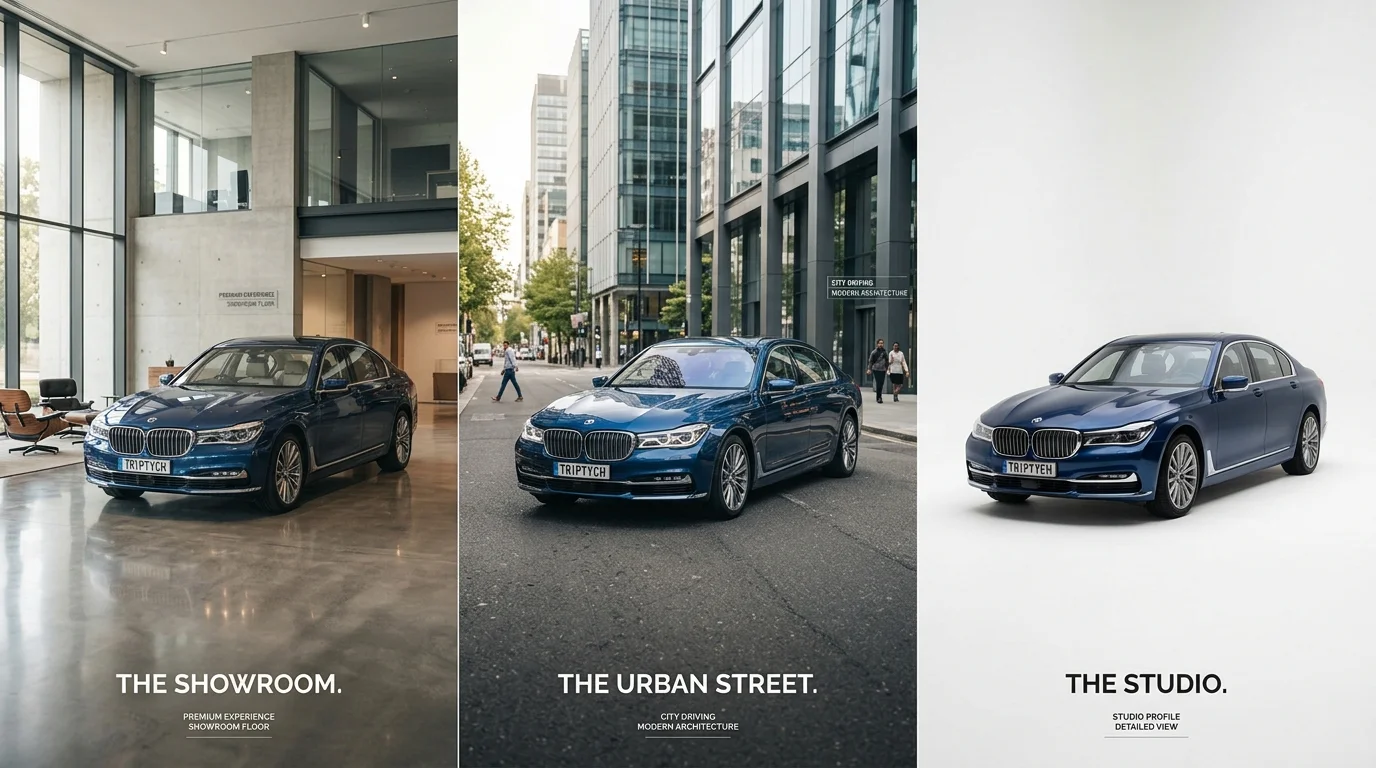
Car Photo Booth offers over 100 professionally designed backgrounds spanning automotive showrooms, urban streets, natural landscapes, and studio environments. This variety ensures visual consistency across your catalog while allowing segment-specific customization. A dealership selling mixed inventory can apply luxury showroom backgrounds to premium vehicles and outdoor/lifestyle settings to mid-range models—all within the same workflow. The background transformation happens instantly, and you can preview results before exporting, ensuring every listing matches your brand's visual standard.
Fine-Tuning Lighting and Color for Consistency
Professional dealership catalogs demand visual uniformity. If your source photos come from different lighting conditions—overcast lot shots mixed with sunny day photos—the final images may appear inconsistent despite identical backgrounds. AI tools now include optional color correction and lighting adjustments to harmonize your catalog. These controls allow you to brighten underexposed images, reduce color casts, and ensure all vehicles appear equally vibrant and appealing.
Fine-tuning typically involves simple slider adjustments for brightness, contrast, saturation, and white balance. The goal is not heavy-handed editing but subtle normalization—ensuring a pearl white sedan photographed at dawn looks as crisp as one shot at noon. For high-volume dealerships, this consistency directly impacts buyer confidence and reduces returns or complaints about photo-to-reality mismatches. Once you've dialed in your preferred color profile for a batch, many platforms allow you to save and apply those settings across future uploads, further accelerating your workflow and maintaining brand coherence across seasonal inventory updates.
ROI and Cost Savings: AI Photo Swapping vs. Studio Photography
Breaking Down Photography Costs: Traditional vs. AI
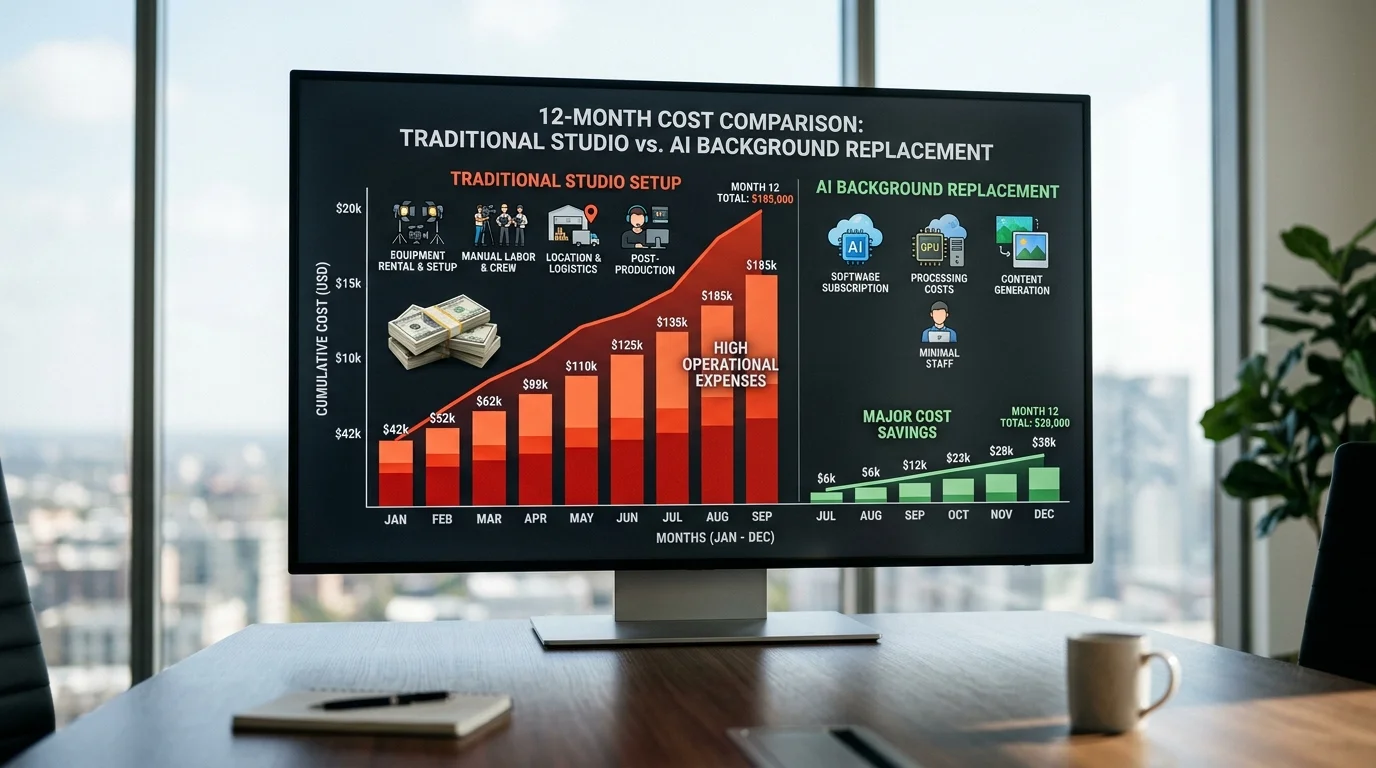
The financial case for AI-powered background replacement becomes clear when you map total cost of ownership across a year of dealership operations. Traditional studio photography demands significant upfront capital: physical booth systems range from $38,000 to $49,950 for purchase, or $893–$1,717 monthly for rental arrangements. Beyond equipment, you're paying photographers $30–$50 per vehicle, plus labor overhead for setup, shooting, and post-processing. For a dealership cycling through 50 vehicles monthly, that translates to $1,500–$2,500 in direct photography costs alone, before accounting for facility space, maintenance, or staff time managing the workflow.
| Cost Factor | Traditional Studio | AI Background Replacement |
|---|---|---|
| Equipment Setup | $38,000–$49,950 | $0 |
| Monthly Rental (Alternative) | $893–$1,717 | N/A |
| Per-Photo Cost | $30–$50 | ~$3 |
| Annual Cost (50 cars/month) | $18,000–$30,000+ | ~$1,800 |
| Processing Time per Photo | 15–30 minutes | 10 seconds |
| Scalability | Limited by space/staff | Unlimited |
AI tools eliminate capital expenditure entirely. At approximately $3 per vehicle using platforms like Car Photo Booth, a dealership processing 600 vehicles annually spends roughly $1,800—a 90% reduction compared to traditional methods. This cost advantage compounds as inventory volume increases; the per-unit economics remain flat while studio costs climb with labor and facility constraints.
Time Savings and Inventory Velocity
Beyond raw cost, the speed advantage reshapes your competitive position. Traditional photography demands scheduling, shooting sessions, and manual editing—a process consuming 15–30 minutes per vehicle from lot to final image. AI background replacement processes photos in 10 seconds, eliminating bottlenecks that delay inventory listings by days or weeks.
This velocity matters directly to your bottom line. Vehicles listed online within 24 hours of arrival generate higher engagement and shorter time-to-sale compared to those delayed by photography backlogs. A dealership managing 50 vehicles monthly can now photograph and list inventory the same day, capturing early-stage buyer interest when search intent is highest. Over a year, faster listing velocity reduces carrying costs, improves cash flow, and increases the number of vehicles you can profitably cycle through your lot.
The efficiency gain also frees staff to focus on higher-value tasks—customer communication, sales follow-up, or inventory management—rather than coordinating with photographers or managing photo shoots. When you combine cost-effective photography with professional car backgrounds that elevate visual appeal, you're competing on both price and presentation without the traditional studio overhead.
Overcoming Common Challenges: Quality, Consistency, and Brand Alignment
Ensuring AI Backgrounds Look Natural and Professional
The most common concern dealerships voice is whether AI-generated backgrounds will appear authentic or obviously artificial. This skepticism is rooted in legitimate experience—early background removal tools often produced visible halos around vehicles, misaligned lighting, or generic backdrops that looked distinctly "edited." Modern automotive-focused AI solutions have moved far beyond those limitations.
Specialized tools designed for car photography use realistic environment libraries and intelligent lighting simulation to ensure the final image maintains visual coherence. When a vehicle is placed against a luxury showroom backdrop, the shadows, reflections, and light direction automatically align with the vehicle's original lighting conditions. This eliminates the telltale signs of poor compositing—mismatched shadows, unnatural color casts, or lighting that contradicts the car's surface highlights. The result is an image that appears as if the vehicle was photographed in that environment, not pasted into it.
The key difference lies in automotive-specific training data. Generic background removal tools train on millions of random images; automotive AI trains specifically on vehicle photography, understanding how light interacts with chrome, glass, paint, and metal. This specialized knowledge produces backgrounds that respect the vehicle's three-dimensional form and material properties, maintaining professional photo quality standards that customers expect.
Maintaining Consistent Branding Across Your Photo Catalog
Consistency across your entire inventory catalog directly impacts how customers perceive your dealership's professionalism and trustworthiness. When vehicles appear in wildly different backgrounds—some in showrooms, some outdoors, some against white—the catalog feels disjointed and suggests poor inventory management or rushed photography.
Select 2–3 background styles that align with your dealership's brand identity and apply them consistently across all vehicle photos. A luxury dealership might choose a high-end showroom and a premium outdoor setting; a volume dealer might opt for a clean white background and a professional lot environment. This deliberate constraint actually strengthens your brand by creating visual recognition—customers begin to associate your specific background aesthetic with your dealership.
Document your background selection in internal guidelines and ensure all staff processing photos follow the same choices. When you clean up car pictures for online listings, consistency in backdrop selection reinforces brand cohesion across platforms—your website, classified listings, and social media all present vehicles in the same professional context. This unified visual language builds buyer confidence and makes your inventory stand out against competitors using random or mismatched backgrounds.
Before committing to bulk processing, review sample outputs with your background selections. A/B test different backgrounds with actual customer feedback if possible. This validation step ensures your chosen aesthetic resonates with your target buyer and genuinely elevates perceived vehicle value rather than introducing an element that feels out of alignment with your dealership's positioning.
Choosing AI Face Swapping for Your Automotive Photography in 2026
The case for AI-powered background replacement in automotive photography is now undeniable. Traditional studio setups demand six-figure capital investments, ongoing facility costs, and scheduling logistics that slow your inventory processing to a crawl. AI solutions eliminate these friction points entirely—transforming raw lot photos into showroom-quality assets in seconds, at a fraction of traditional costs. A professional automotive photography solution using AI processes images at roughly $3–$5 per vehicle, compared to $30–$50 per car through hired photographers or $25,000–$60,000 in physical booth infrastructure. Beyond cost, the consistency advantage reshapes how buyers perceive your inventory. Every vehicle appears in the same professional context, building brand recognition and trust across your website, classified listings, and social platforms.
When you implement AI background replacement strategically, you're not just saving money—you're scaling quality. Batch processing 50 vehicles takes minutes instead of days. Your team maintains control over which professional backdrops align with your dealership's positioning. You can transform lot photos into studio-quality images without hiring external talent or renting expensive equipment. The result: faster listings, faster sales, and measurably higher perceived vehicle value.
Ready to experience the difference? Start with a free account—no credit card required—and process your first batch of photos today. Car Photo Booth delivers instant results with 4K resolution, 100+ professional backgrounds, and zero learning curve. See how AI can transform your inventory photography in under 60 seconds.